Building AI-Powered Features in Web Apps Using Third-Party APIs
Adding AI-powered features to a web application has become one of the fastest ways to deliver meaningful value to users — but the implementation details matter far more than the API call itself. In this post, I walk through how I've integrated AI capabilities across multiple production projects using third-party APIs, covering the full picture from prompt engineering and streaming UX to error handling, rate limiting, and keeping costs under control. I'll use Next.js App Router as the runtime environment, with server-side route handlers managing API calls to prevent key exposure on the client. Whether you're building a content generation tool, an intelligent search feature, a document summarizer, or a context-aware assistant, the patterns covered here apply broadly across providers. This is a production-focused guide — not a 'hello world' AI tutorial.
Architecture: Keeping AI API Calls Server-Side in Next.js
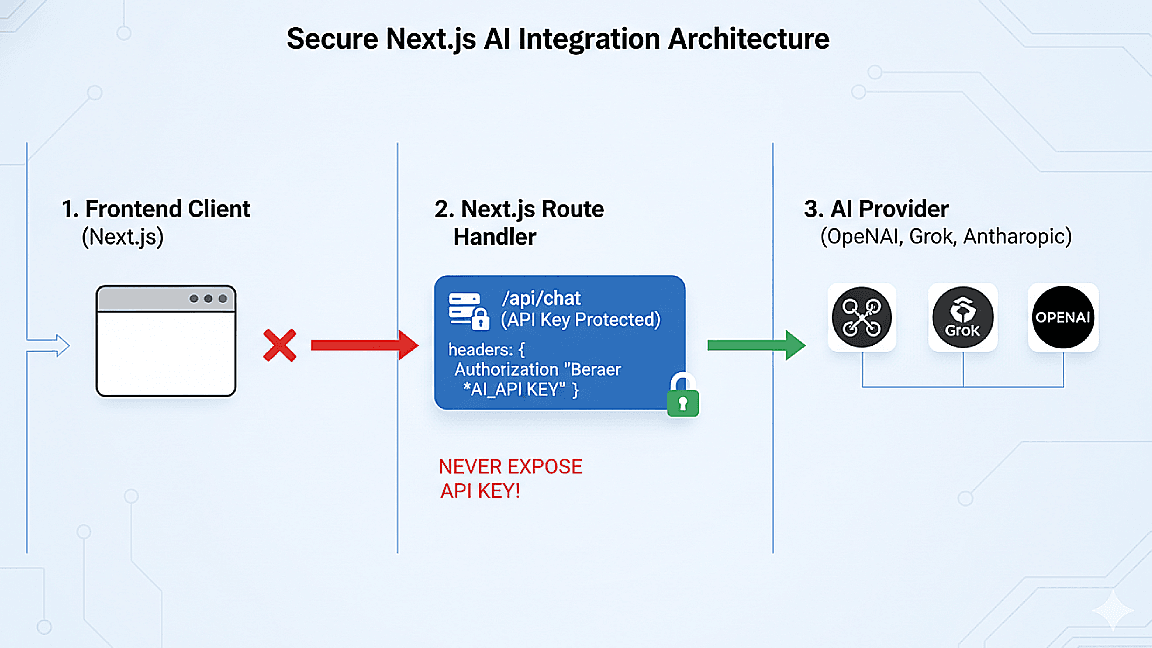
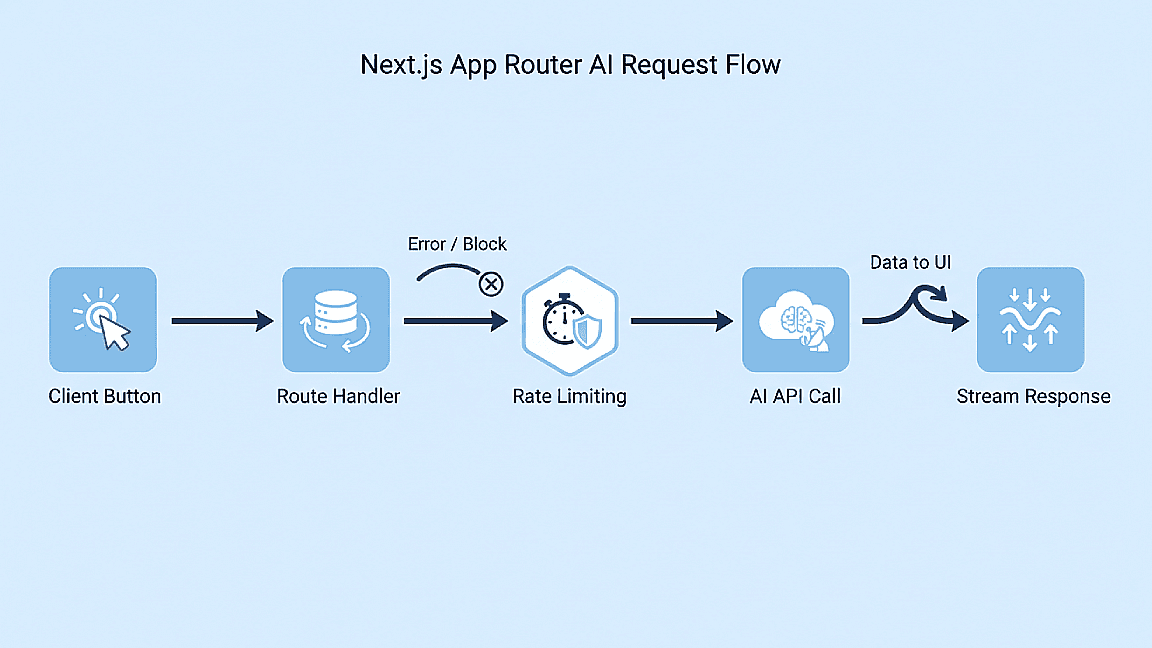
The most important architectural decision when integrating a third-party AI API is keeping your API key server-side. Never call an AI provider directly from client-side JavaScript — your API key will be exposed in the browser's network tab and can be extracted and abused. In Next.js, the correct pattern is to create a route handler in the App Router (`/api/ai/route.ts`) that accepts a request from your frontend, validates the user's session, calls the AI API server-side using your secret key, and streams or returns the response.
This server-side intermediary also gives you a natural place to implement rate limiting per user, log requests for debugging and cost tracking, sanitize user input before it reaches the AI provider, and enforce content policies. I use a simple Redis-based rate limiter in this layer — each user gets a fixed number of AI requests per hour, tracked by their session ID.
- Route handler pattern for secure server-side AI API calls
- Session validation before forwarding requests to the AI provider
- Redis-based per-user rate limiting to control costs and abuse
- Input sanitization and content policy enforcement at the API layer
Streaming Responses for a Better User Experience
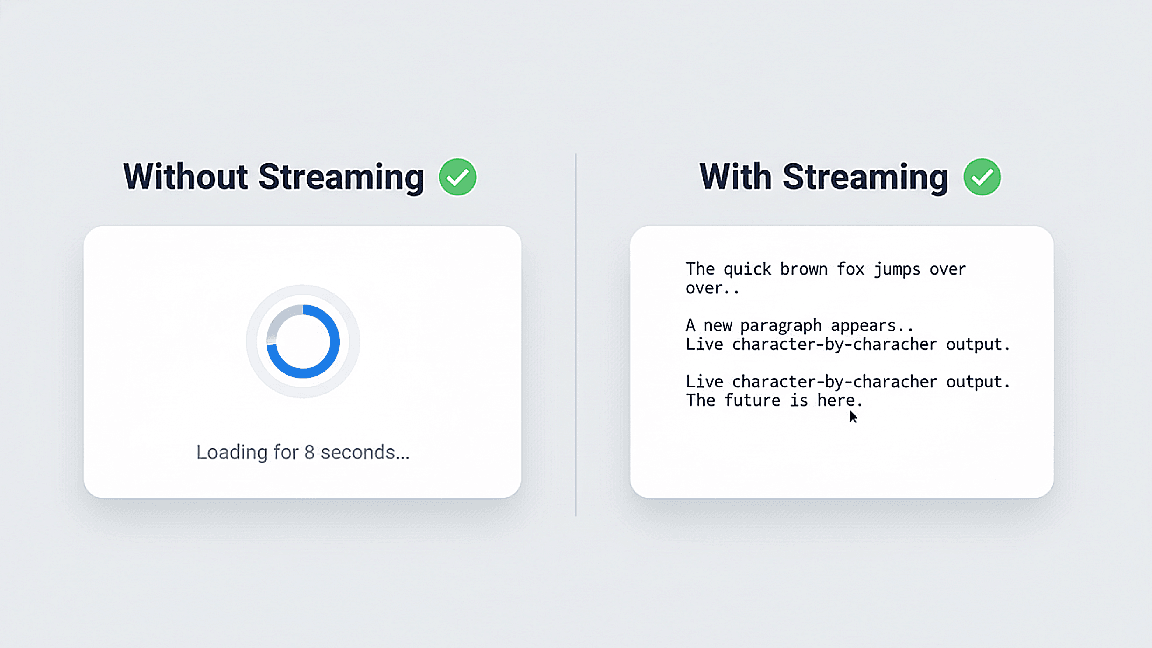
One of the biggest UX improvements you can make when integrating AI features is streaming the response rather than waiting for the full completion before rendering. Without streaming, users stare at a loading spinner for several seconds before seeing anything — with streaming, text appears incrementally as it's generated, which feels dramatically more responsive and keeps users engaged.
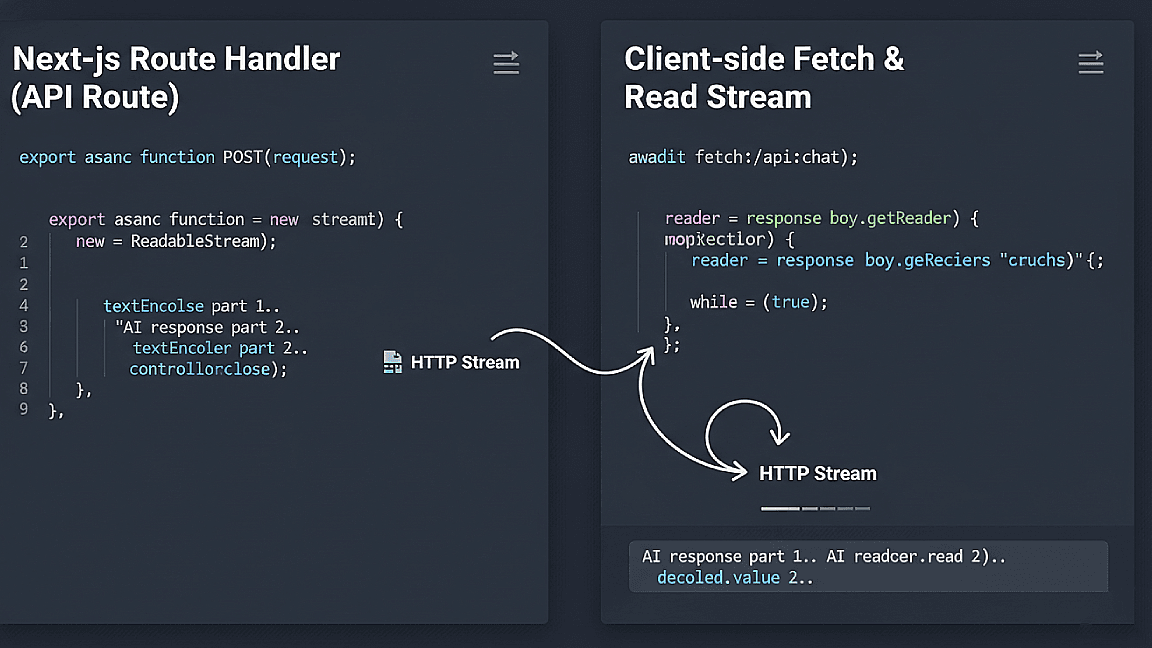
In Next.js App Router, streaming AI responses is straightforward using the Web Streams API. The route handler returns a `Response` with a `ReadableStream` body, and on the client, I consume it using `fetch` with a reader on `response.body`. I update a state variable character by character as chunks arrive, rendering the output progressively. This pattern works with any AI provider that supports streaming completions.
- Why streaming improves perceived performance for AI features
- Returning a ReadableStream from a Next.js App Router route handler
- Consuming streamed chunks on the client with fetch and a stream reader
- Rendering progressive output with React state updates
Prompt Design, Cost Management, and Production Considerations
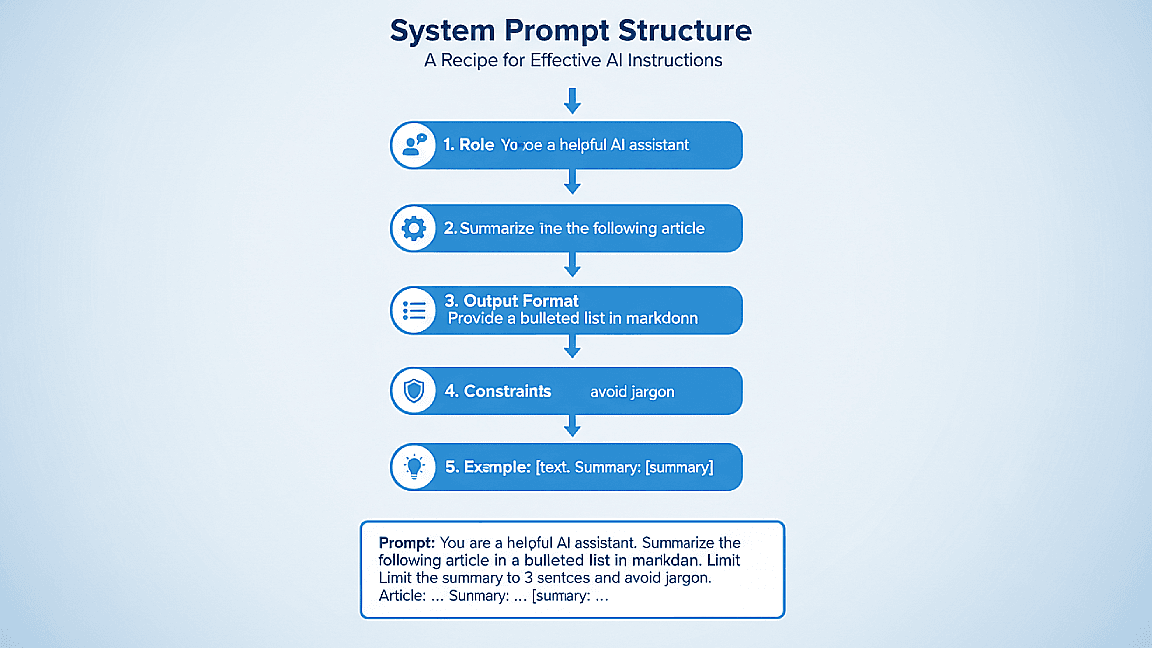
The quality of your AI feature is determined largely by how well you design the prompt. A good system prompt constrains the model's behavior, defines its role, specifies the output format, and handles edge cases like empty input or off-topic requests. I always develop prompts iteratively — starting with a rough version, testing it against a range of real user inputs, and refining based on failure cases. Keeping system prompts in a constants file rather than inline in route handlers makes them easier to version and update.
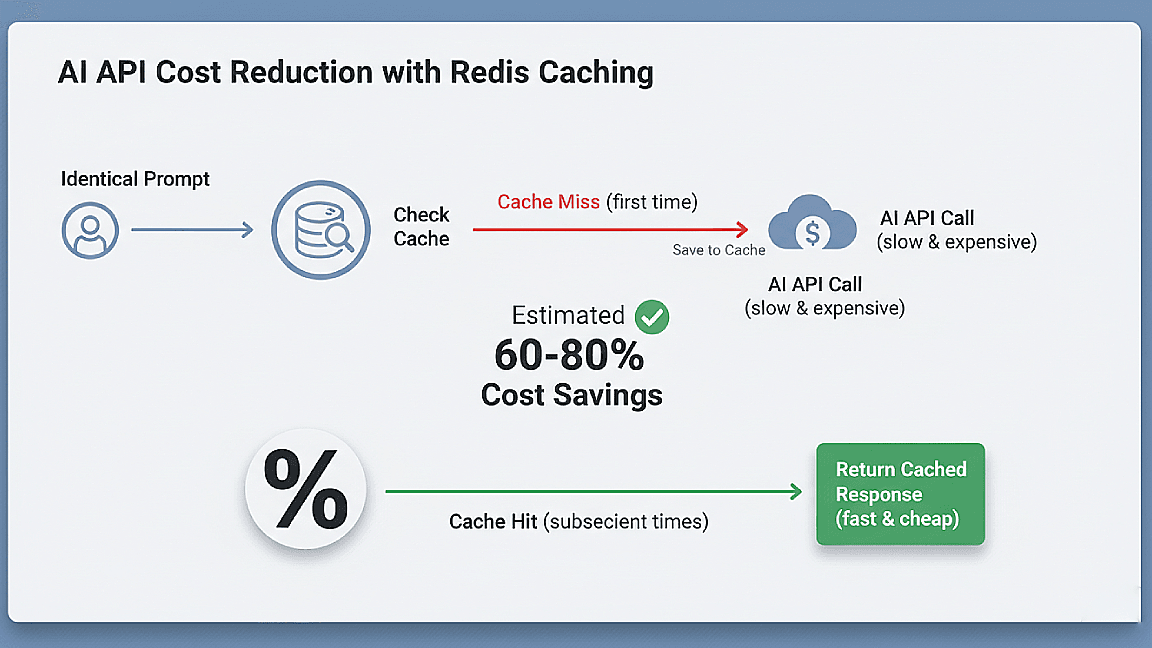
Cost management is non-negotiable in production. AI API costs scale directly with token usage, so I implement a few layers of control: truncating user input to a max character count before sending, caching responses for identical or near-identical prompts using Redis with a short TTL, and monitoring usage via the provider's dashboard with budget alerts configured. For features used heavily, even small prompt optimizations — like removing redundant instructions — can reduce costs meaningfully at scale.
- System prompt design patterns for consistent, reliable outputs
- Iterative prompt development and testing against real user inputs
- Input truncation and token budget management per request
- Response caching with Redis to reduce redundant API calls and costs