CineRental

CineRental is a frontend React.js application developed in August 2024 to allow users to browse and rent movies. The home route displays a collection of movie cards, each with details like name, genre, rating, and an 'Add to Cart' button. The app includes dynamic pop-up messages for cart actions, a detailed movie view, a cart summary with checkout and removal options, and a light/dark theme toggle. Styled with Tailwind CSS, it ensures a seamless, responsive experience across devices, showcasing skills in state management, UI/UX design, and interactive components.

CineRental

Technology Stack

ReactReact
Tailwind CSSTailwind CSS
JavaScriptJavaScript

Home Route: Movie Catalog

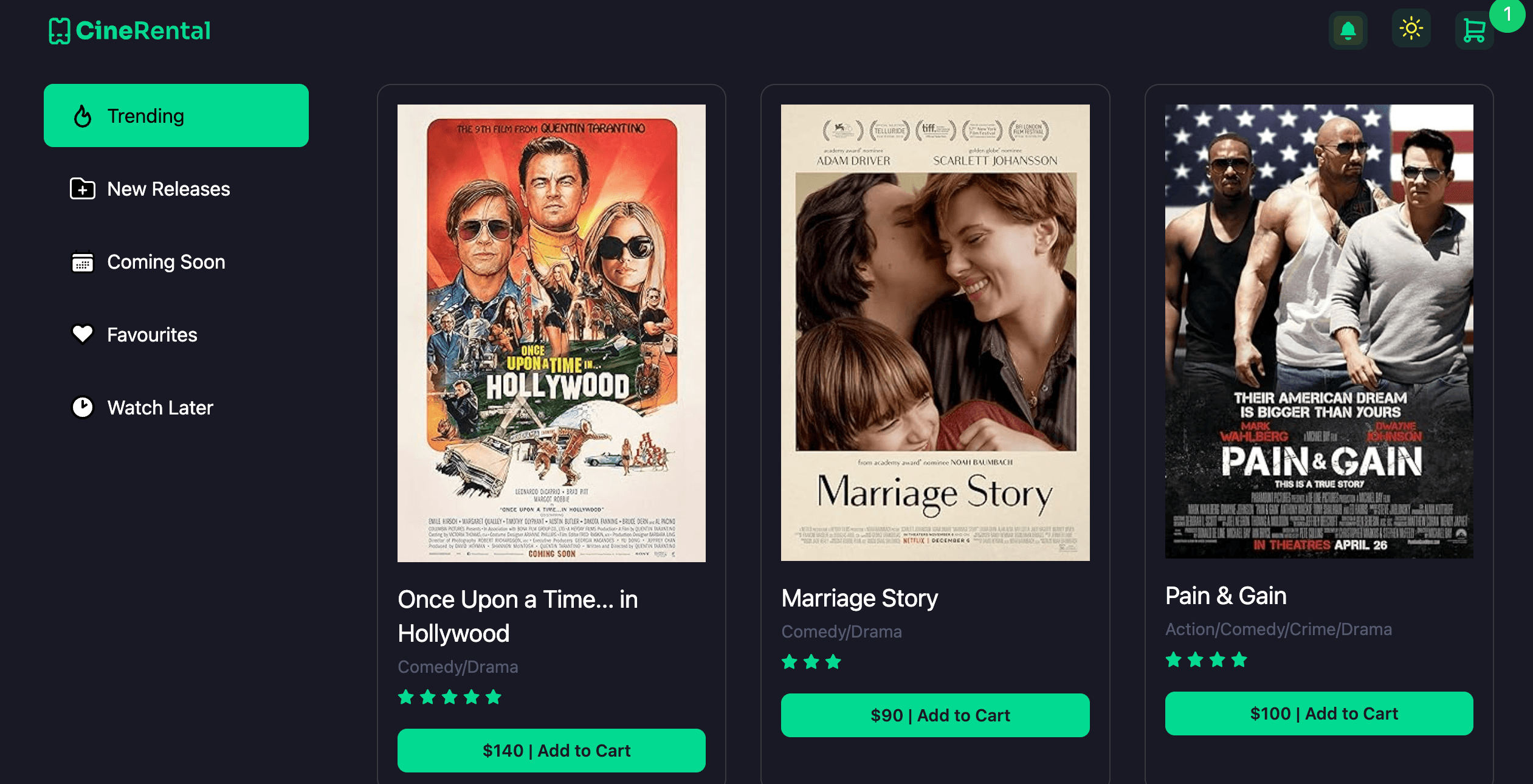
The home route showcases a collection of movie cards, each displaying the movie's name, genre, rating, and an 'Add to Cart' button for quick interaction.

The layout is designed to be visually engaging, with a responsive grid that adapts to various screen sizes for optimal browsing.

  • Responsive movie card grid layout
  • Clear display of movie name, genre, and rating
  • Interactive 'Add to Cart' button on each card
  • Optimized for performance across devices
Home Route: Movie Catalog image 1

Cart Functionality

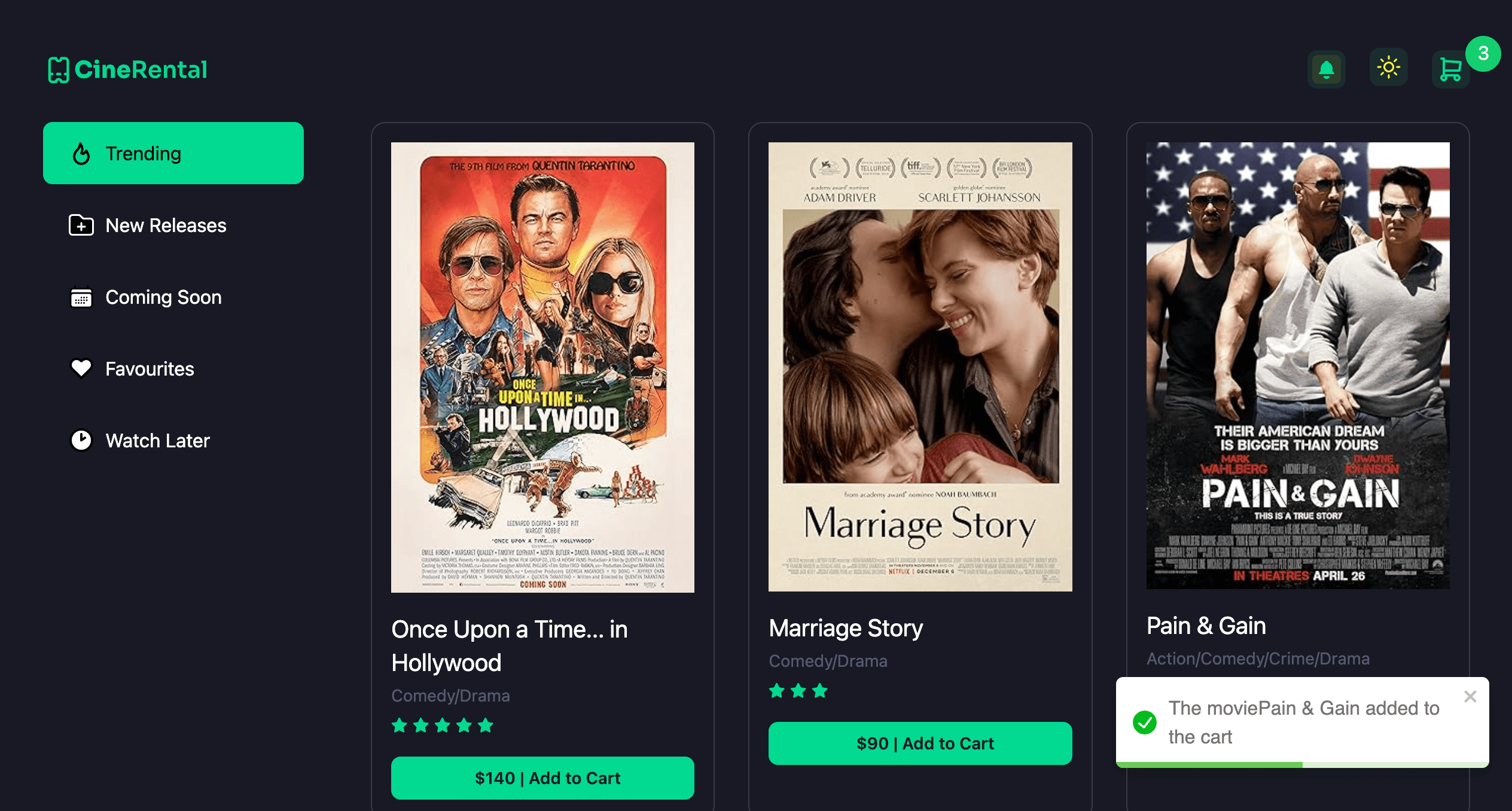
Clicking the 'Add to Cart' button adds the movie to the cart and displays an absolute pop-up message: 'The movie {movieName} added to the cart'.

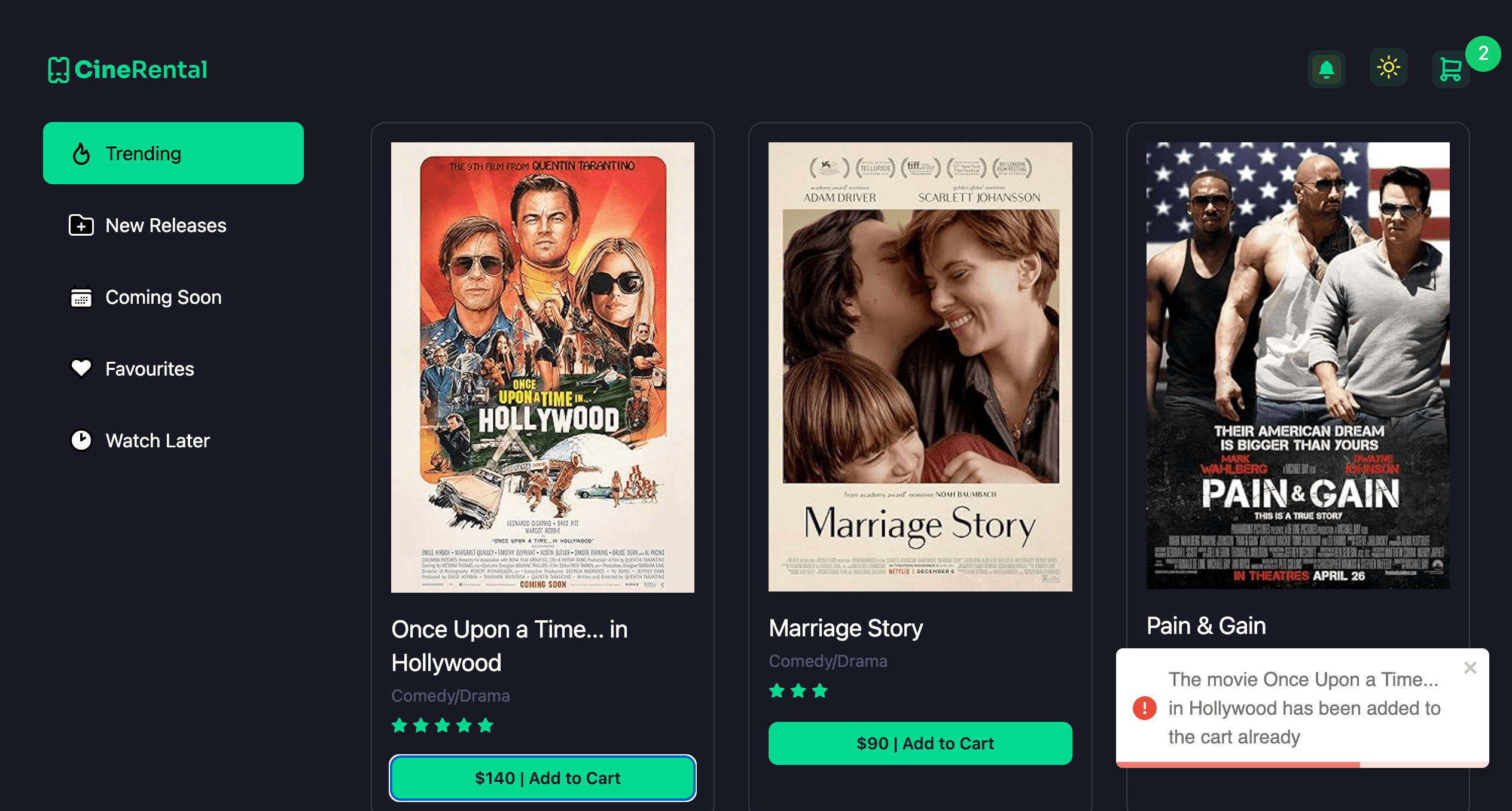
If the same movie is added again, a pop-up message appears: 'The movie {movieName} has been added to the cart already'.

  • Dynamic pop-up messages for cart actions
  • State management to track added movies
  • User-friendly feedback for duplicate additions
  • Smooth and responsive cart interactions
Cart Functionality image 1
Cart Functionality image 2

Theme Switching

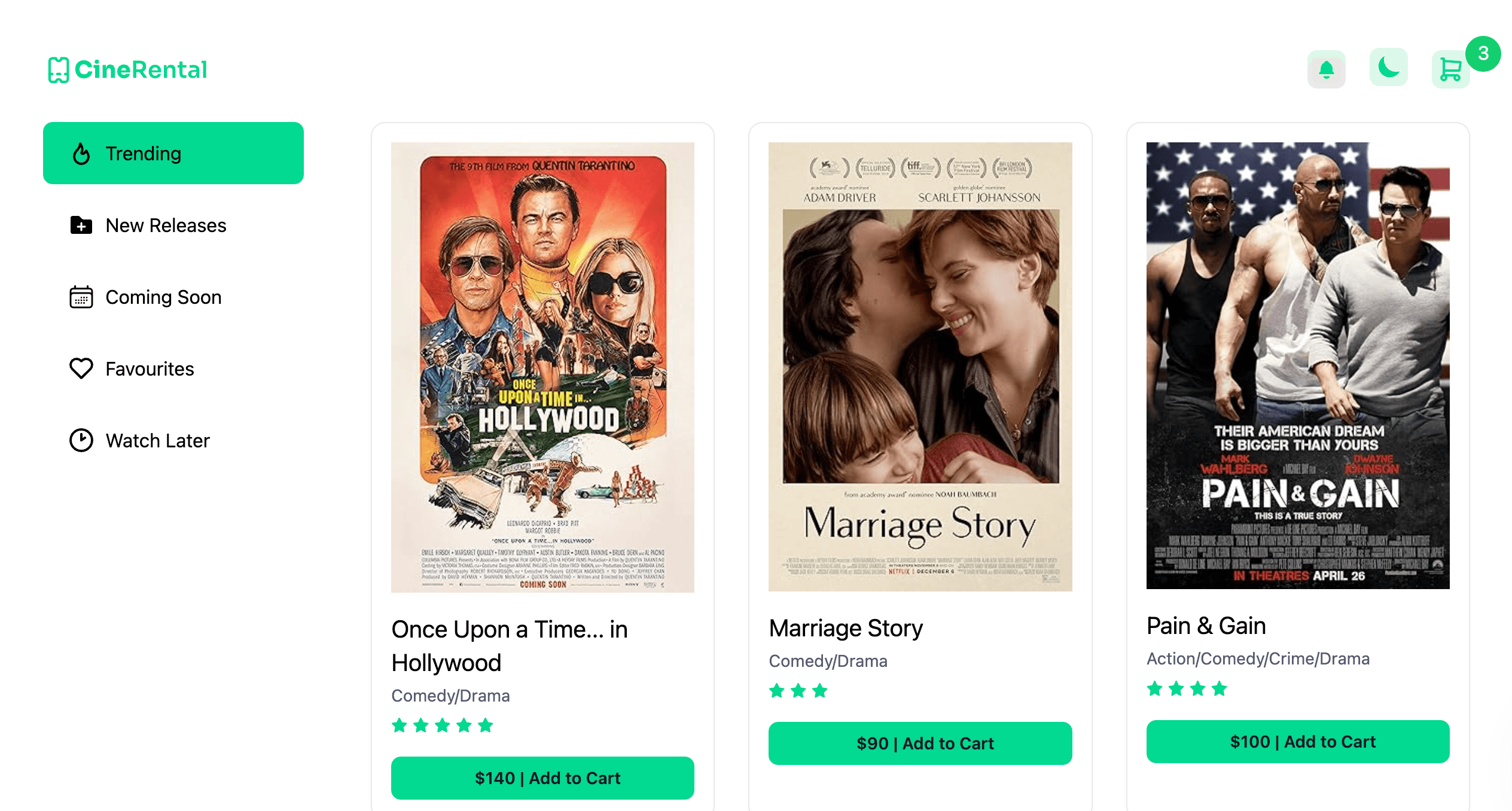
The app supports light and dark theme switching, allowing users to toggle between modes for a personalized viewing experience.

The theme toggle is seamlessly integrated, ensuring consistent styling across all components and pages.

  • Light and dark theme toggle functionality
  • Consistent styling with Tailwind CSS
  • Persistent theme state management
  • Smooth transitions between themes
Theme Switching image 1

Movie Detail Pop-up

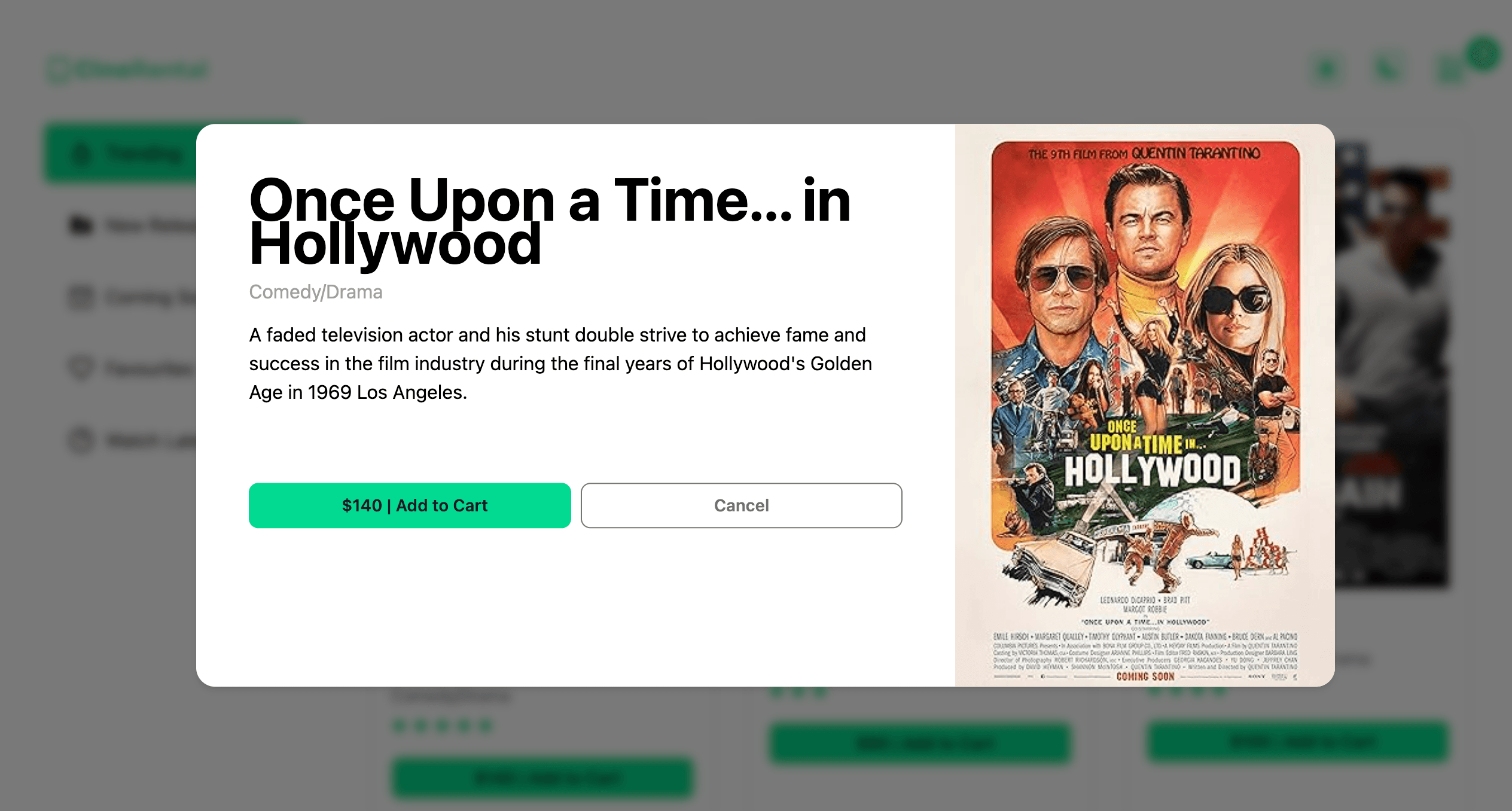
Clicking a movie card's image opens a large, centered absolute pop-up div displaying detailed movie information, including a big image, name, rating, and 'Add to Cart' button.

The pop-up provides an immersive view of the selected movie, enhancing user engagement with clear and detailed content.

  • Dynamic pop-up for detailed movie information
  • Large image display with rating and cart button
  • Responsive and centered pop-up design
  • Seamless navigation and interaction
Movie Detail Pop-up image 1

Cart Summary Pop-up

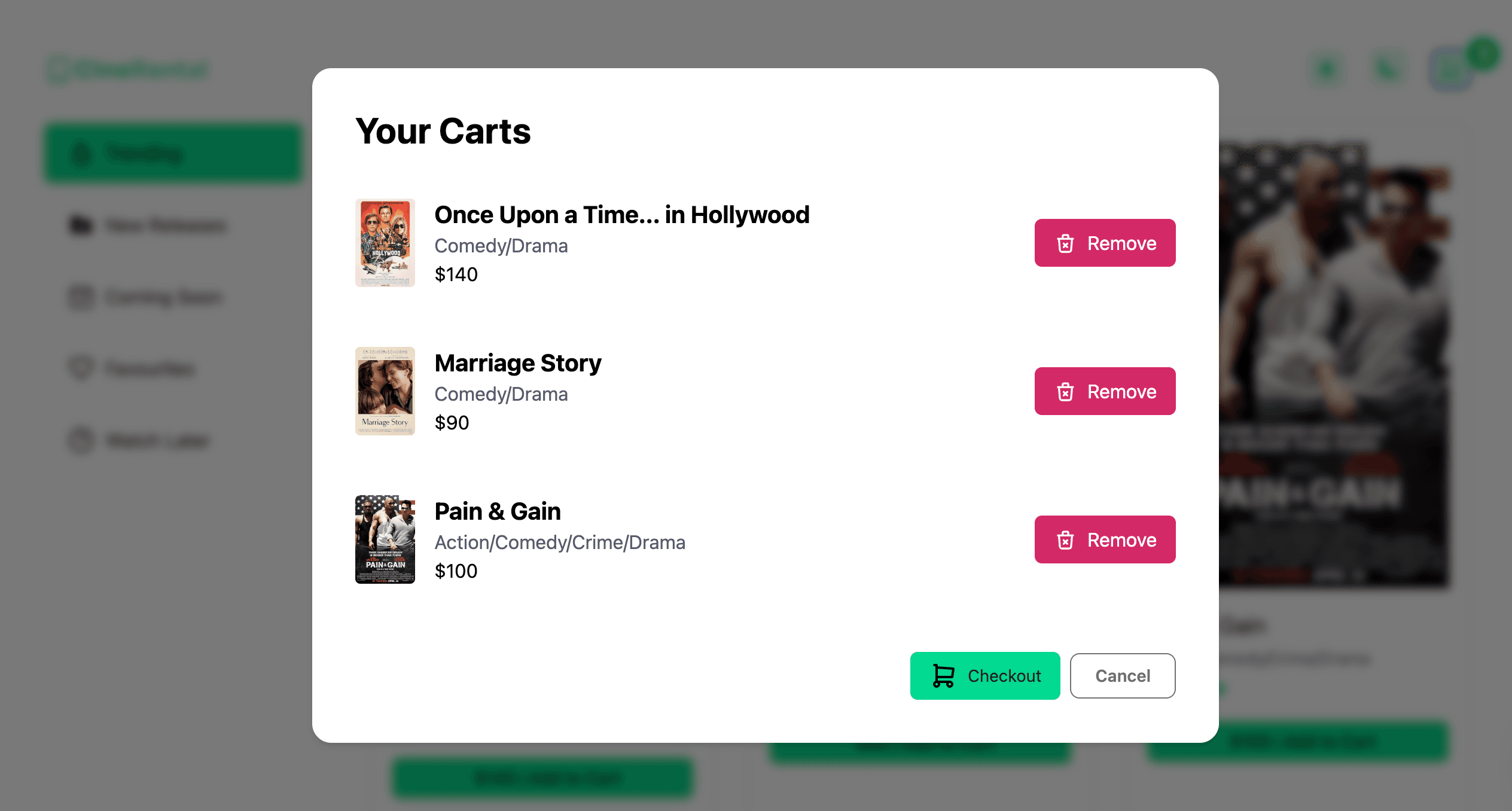
Clicking the cart icon in the navigation opens a large absolute pop-up div displaying all movies added to the cart, along with a checkout button.

Users can remove individual movies from the cart, providing flexible cart management within the pop-up.

  • Comprehensive cart summary with all added movies
  • Checkout button for completing the rental process
  • Remove functionality for individual movies
  • Responsive and user-friendly pop-up design
Cart Summary Pop-up image 1

Technical Implementation

Built with React.js for efficient component-based architecture and dynamic user interactions.

Utilizes Tailwind CSS for rapid development of a responsive and visually consistent user interface.

  • React hooks for state and effect management
  • Dynamic pop-up components for cart and movie details
  • Tailwind CSS for responsive and consistent styling
  • Clean and modular code structure