Library Management
Library Management will be a full-stack Next.js application I will develop in October 2025 for one of my local clients in Dhaka — he runs a small personal/community library and needs a simple, reliable digital system to manage his book collection. The app will support user registration/login, browsing and borrowing up to 3 books at a time, automatic fine calculation (100 TK per day per overdue book), borrowing history, profile management, and search. Admins (the client himself) will be able to add/edit/delete books, view all users, and maintain data integrity (e.g., cannot delete borrowed books). Built with Next.js, React, Tailwind CSS, JavaScript, and MongoDB, it will provide a clean, responsive interface that will save him hours of manual record-keeping and help track loans more accurately for his library users.
Technology Stack
 Next.js
 React
React Tailwind CSS
 JavaScript
 MongoDB
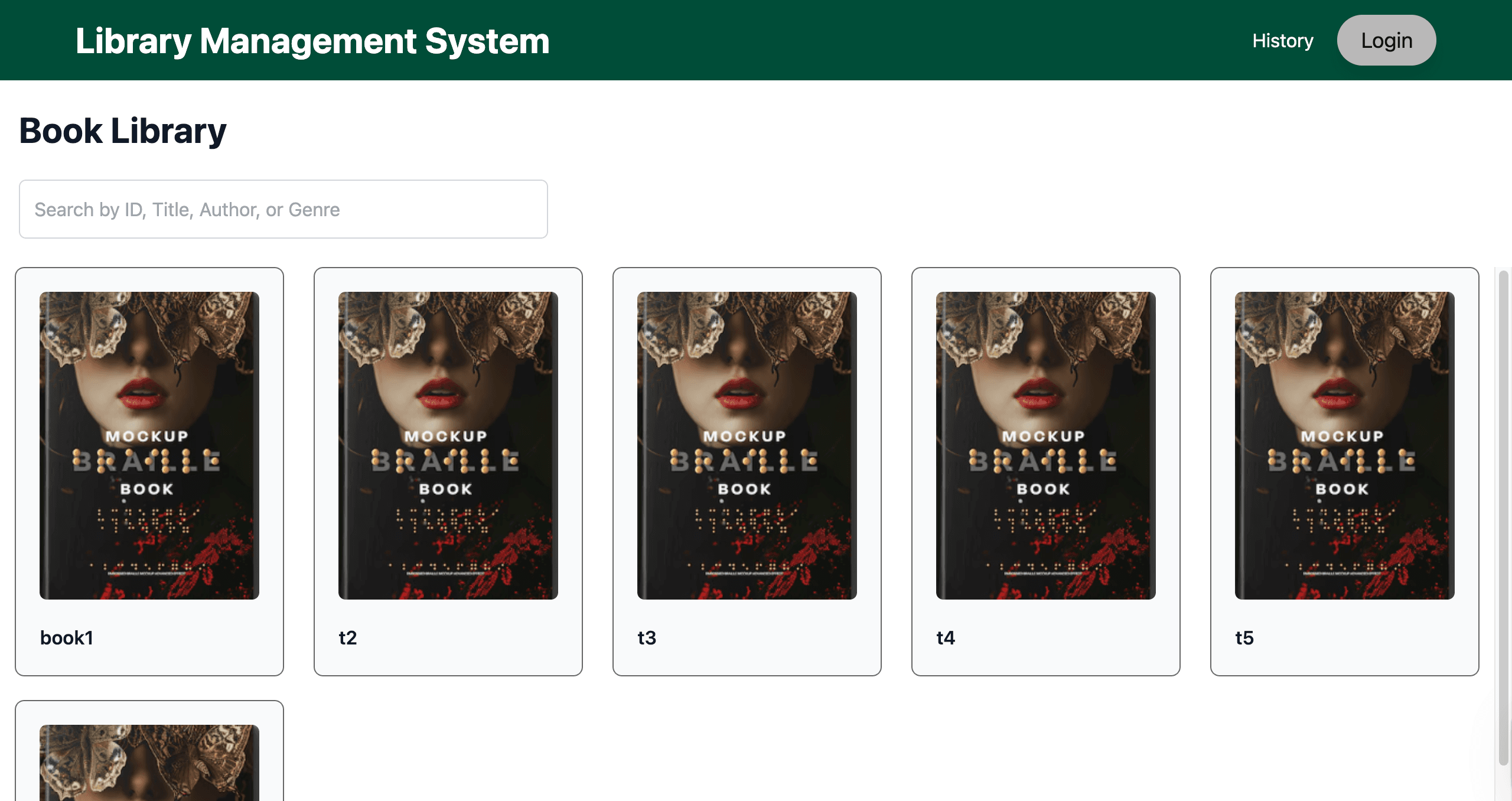
Landing Page (/ Route)
The landing page displays a grid of book cards with images and IDs, accessible only after login, with a navbar containing History and Login (or profile icon post-login).
Unauthenticated users clicking cards or navbar items are redirected to the /login route.
- Responsive book card grid layout
- Protected routes requiring authentication
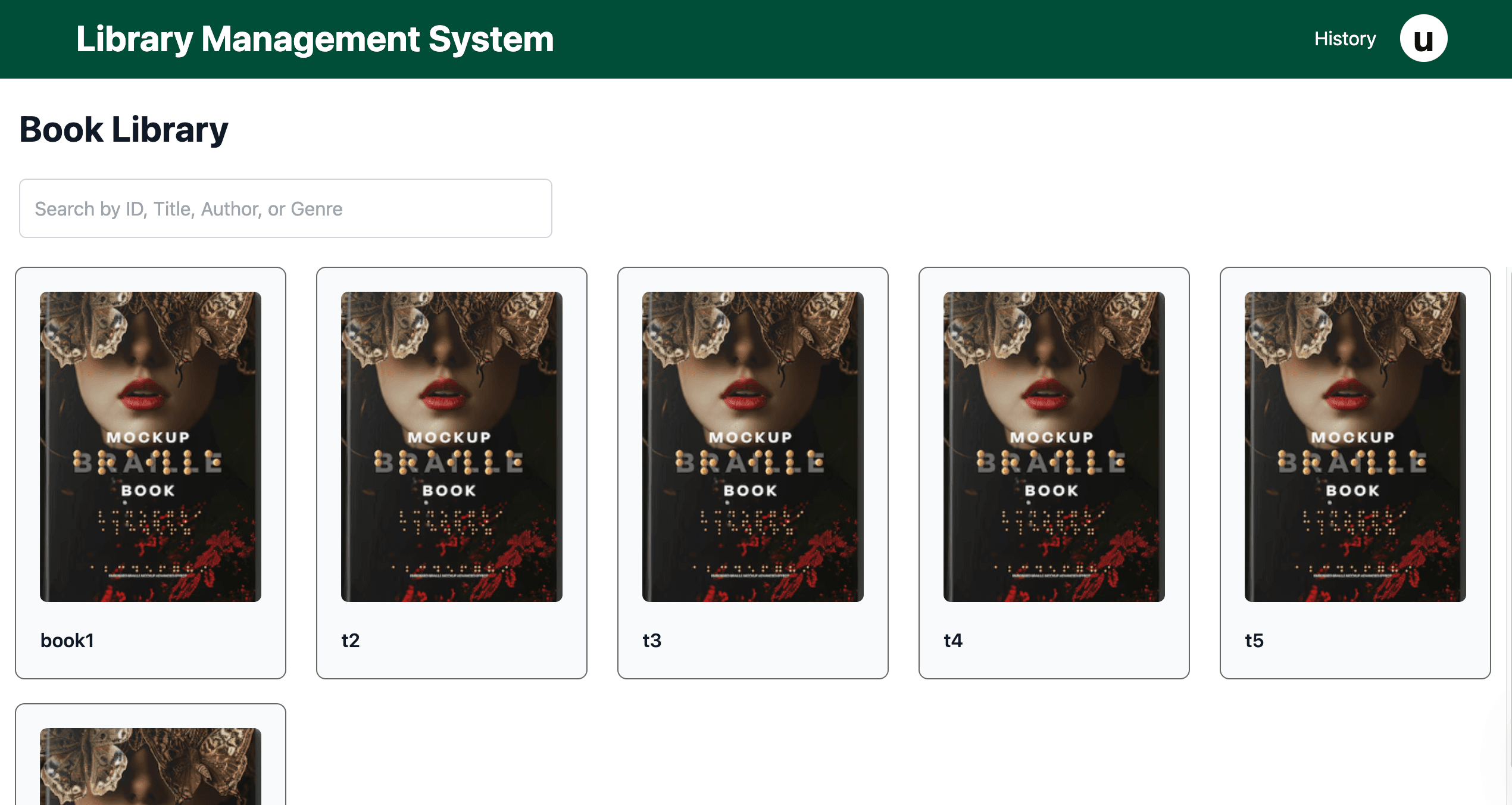
- Dynamic navbar with profile icon post-login
- Visual fallback to first name's letter if no profile image
Authentication Routes
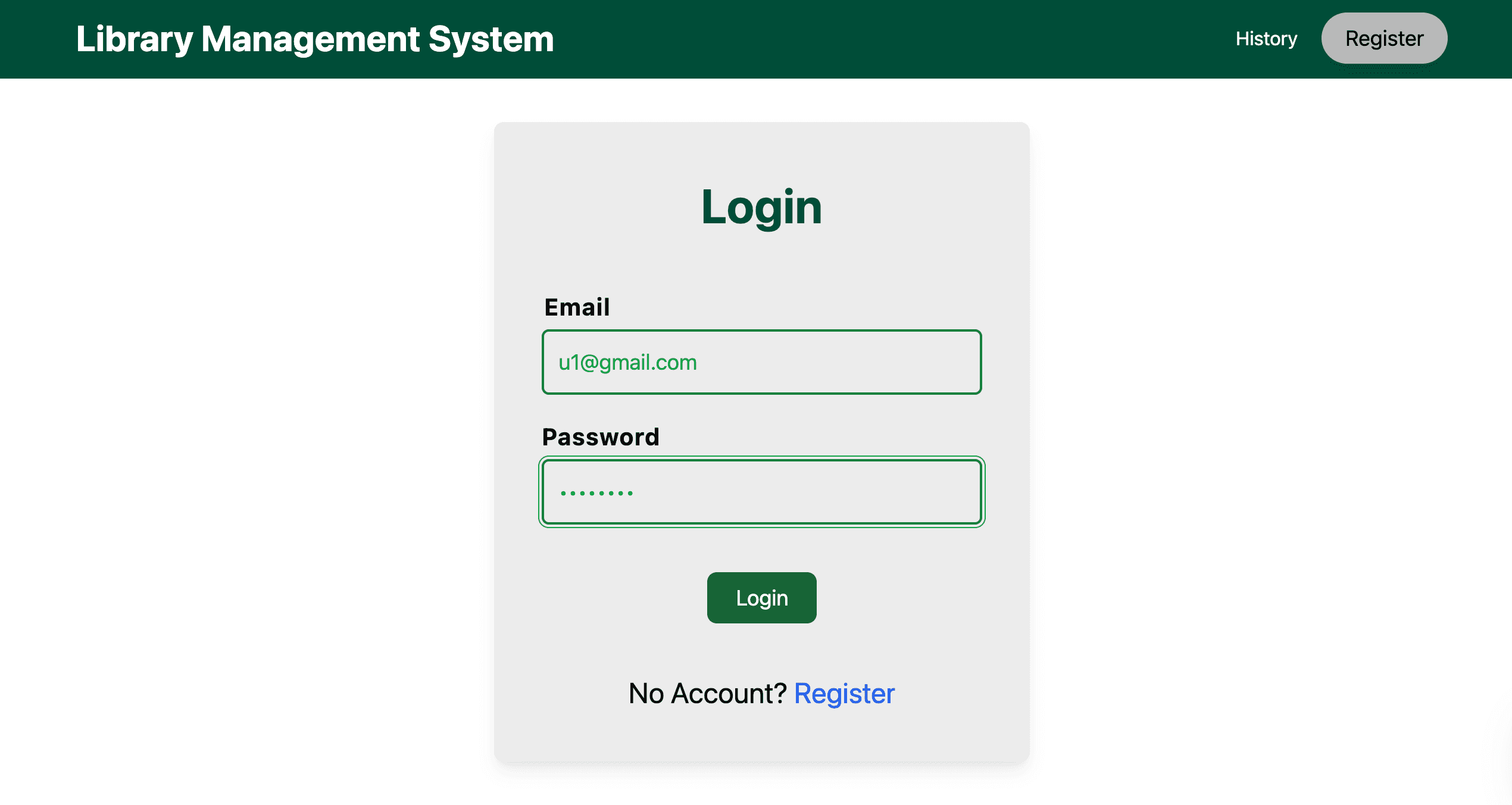
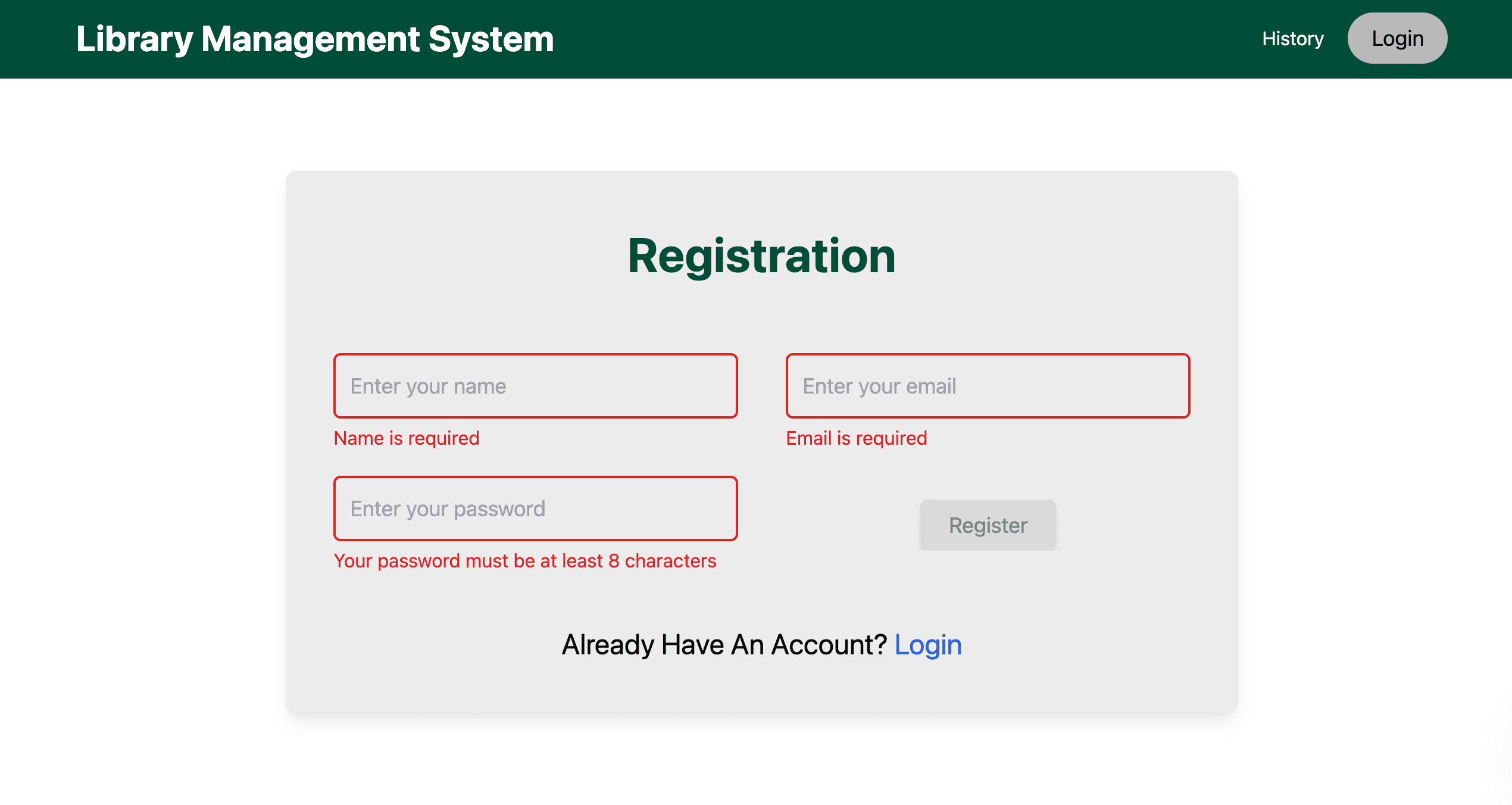
Unauthenticated users are redirected to the /login route, featuring a login form, with an option to navigate to the /register route for account creation.
Post-login, users see their profile image or first name’s initial in the navbar on the landing page.
- Secure login form with MongoDB-backed authentication
- Seamless navigation between login and registration
- Responsive form design for all devices
- Dynamic navbar update post-authentication
User Book Interaction (/user Route)
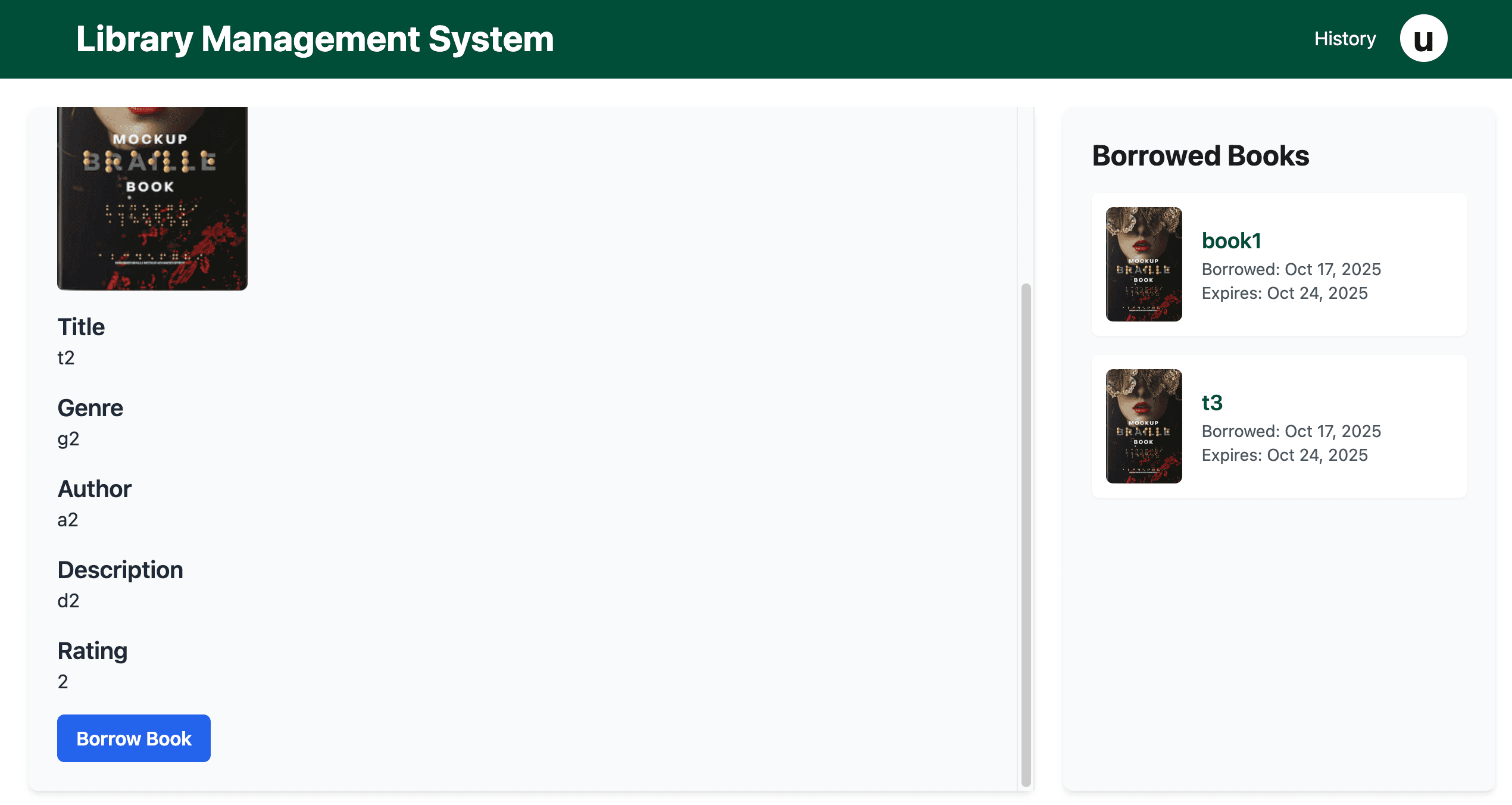
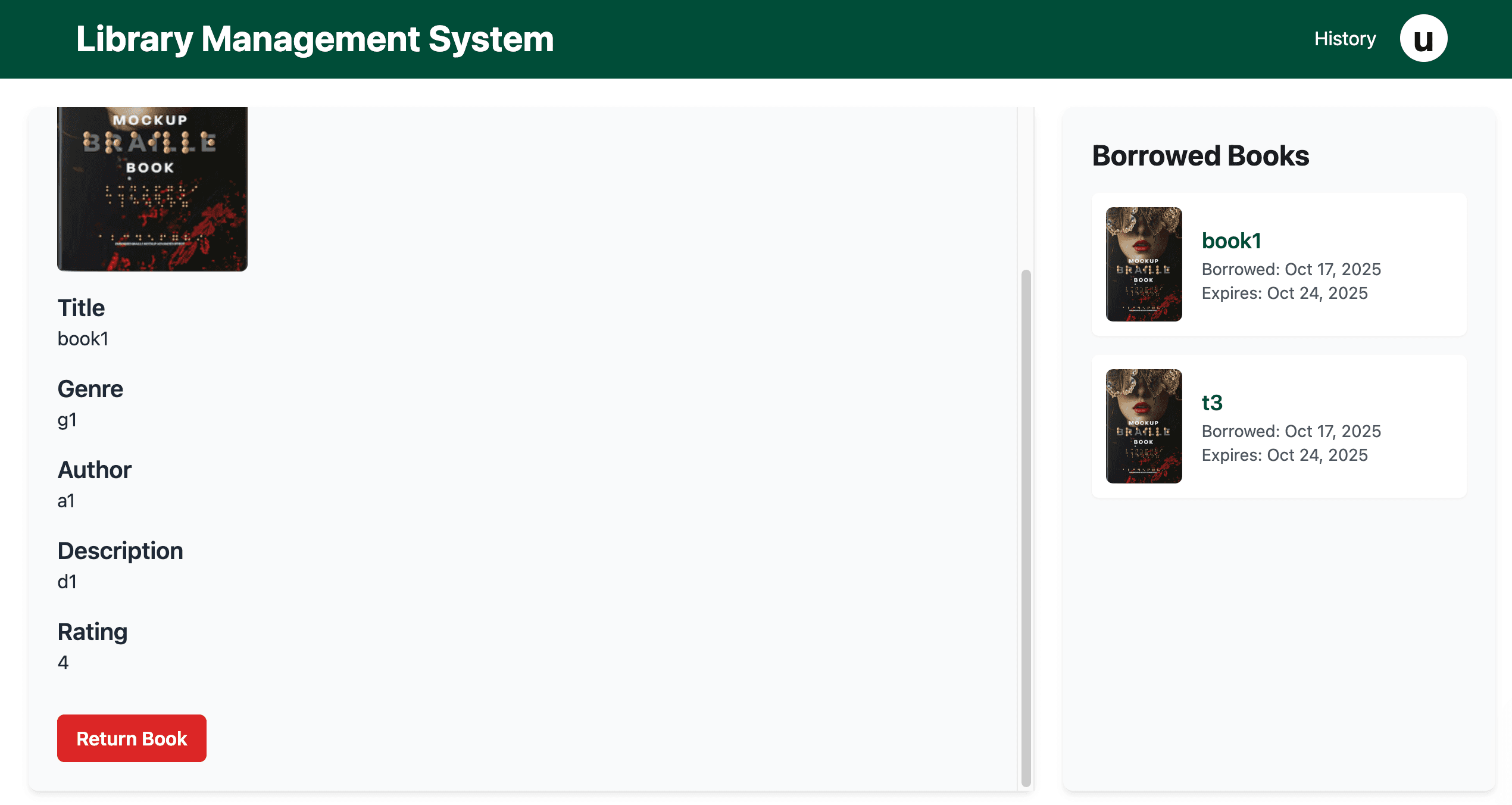
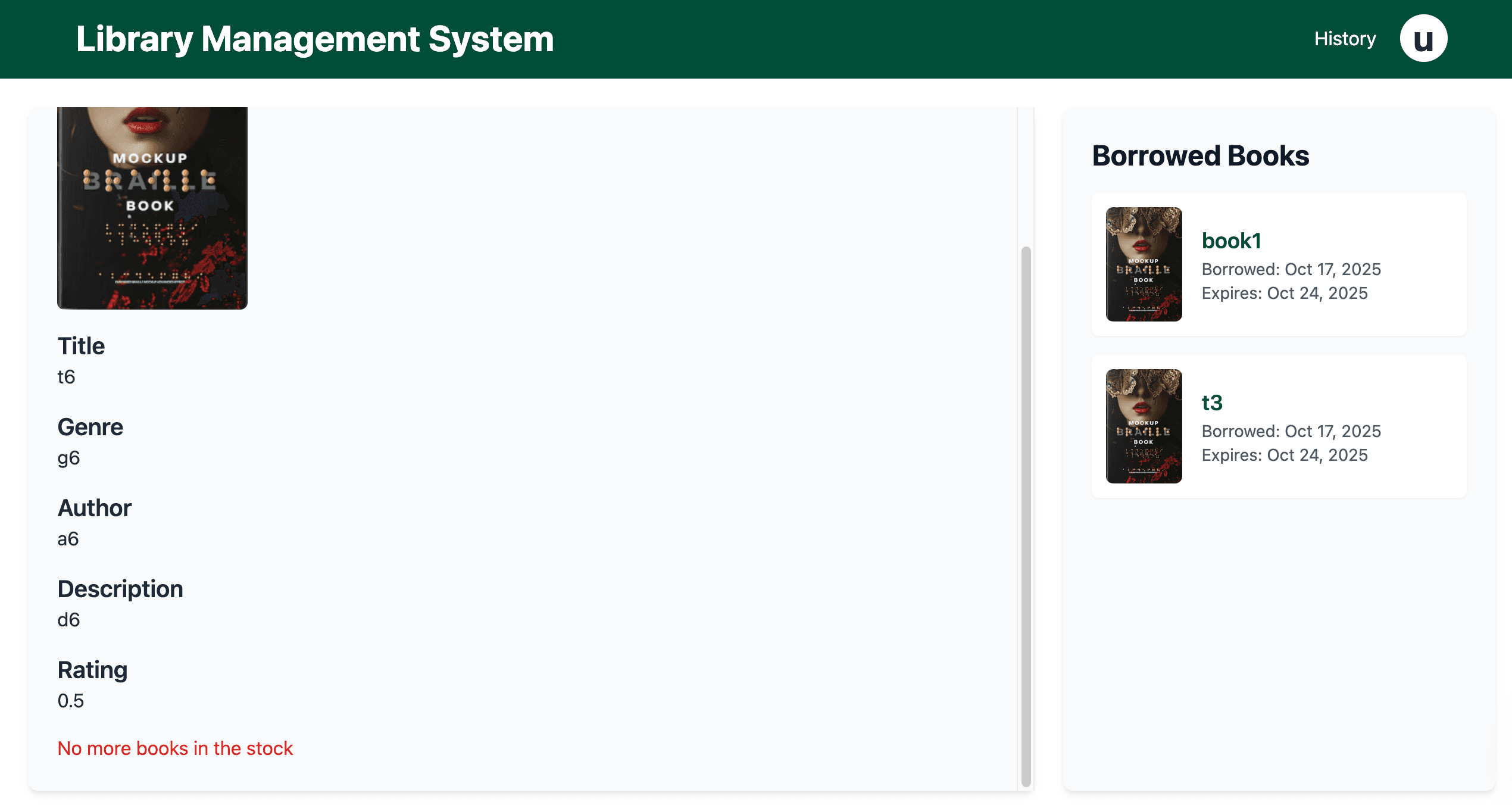
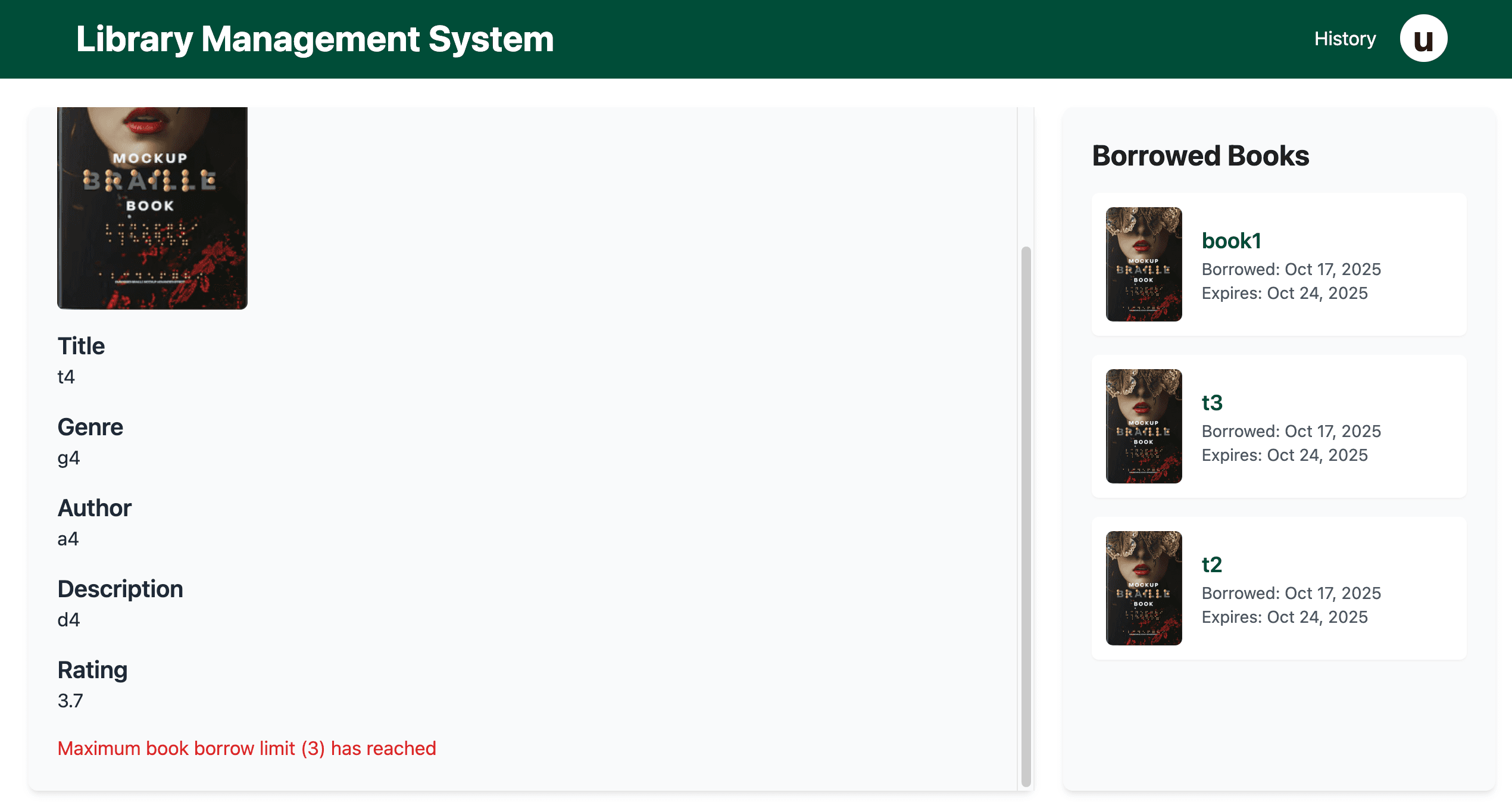
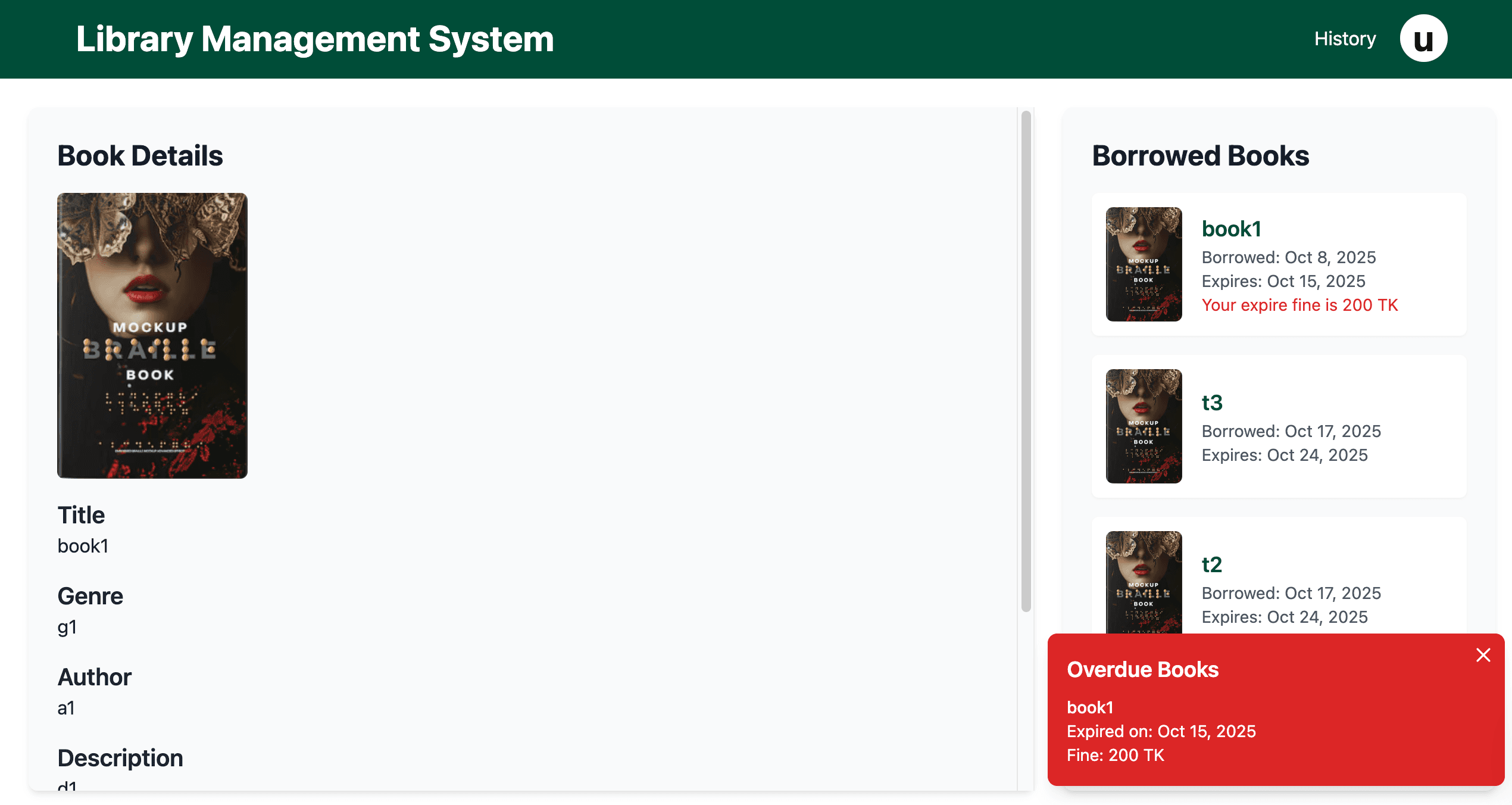
Clicking a book card navigates to the /user route, showing detailed book information on the left with a 'Borrow Book' button, 'Return Book' if borrowed, or messages like 'No more books in the stock' or 'Maximum book borrow limit (3) has reached.'
The right side displays the user’s borrowed books with images, borrow dates, expired dates, and a red pop-up for overdue fines (100 TK per book per day, e.g., 400 TK for two books overdue by two days).
- Detailed book view with borrow/return options
- Borrow limit enforcement (max 3 books)
- Real-time fine calculation for overdue books
- Responsive split layout for book and borrow list
Search Functionality
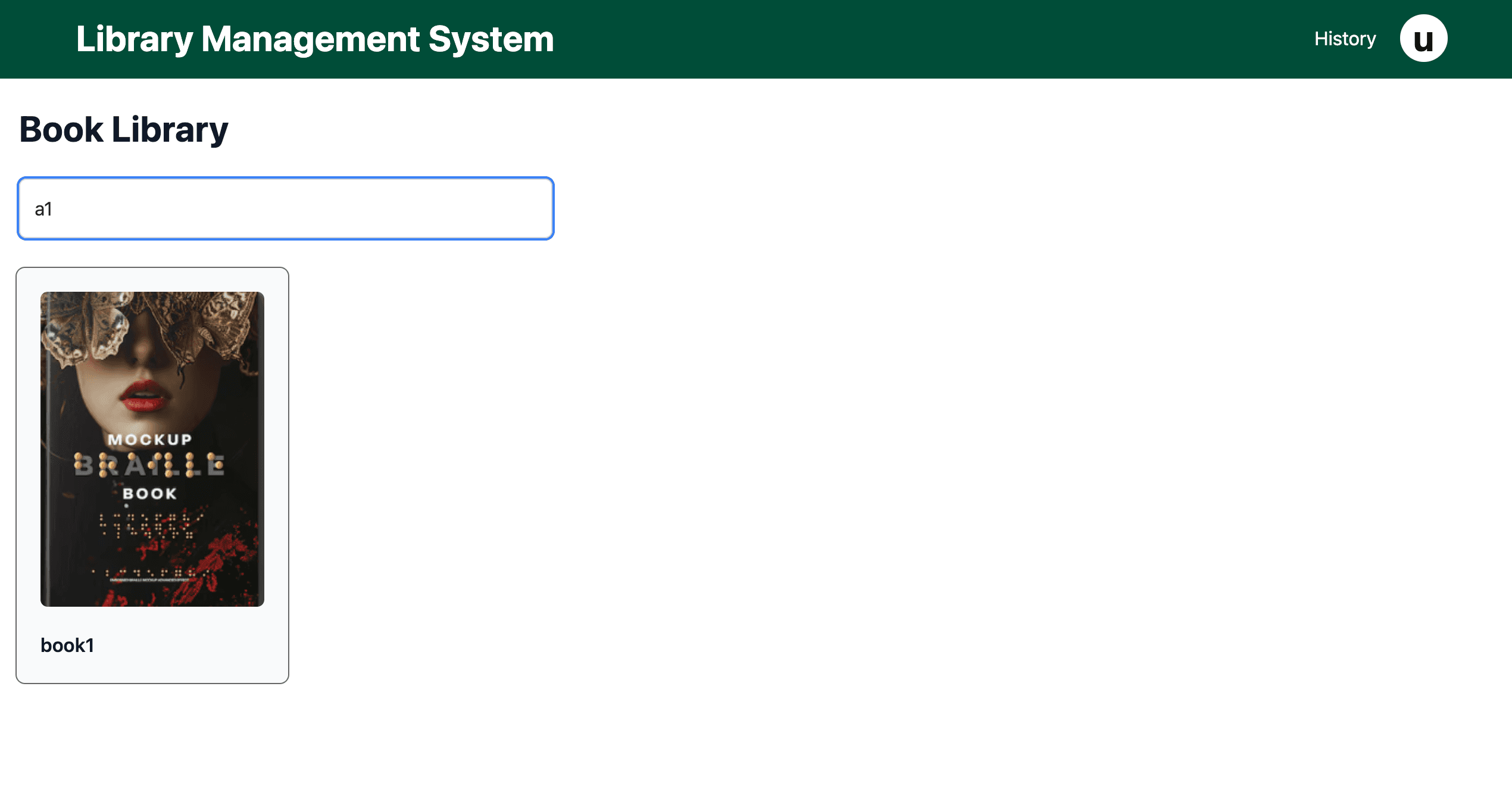
A search input box on the landing page allows users to filter book cards by title, author, genre, or ID, providing real-time results with MongoDB queries.
- Dynamic search filtering across multiple fields
- Real-time updates to book card display
- User-friendly search input design
- MongoDB-backed search optimization
History Route (/history)
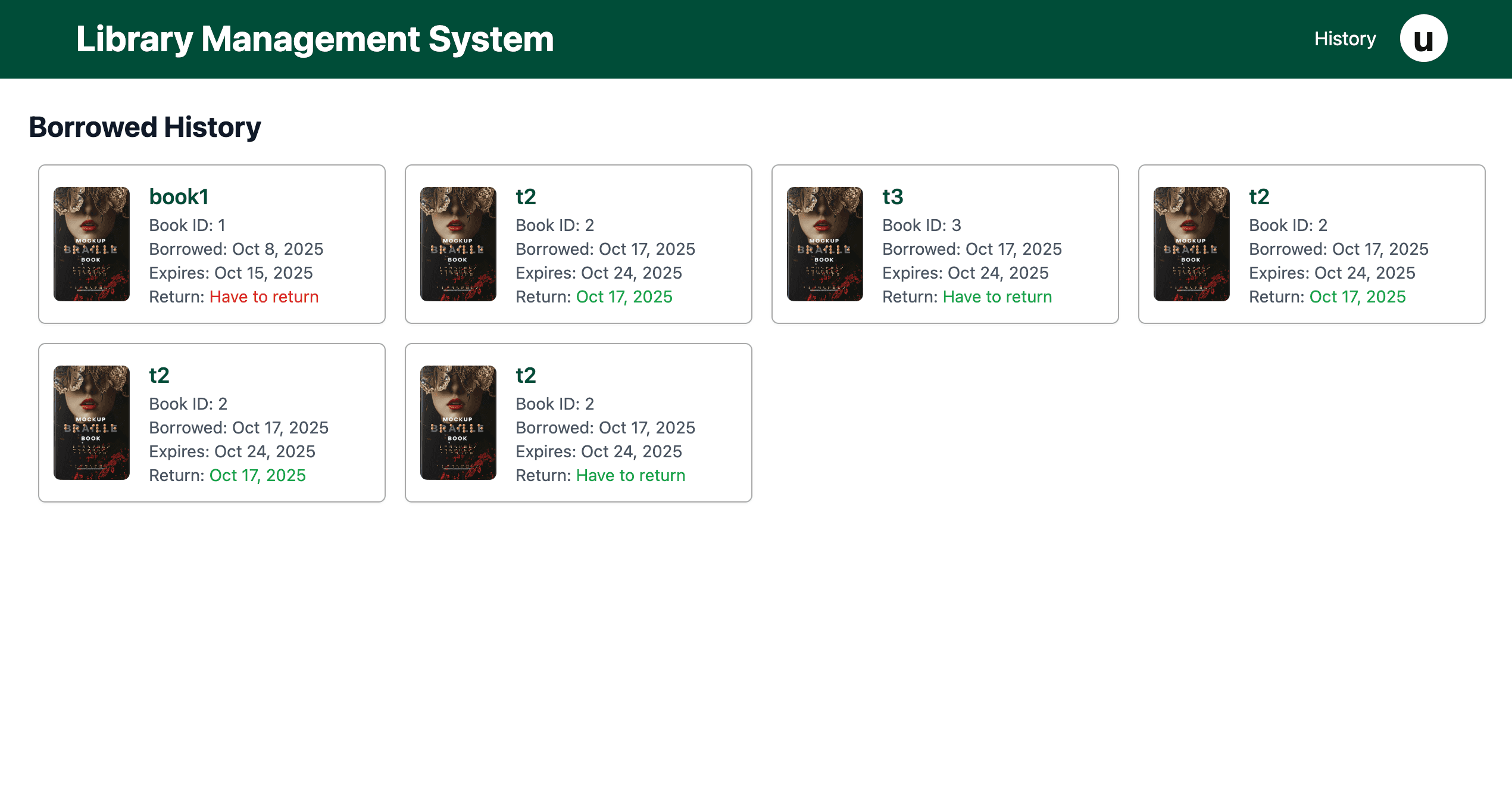
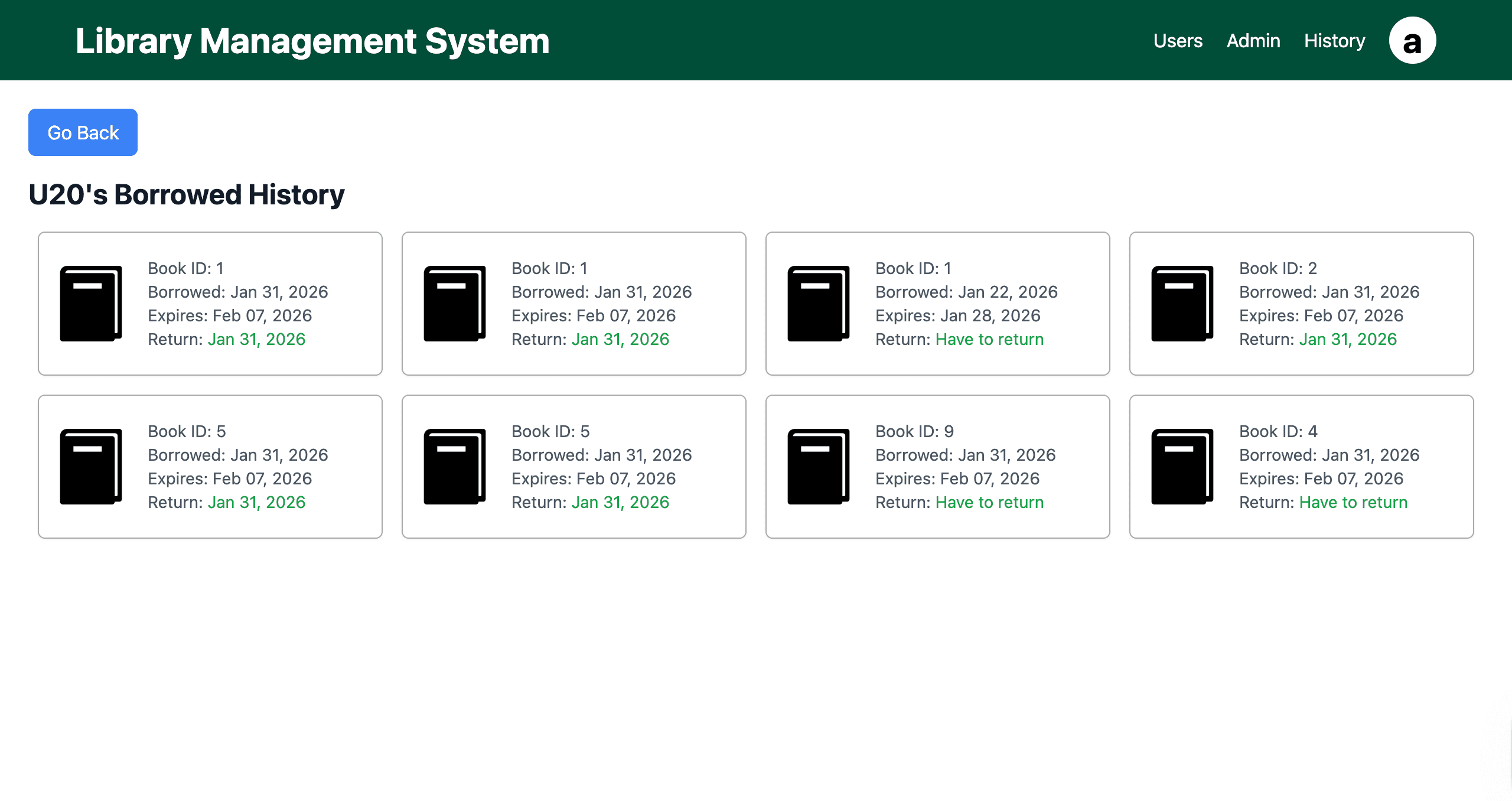
The /history route, accessible via the navbar, displays the user’s lifetime borrowing history in book cards, each showing the book image, borrowing date, and returning or expired date.
- Comprehensive borrowing history display
- Card-based layout for borrowing history
- Clear date information for borrowing and returns
- Responsive design for history overview
Profile Route (/profile)
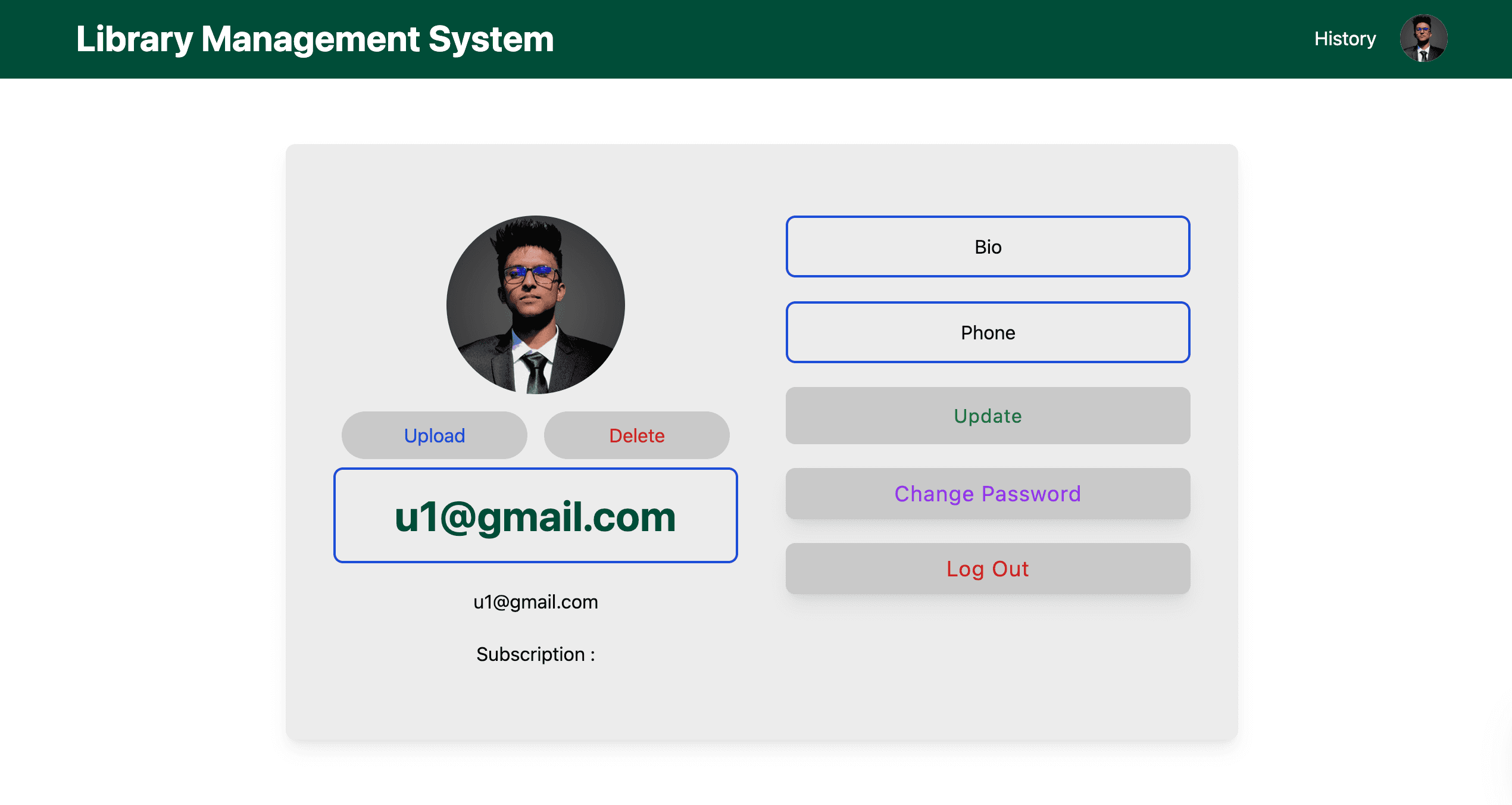
The /profile route shows the user’s personal information from registration, with options to upload, change, or remove a profile photo, update name, bio, password (but not email), and log out.
- Editable profile with photo and personal details
- Secure updates for name, bio, and password
- Logout functionality with redirection to login
- Responsive profile page layout
Admin Dashboard (/admin Route)
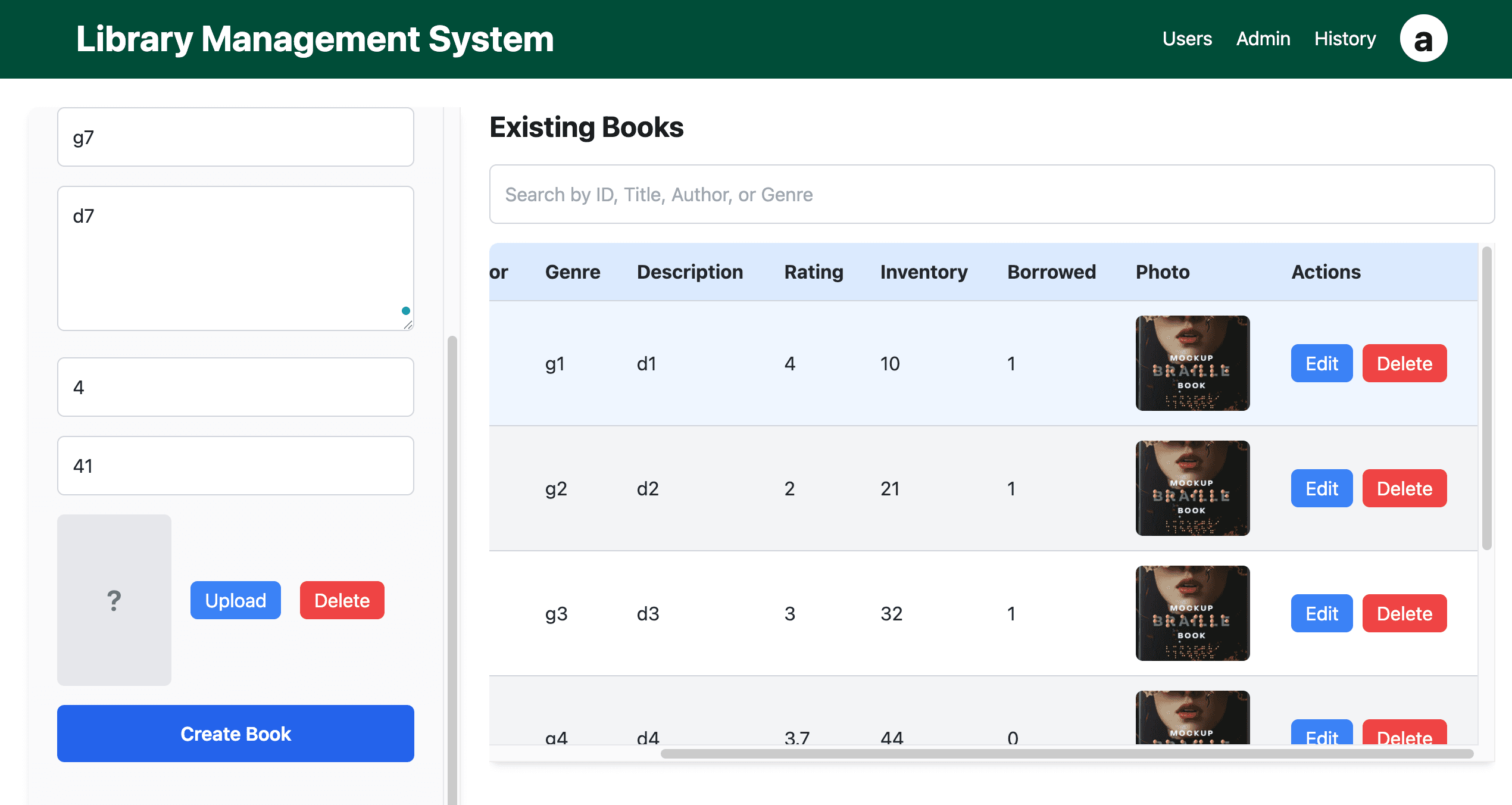
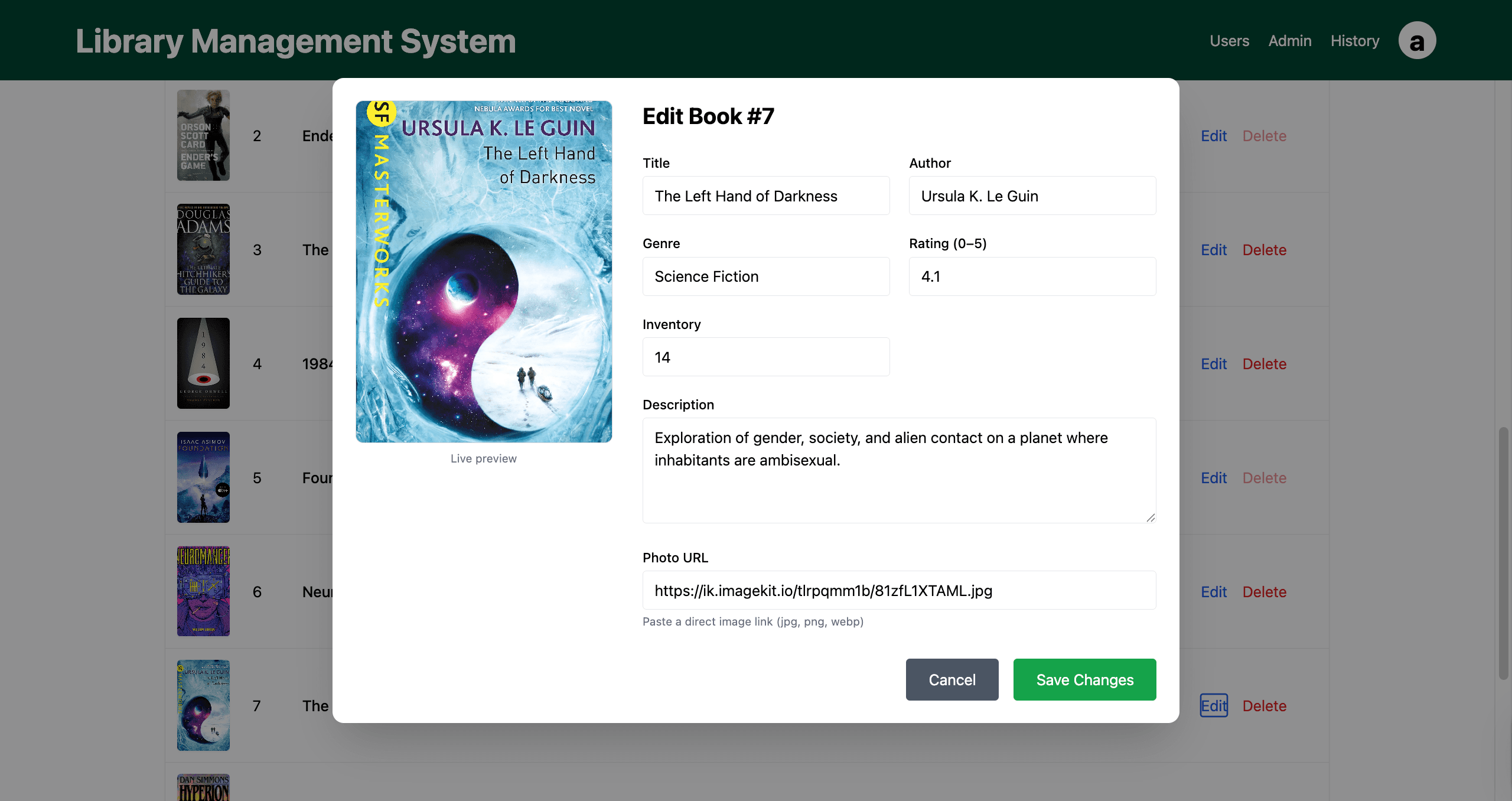
Admins access all user features plus two additional navbar items: Users and Admin. The /admin route allows adding new books via a form on the left and viewing/editing/deleting existing books in a row-based list on the right.
Books cannot be deleted if currently borrowed by any user, with MongoDB ensuring data integrity.
- Form for adding new books with validation
- Row-based list for book management
- Restricted deletion for borrowed books
- MongoDB-backed CRUD operations
Users Route (/allUsers)
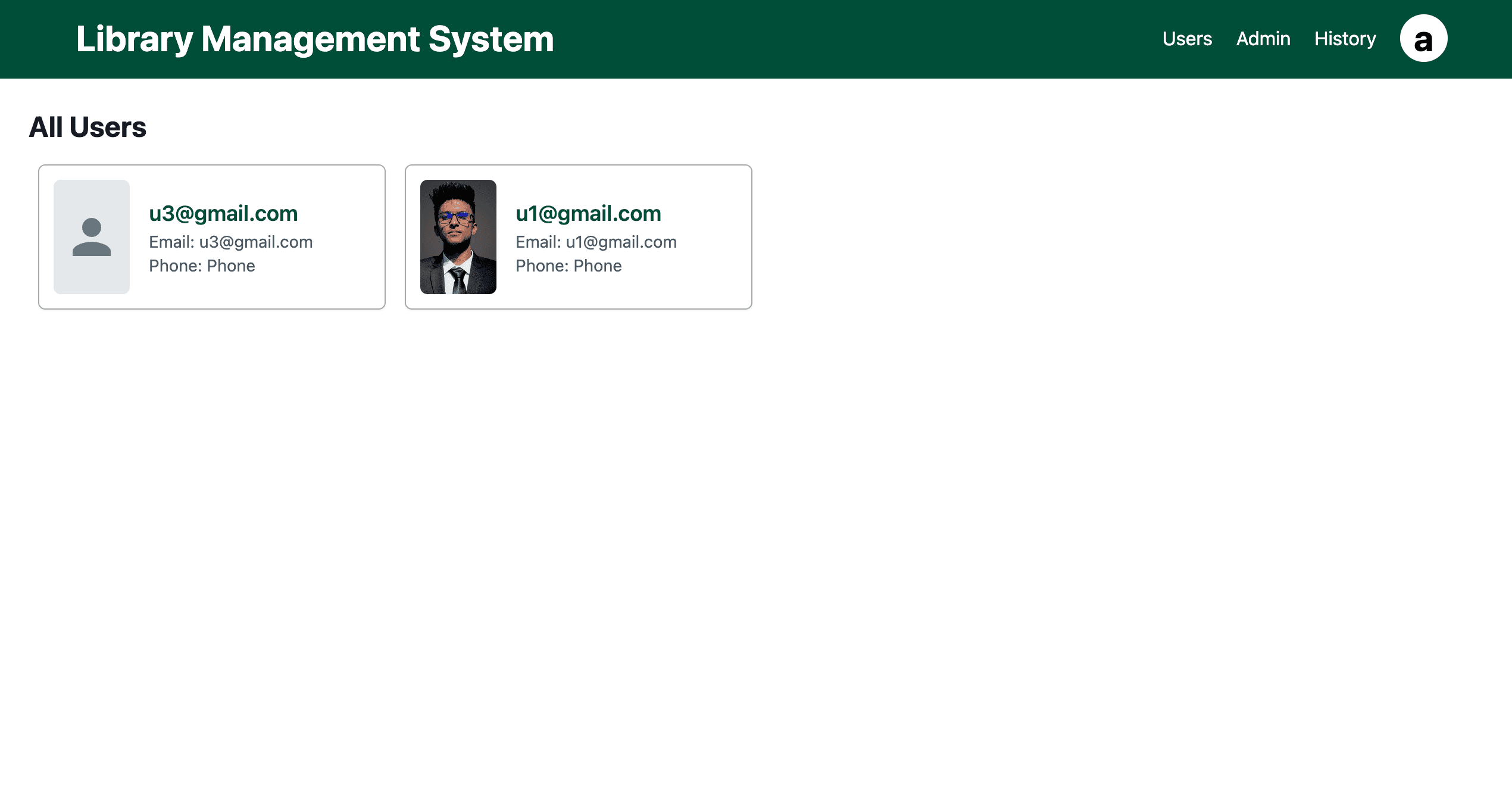
The /allUsers route, accessible to admins via the navbar, displays all user information in card format, including user image, name, email, and phone.
- Card-based layout for user information
- Display of user image and contact details
- Responsive design for admin user management
- Secure access restricted to admins
Technical Implementation
Built with Next.js for server-side rendering and dynamic routing, ensuring fast performance and SEO-friendly content delivery.
Integrates MongoDB for robust, real-time book and user data management, with Tailwind CSS for responsive, utility-first styling.
- Next.js dynamic routing for user and admin pages
- MongoDB for efficient data storage and retrieval
- React hooks for state and effect management
- Tailwind CSS for consistent, responsive design
- Fine calculation logic for overdue books