My Daily Routine

My Daily Routine is a polished, production-grade full-stack productivity SaaS that helps users plan weekly routines, track long-term goals, and analyze daily completion stats. Architected on Next.js 16 (App Router, React Compiler) with React 19.2 and strict TypeScript, the platform combines a high-fidelity drag-and-drop weekly timeline, a Gemini-backed AI routine assistant, Recharts-powered analytics, image-resized profile uploads to S3-compatible storage, and a hardened Paddle one-time payment flow with HMAC-SHA256 webhook signature verification. It ships two parallel authentication systems — NextAuth v5 for Google OAuth and a custom jose-signed JWT cookie for email/password users with hashed-OTP email verification — unified behind middleware route protection and a `getActionActor()` server-action guard that re-derives the caller from cookies and never trusts client-passed identifiers. Backed by MongoDB via Mongoose with global connection caching, MongoDB-backed fixed-window rate limiting, a strict CSP, deep server-side response sanitization, and a daily cron job that prunes unverified accounts, the project demonstrates real-world security, observability, and product-completeness end-to-end. Live at mydailyroutine.app, shipped 20 April 2026.

My Daily Routine

Technology Stack

Next.js 16Next.js 16
React 19.2React 19.2
TypeScriptTypeScript
JavaScriptJavaScript
Tailwind CSSTailwind CSS
MongoDBMongoDB
Redux ToolkitRedux Toolkit
Framer MotionFramer Motion

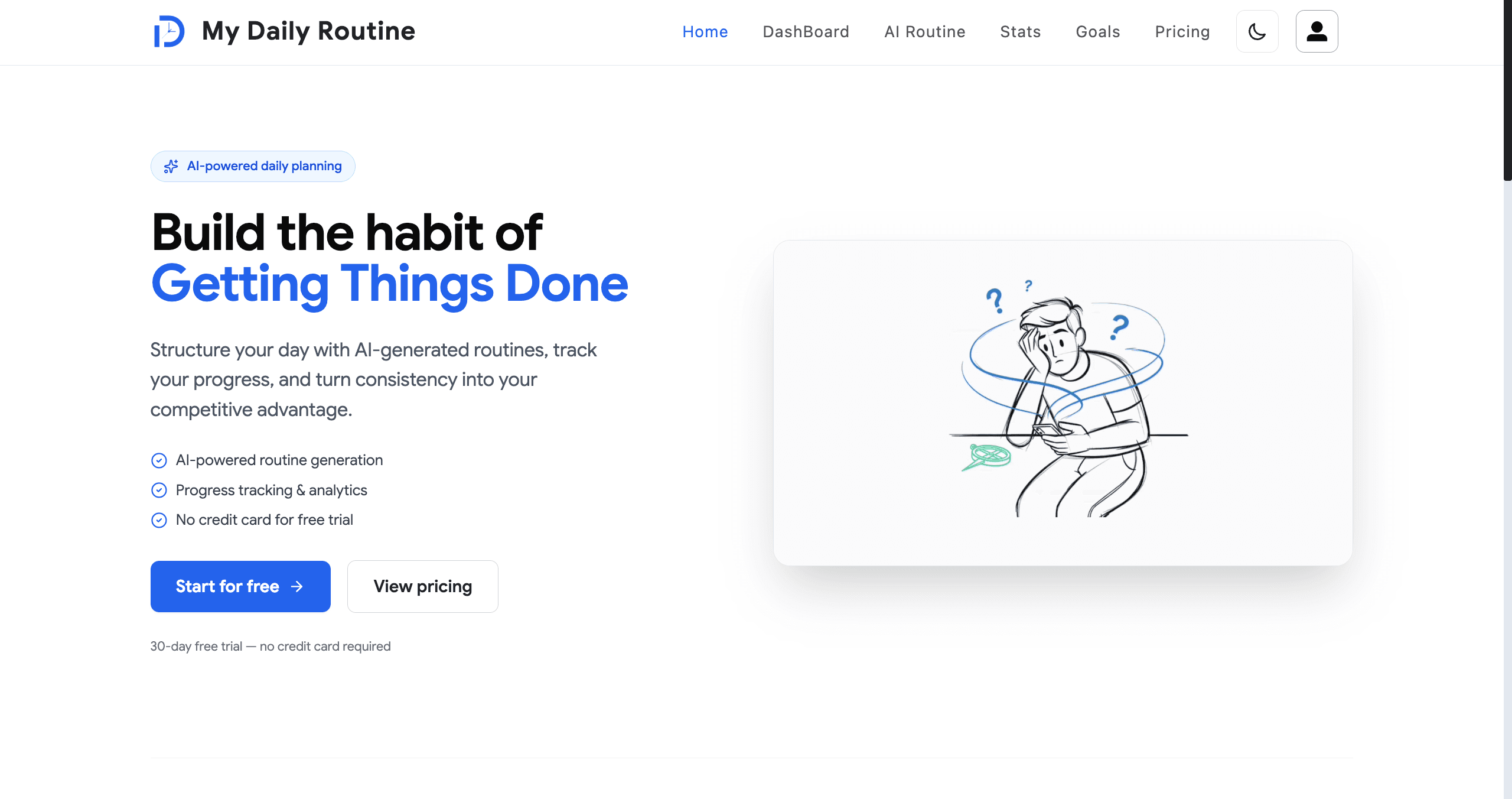
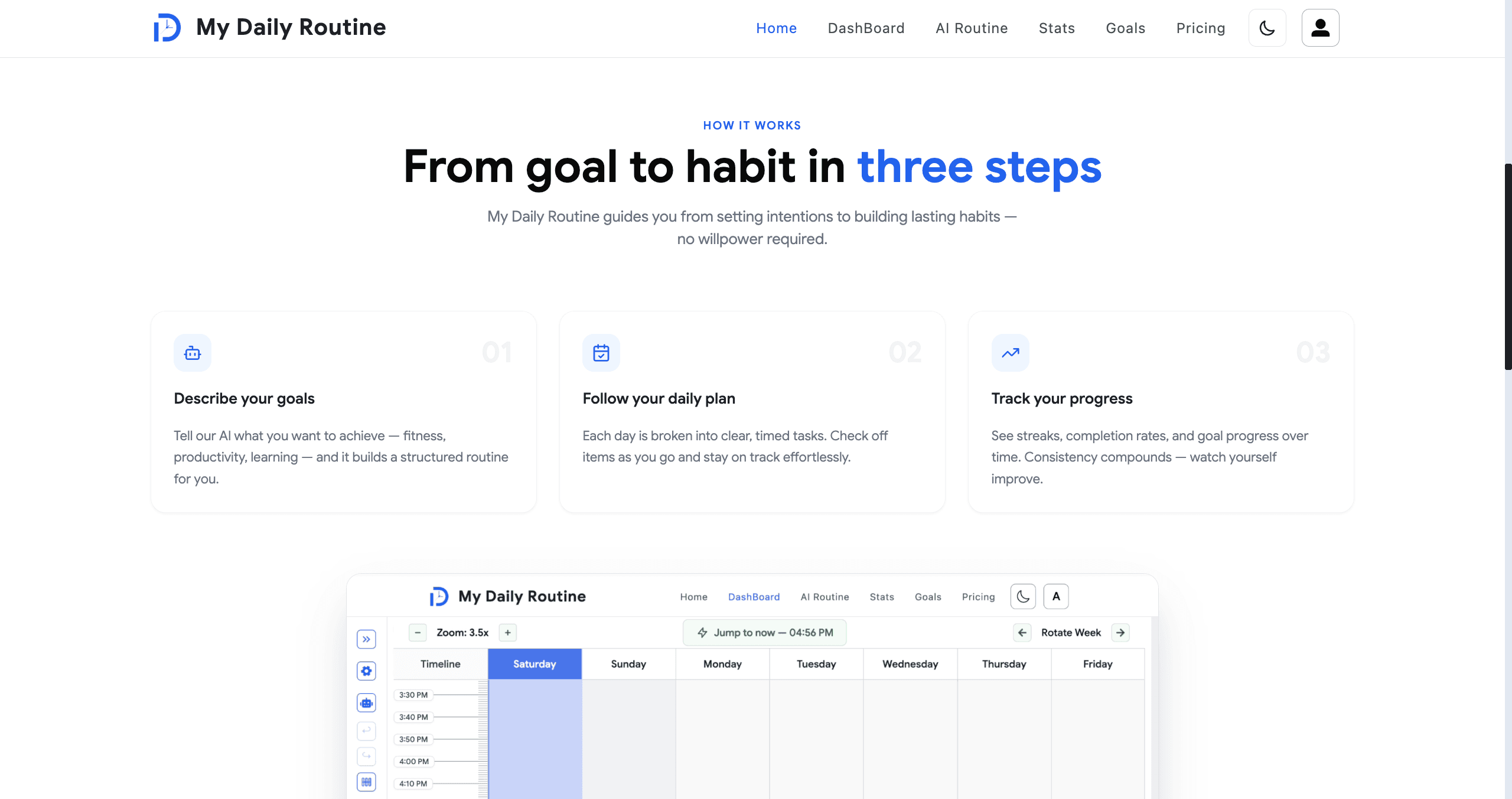
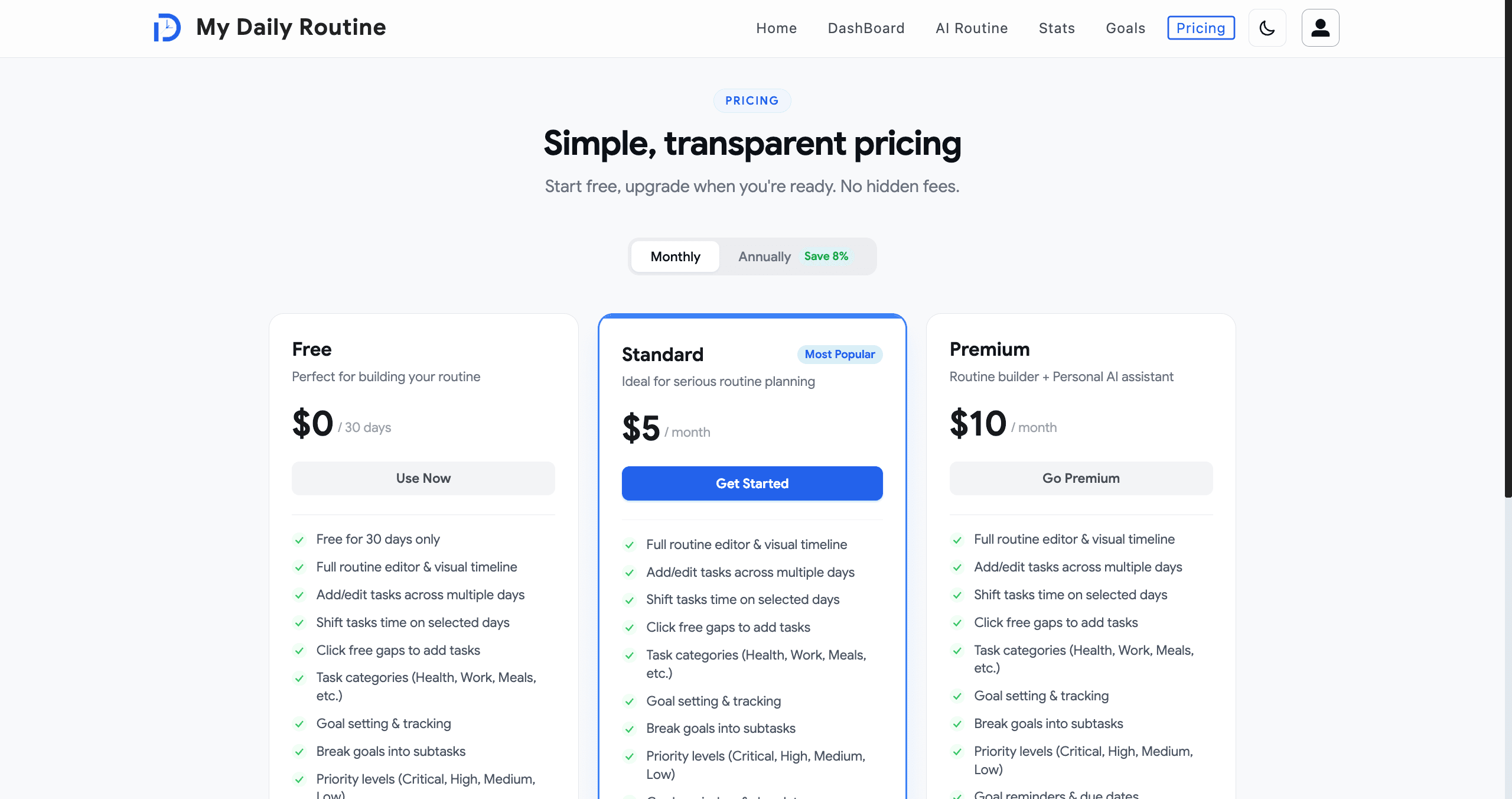
Marketing Landing & Pricing

A polished marketing surface — landing page, pricing page, testimonials, and full legal coverage (privacy, terms, refund) — built to convert first-time visitors and satisfy Paddle merchant-of-record requirements.

Fully SEO-equipped with App Router metadata, dynamic sitemap, robots, and PWA manifest. Responsive across mobile, tablet, and desktop with class-based dark mode powered by a custom `ThemeProvider`.

Animated hero, feature reveals, and micro-interactions delivered with Framer Motion 12 for a premium feel without sacrificing performance.

  • Animated, conversion-focused hero with CTA routing to register / dashboard
  • Dedicated `/pricing`, `/testimonials`, `/privacy`, `/terms-and-conditions`, `/refund` routes
  • App Router `metadata`, `sitemap.ts`, `robots.ts`, and PWA `manifest.ts`
  • Class-based dark mode (`darkMode: 'class'`) with persistent theme
  • Framer Motion entrance animations, Lucide / React Icons iconography
  • Strict CSP with Paddle frame-src allowlisted in `next.config.ts`
Marketing Landing & Pricing image 1
Marketing Landing & Pricing image 2

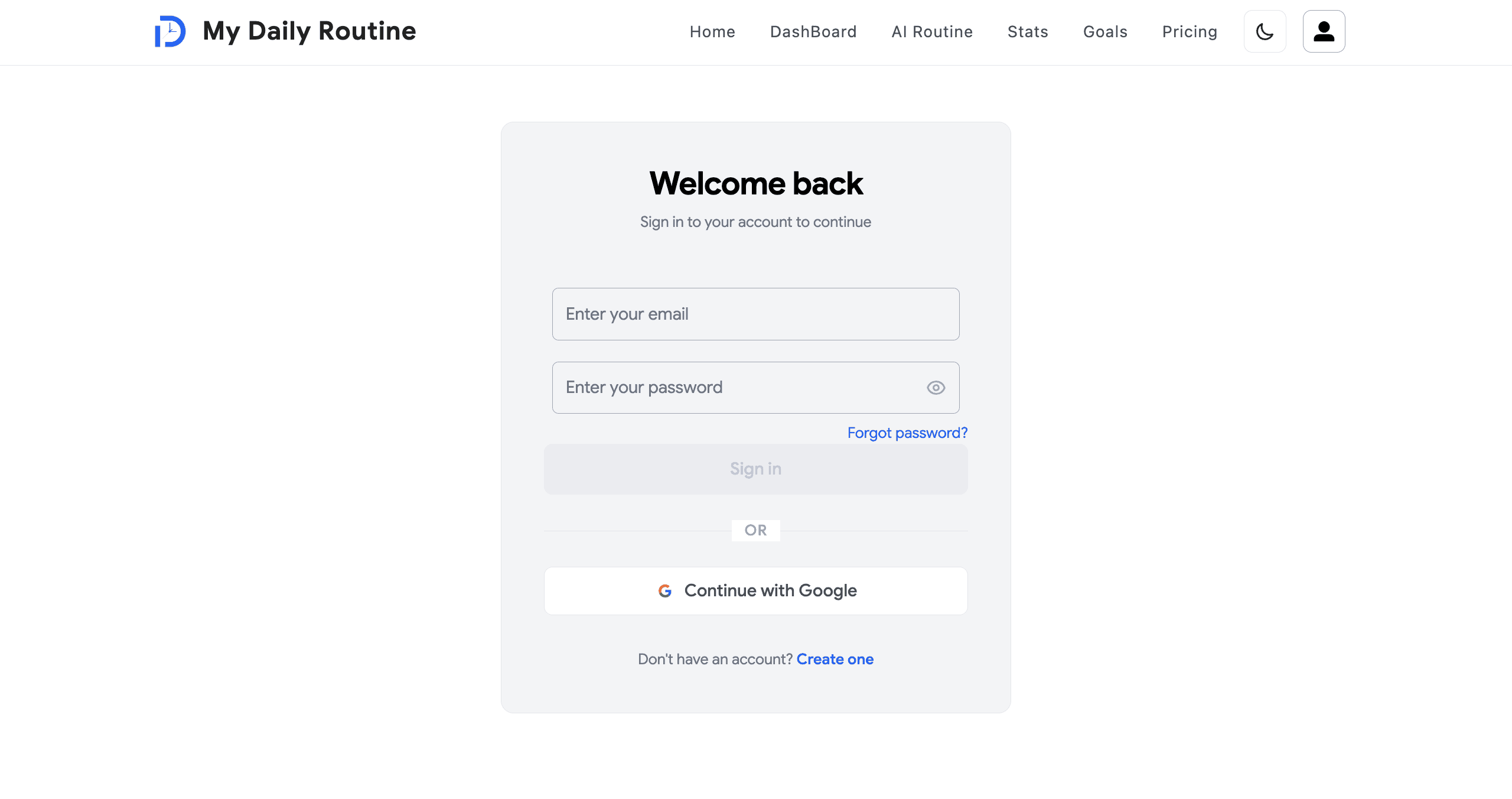
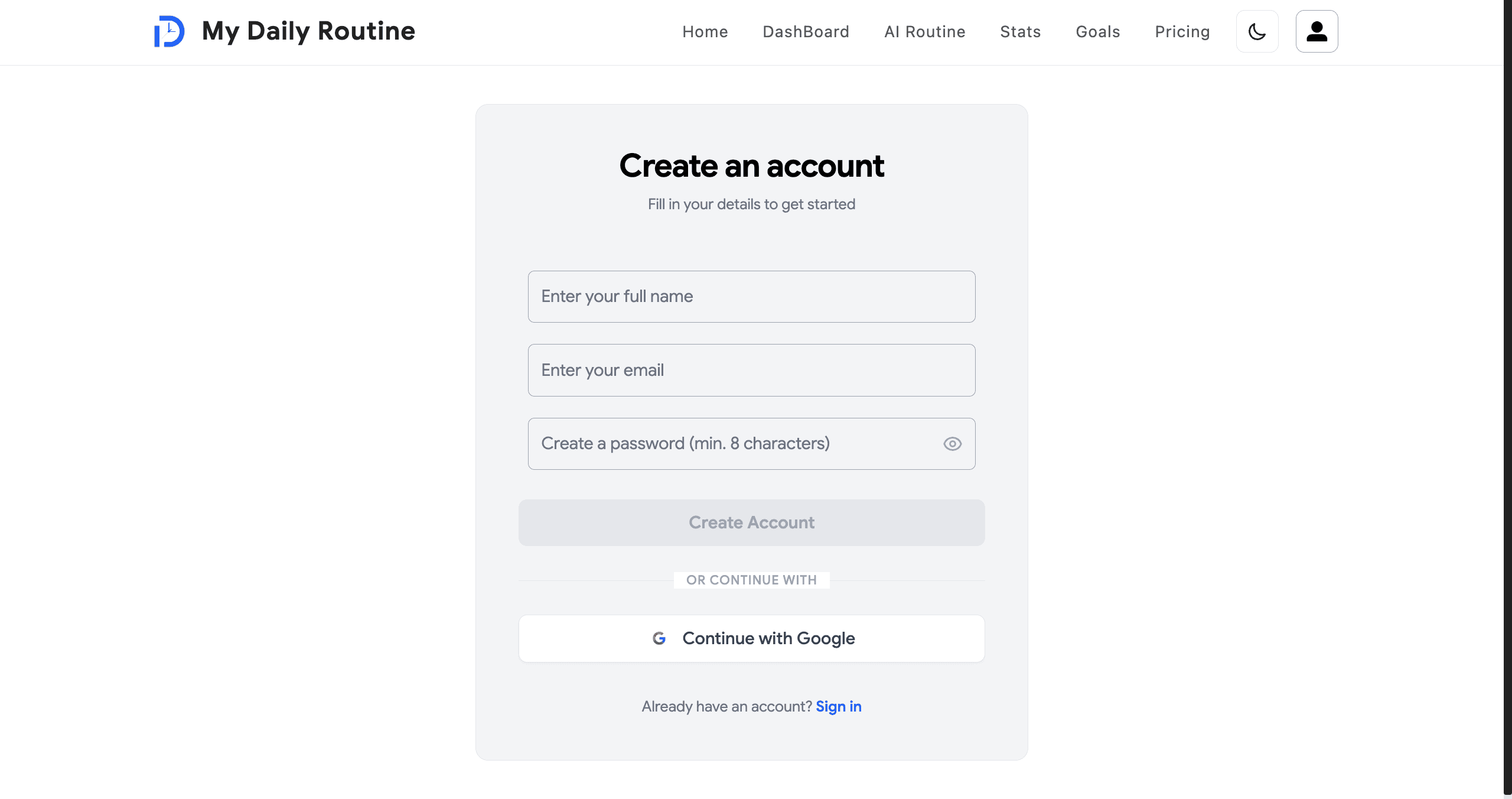
Dual Authentication — NextAuth (Google) + Custom JWT (Email / Password)

Two identity systems run in parallel. Google users sign in through NextAuth v5 beta. Email/password users authenticate against a custom flow that verifies passwords with `bcrypt` and issues an HS256 JWT (7-day expiry) signed via `jose`, stored in an httpOnly `authToken` cookie.

A single `src/middleware.ts` protects every authenticated route (`/dashBoard`, `/goals`, `/stats`, `/profile`, `/billing`, `/ai-routine`, `/admin`, `/changePassword`, `/color`). It checks for a NextAuth session first, then falls back to verifying the JWT cookie with `jwtVerify`, and redirects to `/login?callbackUrl=...` on failure.

Every server action re-derives the caller server-side via `getActionActor()` and `assertActorCanAccessEmail()` — the client-passed `email` argument is treated as untrusted input. Non-admin callers can only mutate their own data; admins are explicitly elevated.

  • NextAuth v5 beta with Google provider + custom JWT (jose, HS256, 7-day expiry)
  • `bcrypt` password hashing with `select: false` schema field, `.select('+password')` on demand
  • httpOnly, signed `authToken` cookie with strict same-site posture
  • Edge-compatible middleware route protection with callback URL preservation
  • Server-action actor guard (`getActionActor` / `assertActorCanAccessEmail`) — never trusts client email
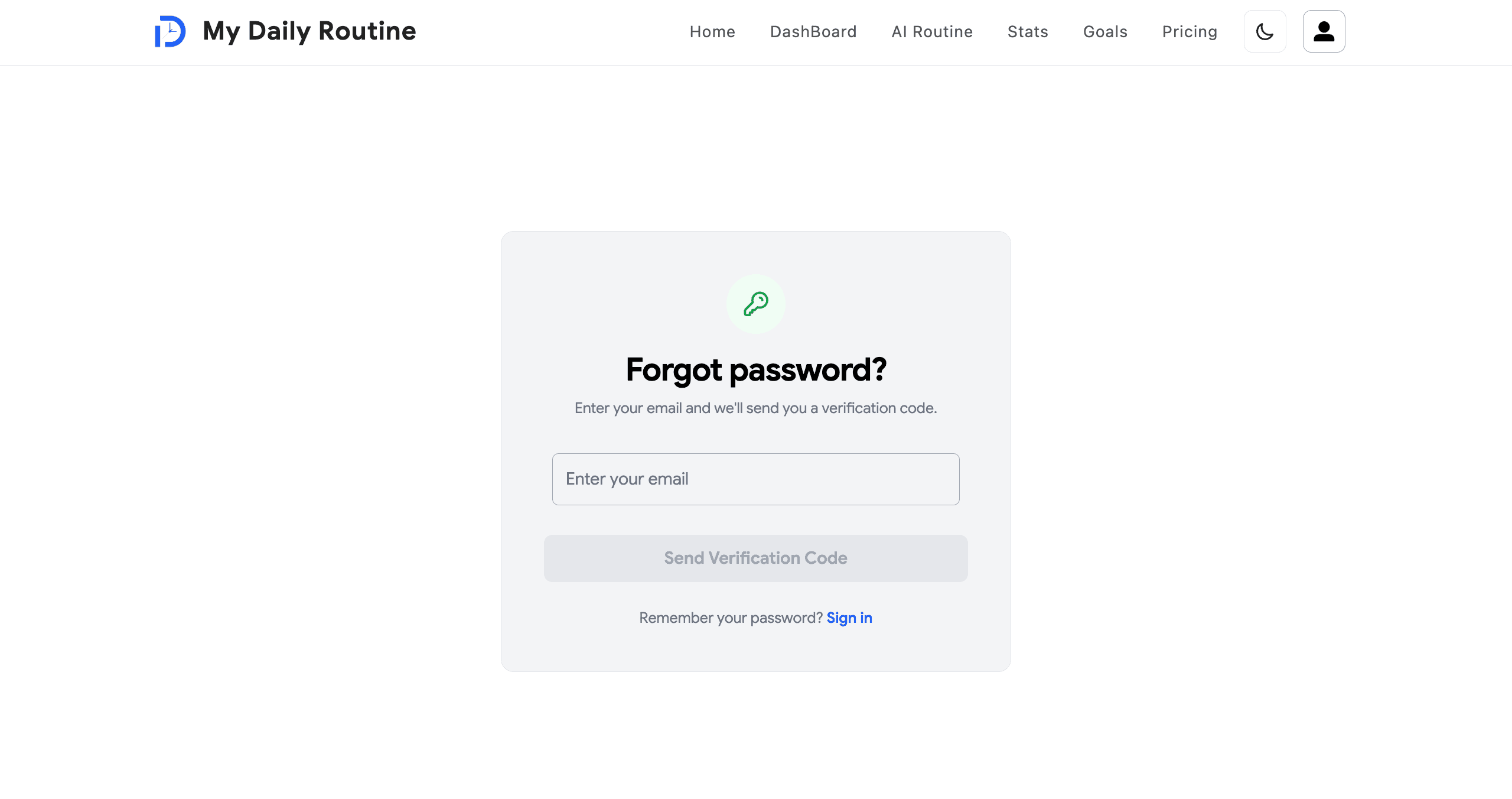
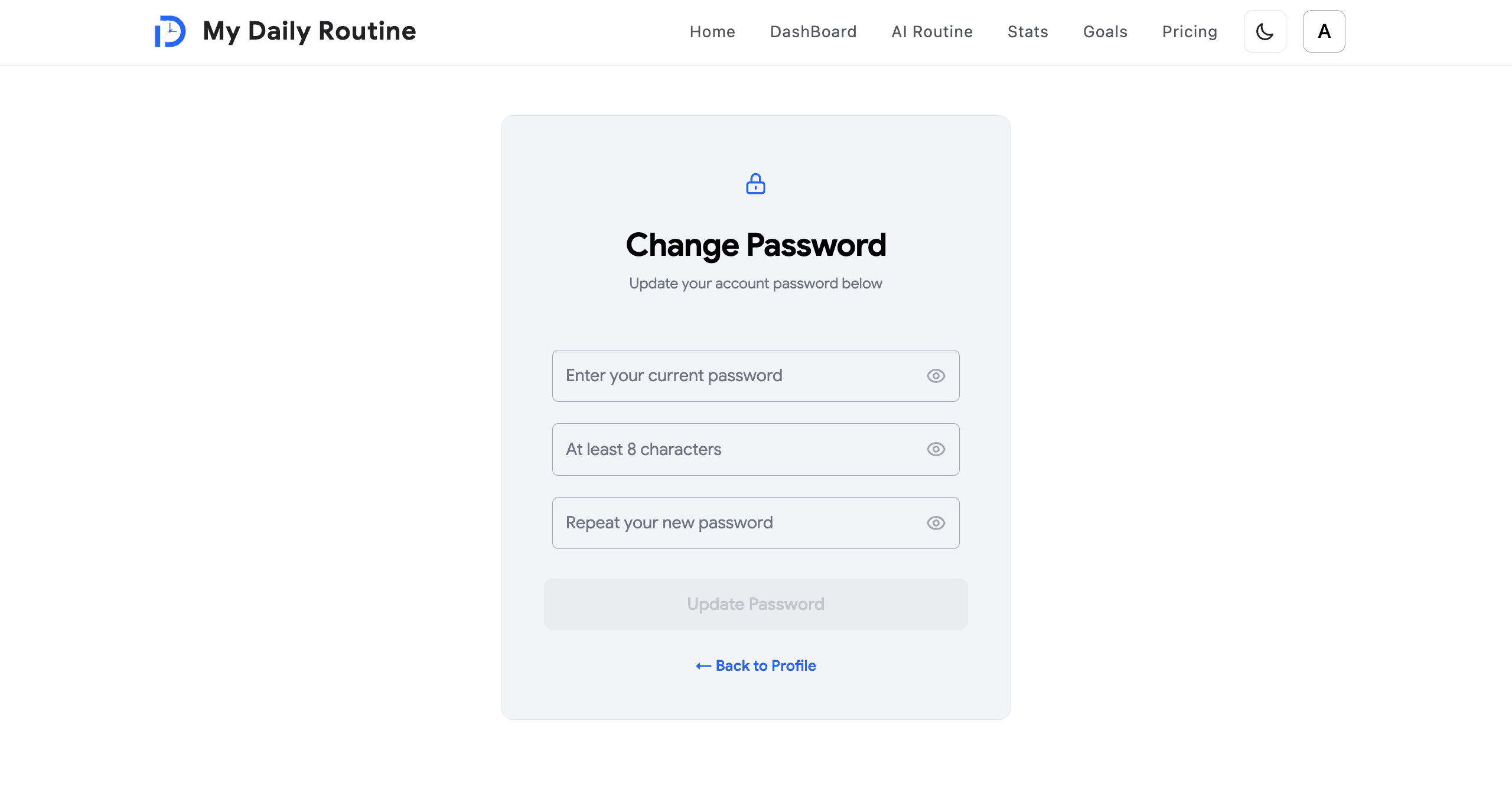
  • Forgot-password & reset flow under `(auth)` route group
Dual Authentication — NextAuth (Google) + Custom JWT (Email / Password) image 1
Dual Authentication — NextAuth (Google) + Custom JWT (Email / Password) image 2
Dual Authentication — NextAuth (Google) + Custom JWT (Email / Password) image 3
Dual Authentication — NextAuth (Google) + Custom JWT (Email / Password) image 4

Email OTP Verification & Cron-Based Account Hygiene

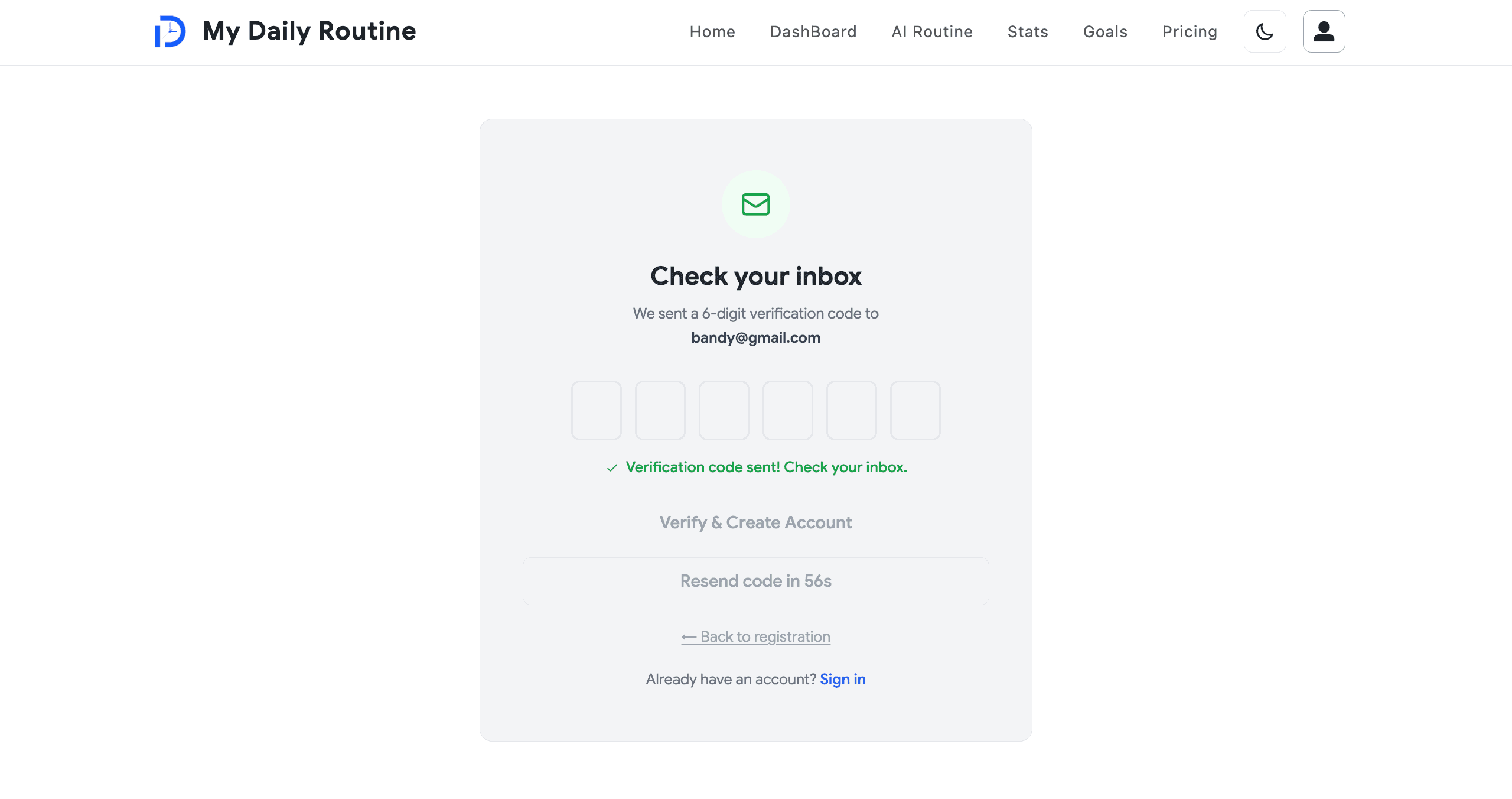
New email/password registrations trigger a hashed one-time-password emailed via Brevo SMTP through `nodemailer`. Codes live in a dedicated `OtpCode` collection with `expiresAt` and `attempts` counters to defeat brute-force and replay.

An authenticated cron endpoint (`GET /api/cron/cleanup-unverified`, Bearer `CRON_SECRET`) runs daily to delete unverified accounts older than 30 days, keeping the user collection clean and compliant.

Transactional email templates also drive welcome and password-reset flows, all routed through the same hardened SMTP layer.

  • Hashed OTP storage with `expiresAt` TTL and `attempts` lockout counter
  • Brevo SMTP via `nodemailer` for OTP, welcome, and password-reset emails
  • `/api/send-otp` + `/api/verify-jwt` route handlers with rate limiting
  • Bearer-token-protected cron endpoint deletes unverified accounts >30 days old
  • MongoDB-backed fixed-window rate limiting (`ApiRateLimit` collection, IP + key parts)
Email OTP Verification & Cron-Based Account Hygiene image 1

Dashboard — Drag-and-Drop Weekly Timeline

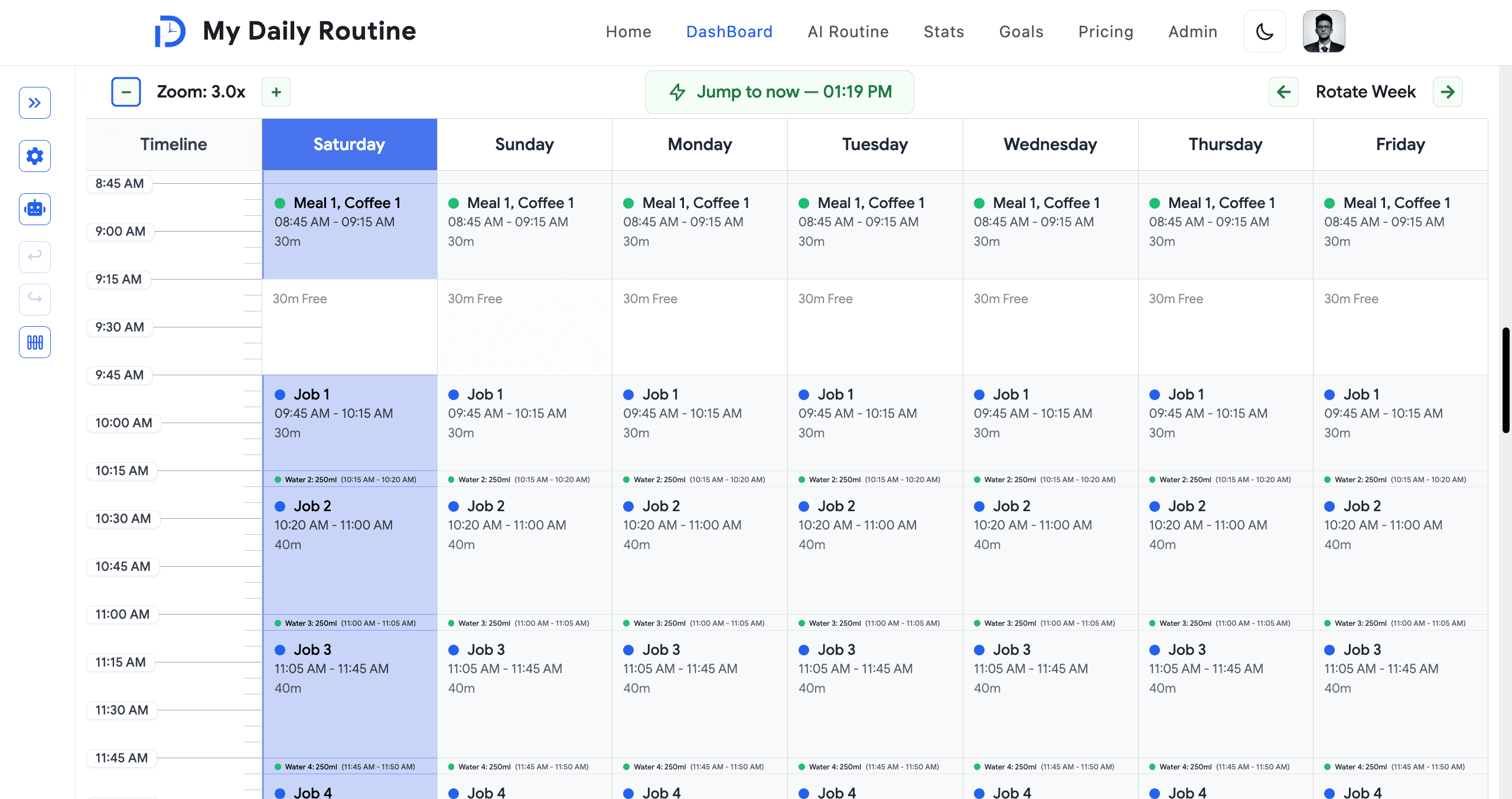
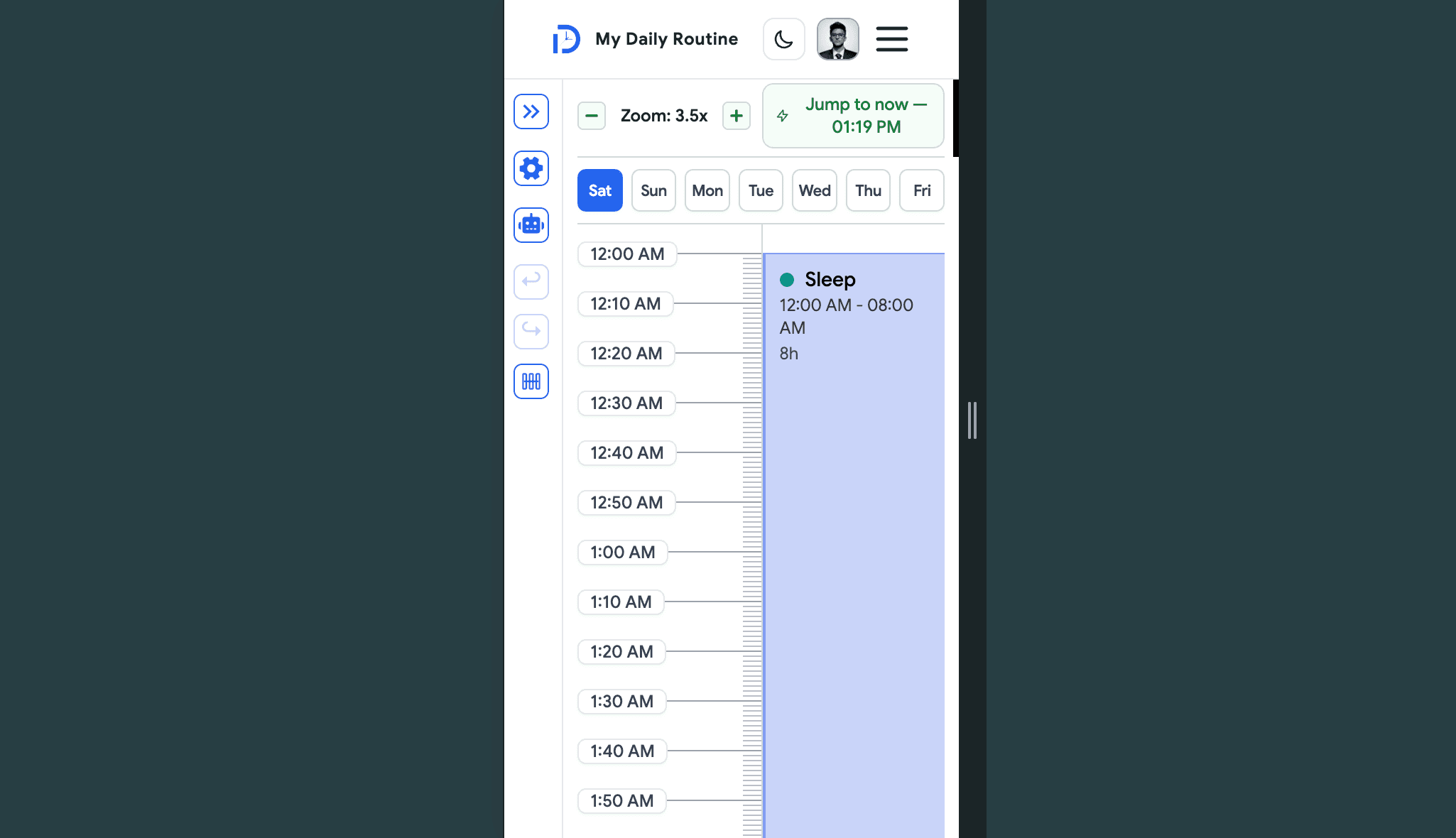
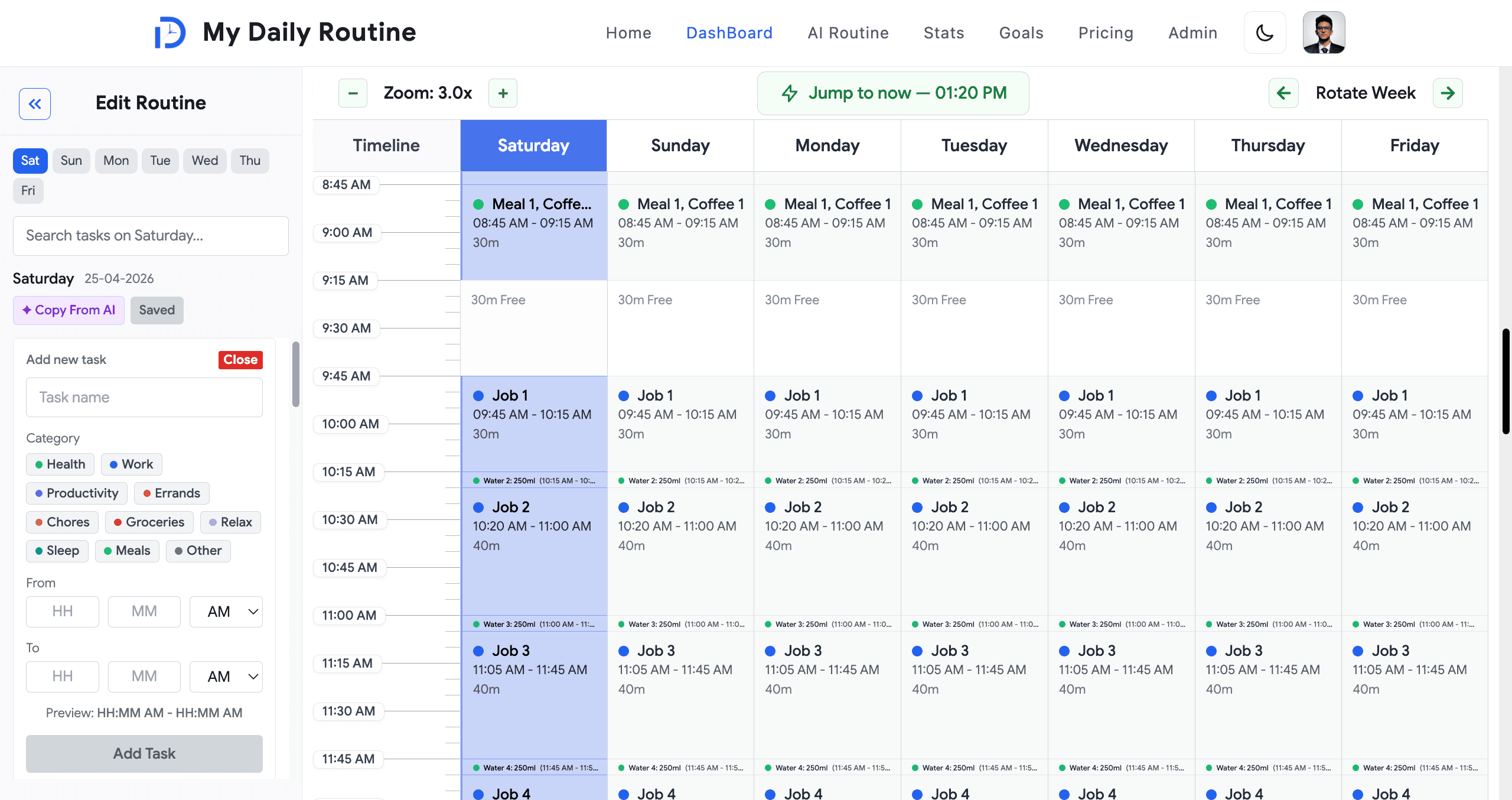
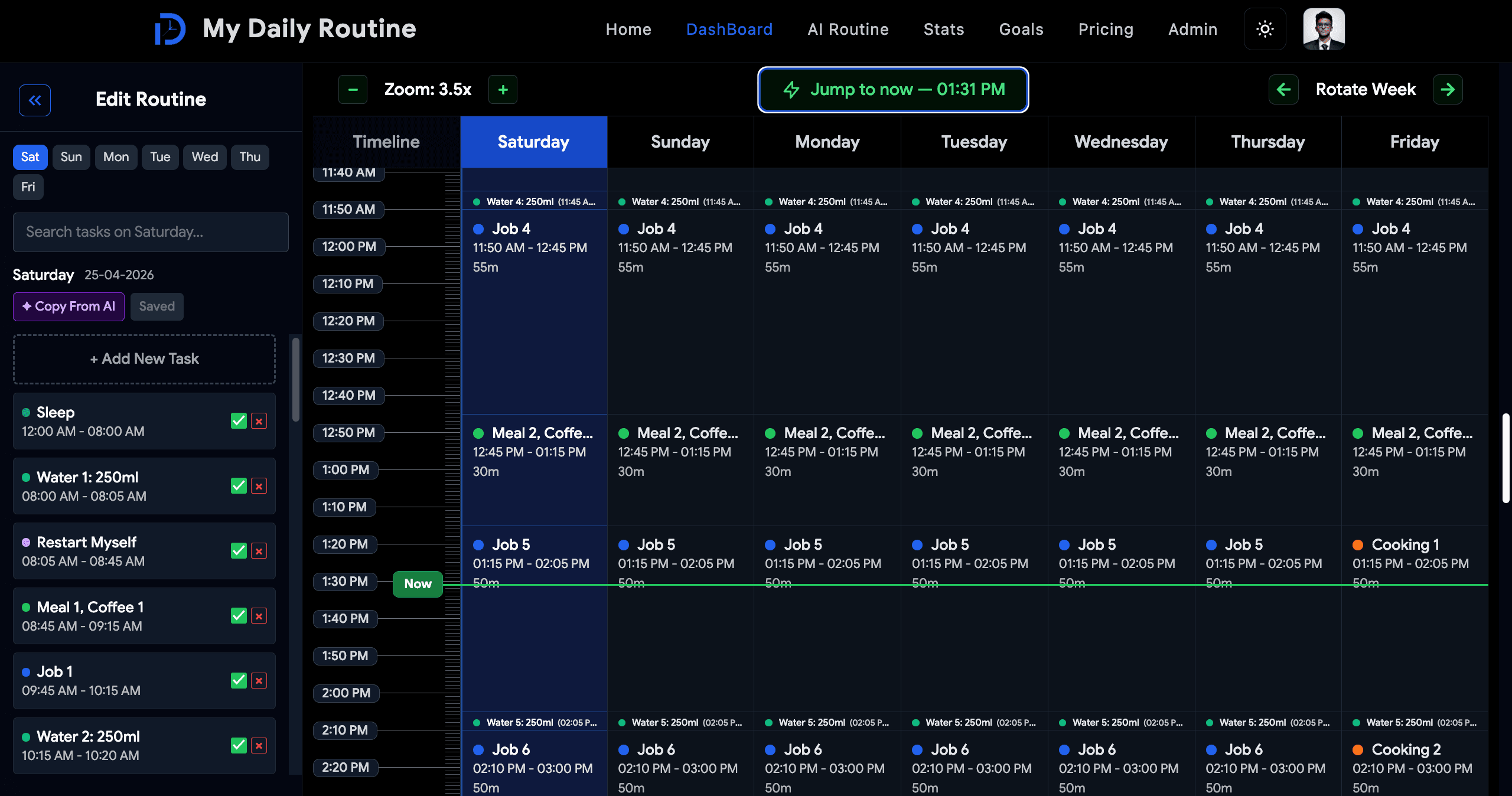
The dashboard is the heart of the product: a full seven-day timeline rendered side-by-side with a continuous midnight-to-midnight time axis and a colored 'now' line that ticks live to the user's current position in the day.

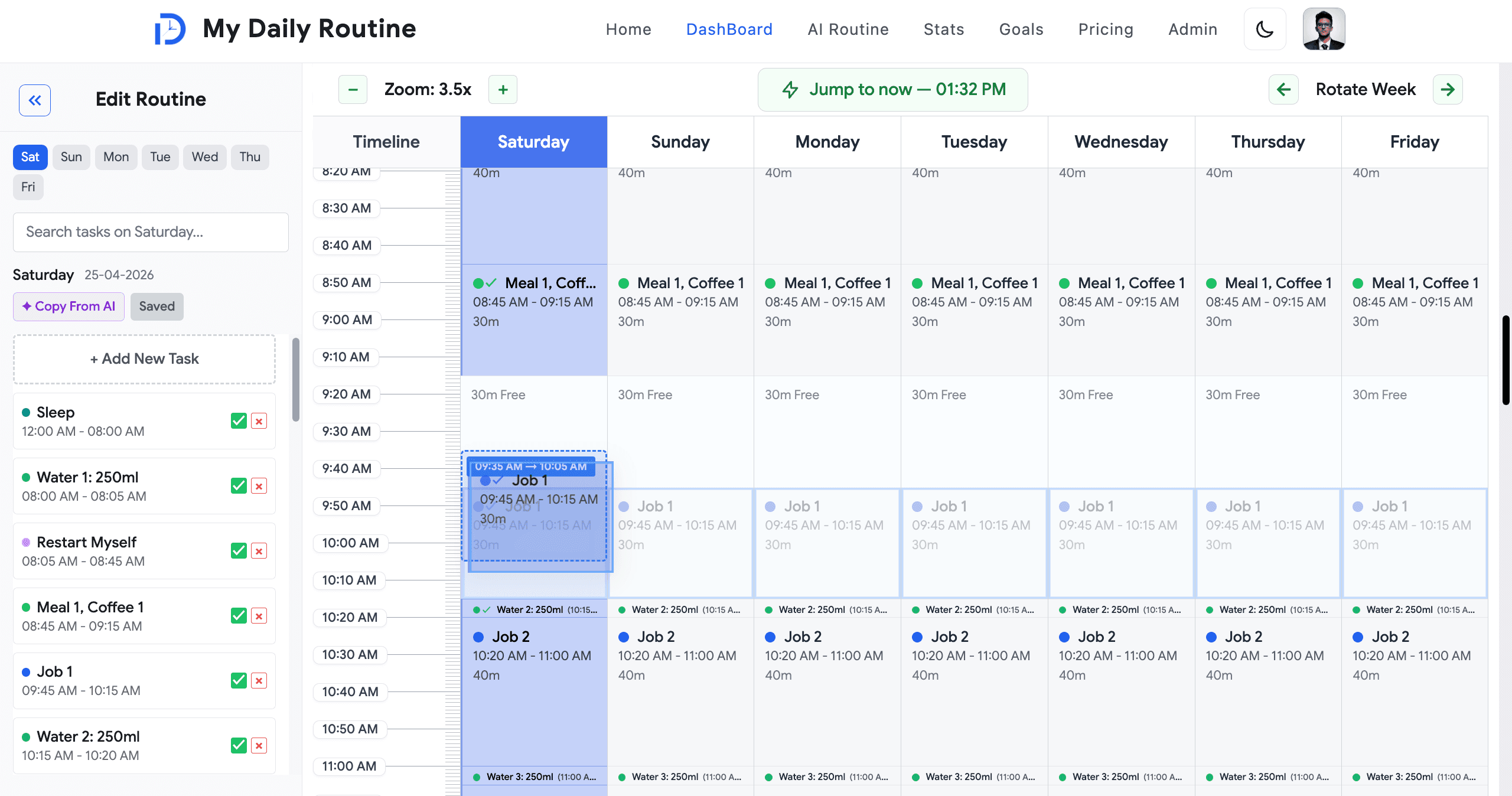
Tasks are draggable up, down, and (on desktop) across day columns with a blue drop preview that shows the exact landing slot before release. A `sync drag` mode shifts a task by the same delta across every day it appears, making bulk routine adjustments effortless.

Each task carries a category (work, health, sleep, meals, etc.), start/end time, and color coding. Zoom controls expand the day for fine-grained editing, a 'jump to now' button snaps the viewport to the current time, and undo / redo (Ctrl+Z / Ctrl+Y) are wired through Redux.

When a task's start time arrives, the app fires an audible chime and a toast notification with `Mark complete` / `Dismiss` actions that log straight to the user's stats.

  • Seven-day side-by-side timeline with continuous 24-hour axis
  • Live `now` line that auto-updates to the current minute
  • Drag-to-reschedule with blue ghost preview of the landing slot
  • Cross-day drag on desktop, single-day swipe view on mobile / tablet
  • `Sync drag` mode propagates a single drag across every weekday a task lives on
  • Zoom in / zoom out, jump-to-now, and Ctrl+Z / Ctrl+Y undo / redo
  • Real-time start-of-task chime + toast with `Mark complete` / `Dismiss`
  • Manual green-check completion on today's view writes directly to stats
Dashboard — Drag-and-Drop Weekly Timeline image 1
Dashboard — Drag-and-Drop Weekly Timeline image 2
Dashboard — Drag-and-Drop Weekly Timeline image 3

Routine Editor — Single-Day, Multi-Day, and Swap

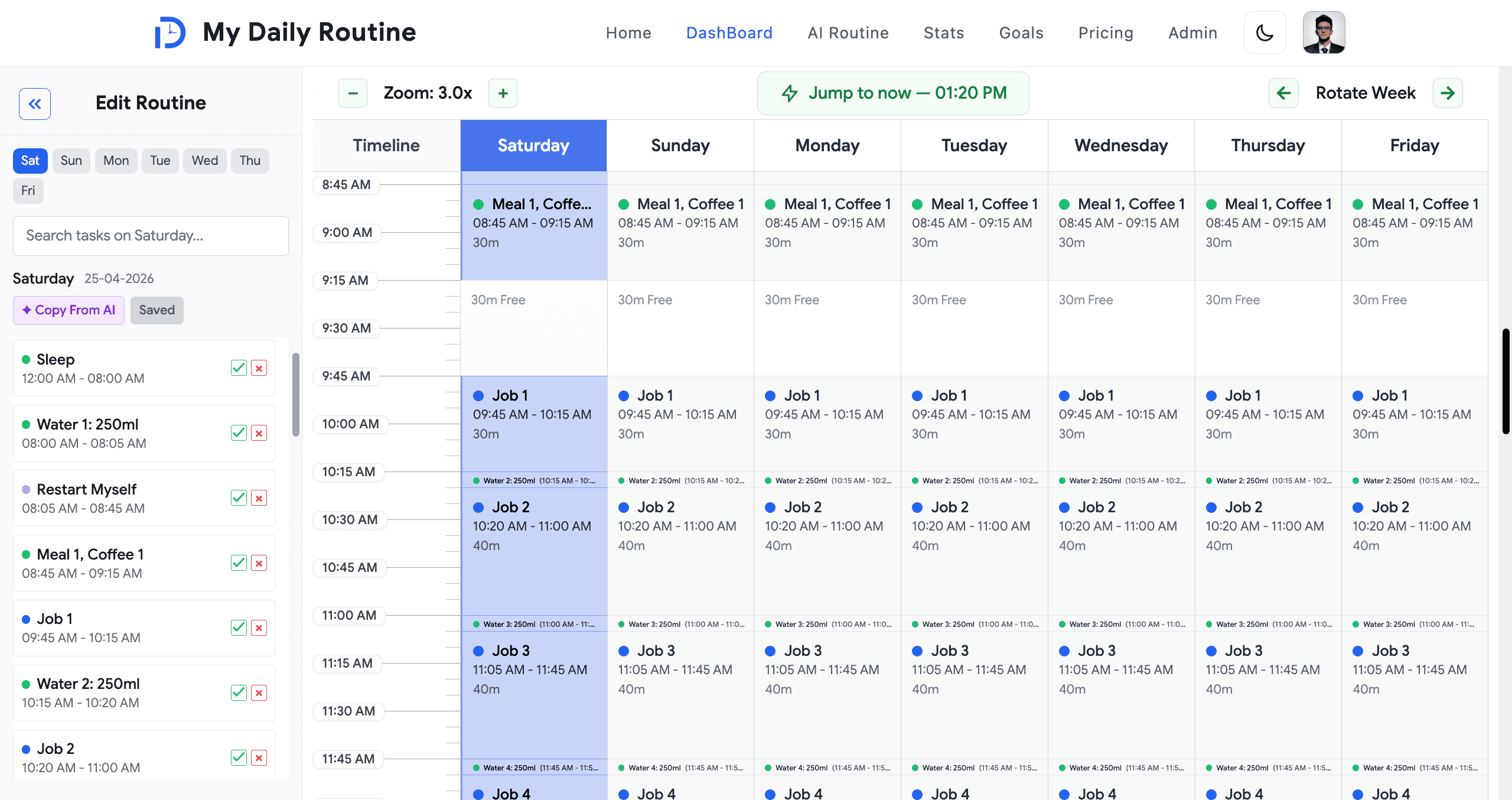
A sidebar editor opens when adding a new task or clicking any task on the timeline. Pre-filled fields drive a fast edit loop: rename, recategorize, retime, and apply changes to the current day or to any subset of weekdays in one save.

The form supports adding the same task to multiple days at once (`Add task in multiple days`), deleting a task from a single day or from every day at once (`Delete from every day`), and a dedicated swap-time-slots feature that exchanges the time windows of two tasks atomically.

Conflict detection prevents overlapping schedules; duplicate-name prevention per day keeps things tidy; minimum and maximum duration are validated server-side. Save persists to MongoDB through Server Actions.

  • Day pills select the editing target — current day or a custom multi-day set
  • Add / edit / delete across single day, custom set, or every weekday
  • Atomic swap-time-slots between two existing tasks
  • Strict overlap, duplicate-name, and duration validation
  • Quick search / filter within the current day's task list
  • Server Action persistence with toast feedback (Sonner 2)
Routine Editor — Single-Day, Multi-Day, and Swap image 1
Routine Editor — Single-Day, Multi-Day, and Swap image 2

AI Routine Builder — Gemini-Powered Conversational Planning

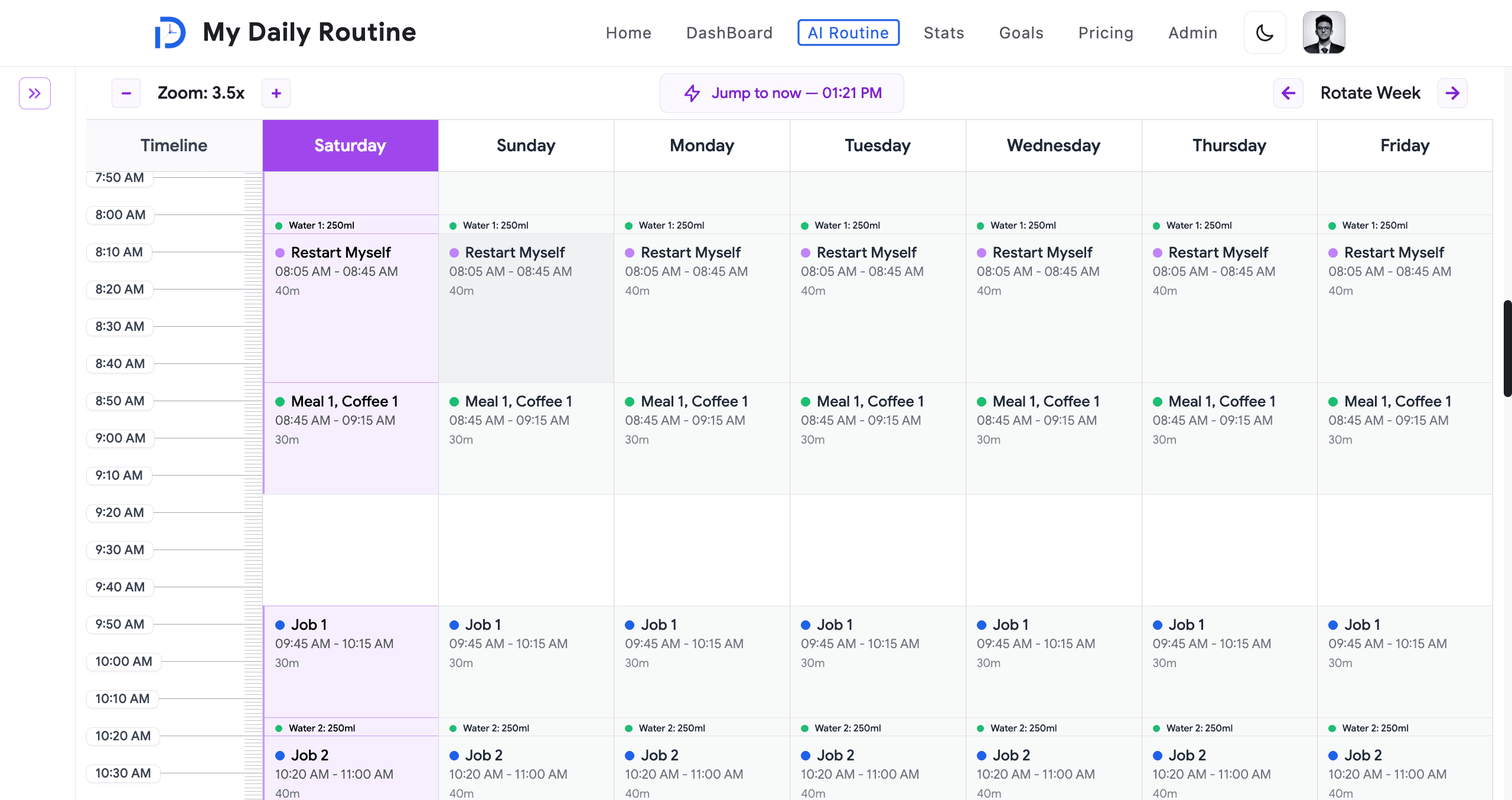
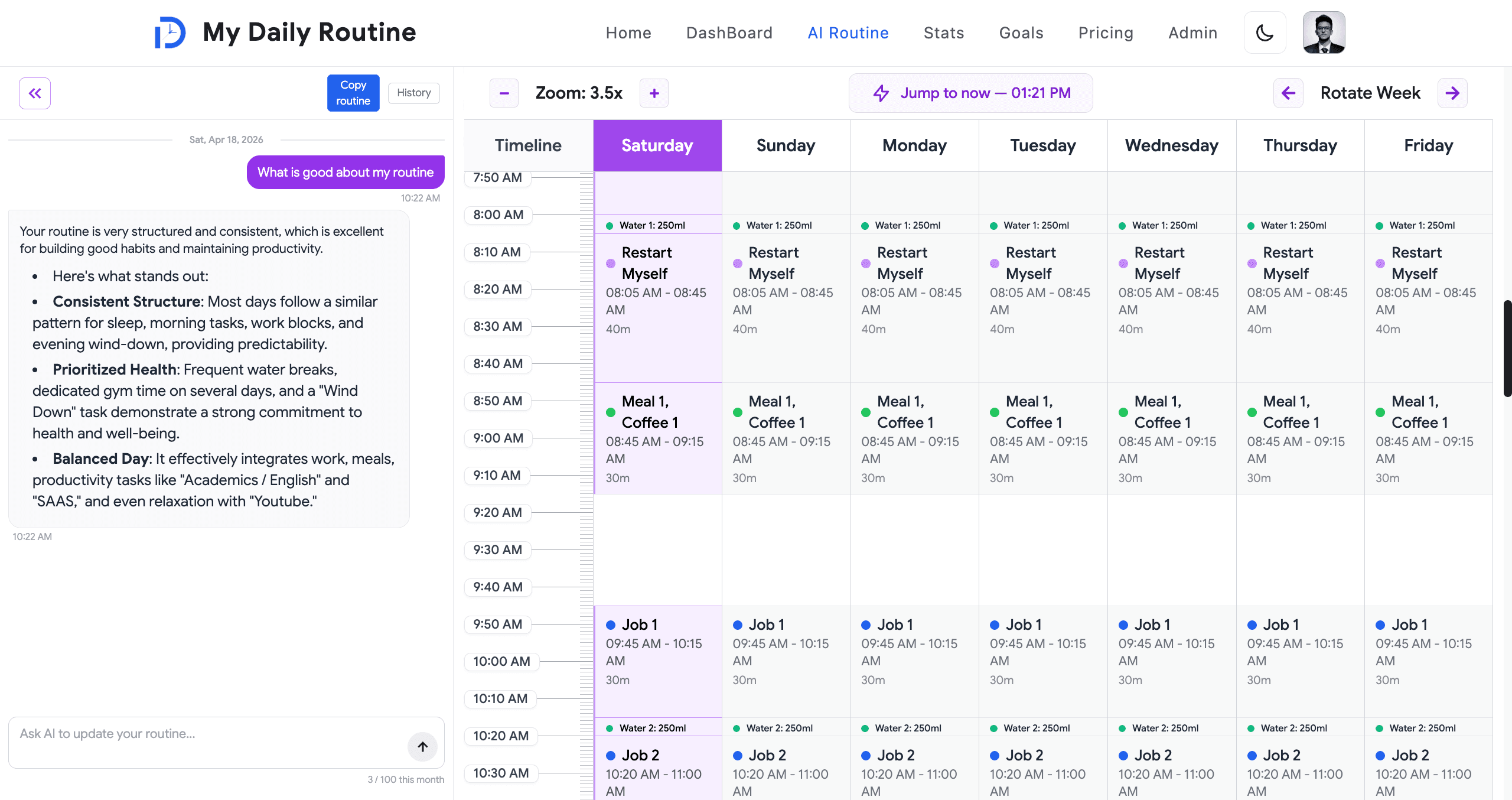
Premium members unlock `/ai-routine`, a separate timeline where users converse with Google Gemini (`@google/genai`) to draft and refine an entire weekly routine. The system prompt automatically references the user's real routine and the current AI-generated draft so suggestions always stay grounded in their actual life.

Each conversation is persisted per-user in a dedicated `AIRoutine` collection alongside the AI-generated routine. Gemini returns a reply plus an optional `updatedRoutine`, which is rendered live on the AI timeline as the chat unfolds.

When the user is happy, a single click in the dashboard sidebar copies the AI routine into their main routine — closing the loop between agentic suggestion and committed schedule.

  • `@google/genai` (Gemini) via dedicated server action `aiRoutineResponse`
  • Per-user `AIRoutine` Mongoose collection: conversation history + generated routine
  • System prompt grounded in the user's real routine and current AI draft
  • Live timeline that re-renders as Gemini streams `updatedRoutine` back
  • One-click copy from AI routine into the main routine
  • Redux `response` slice manages chat state; `usePrice` / `useAuth` gate access
AI Routine Builder — Gemini-Powered Conversational Planning image 1
AI Routine Builder — Gemini-Powered Conversational Planning image 2

Goals — Subtasks, Priorities, and Timeline Integration

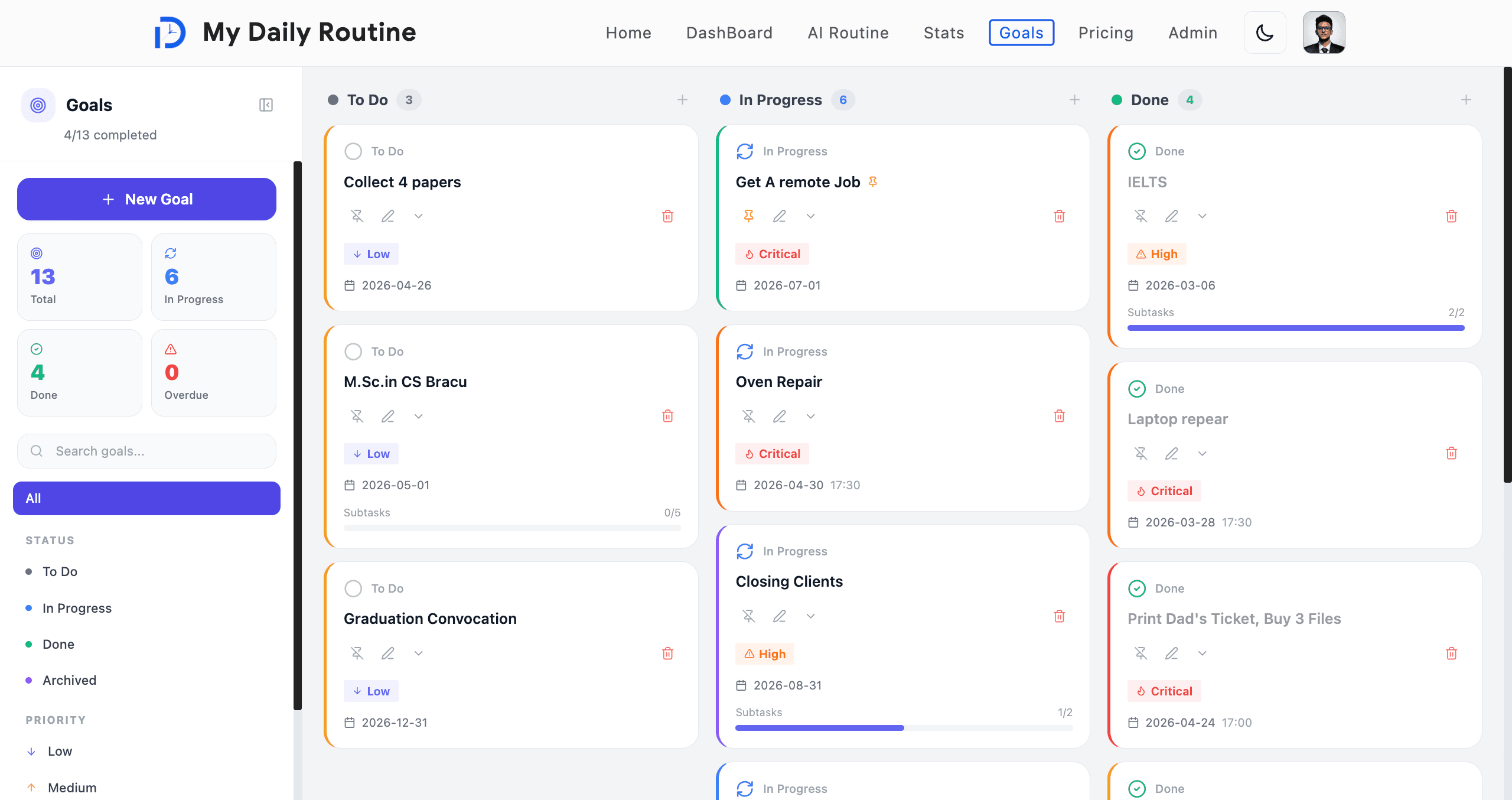
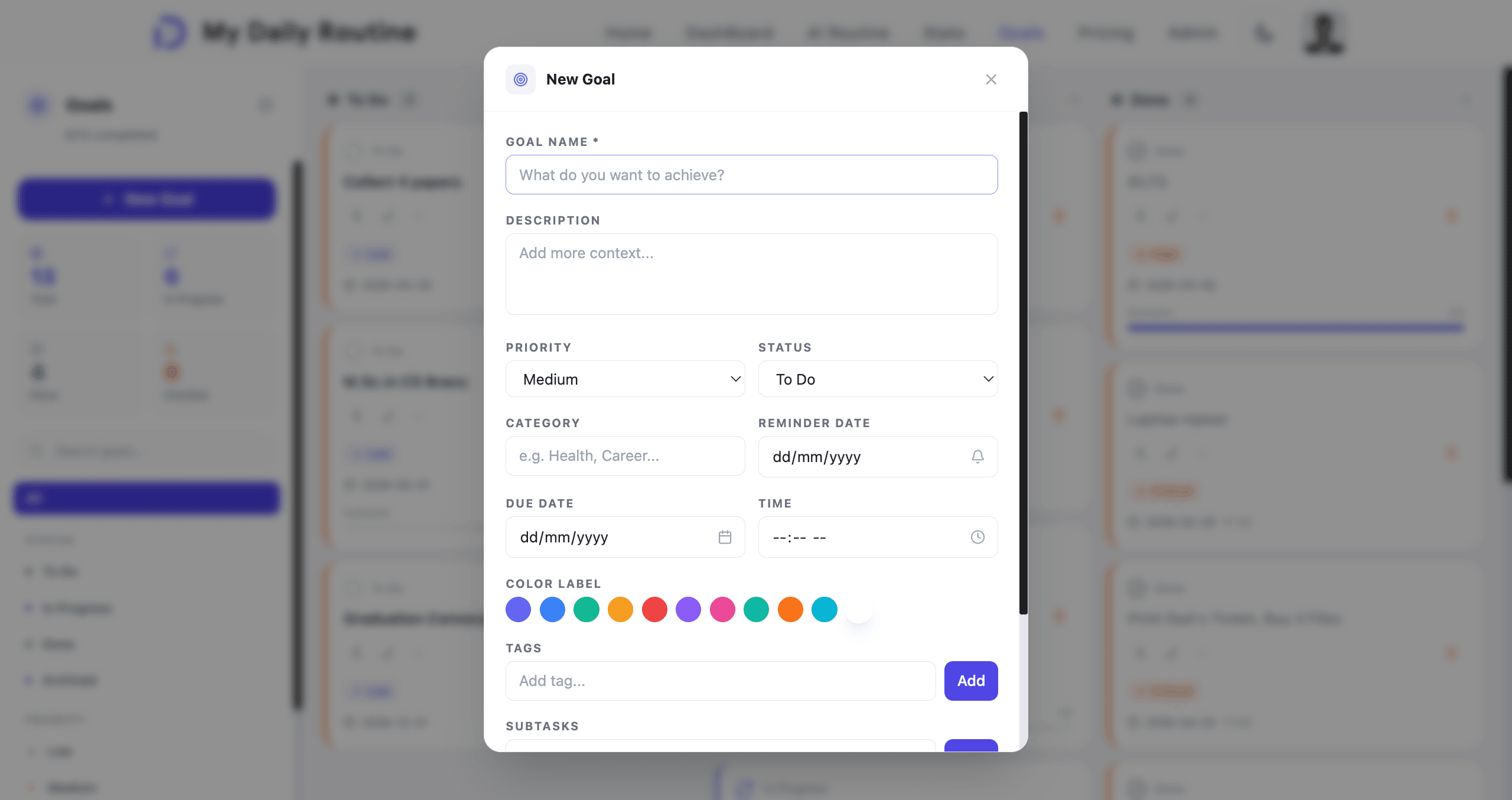
The goals page lets users capture longer-horizon objectives — each with a name, priority, due date, optional time, subtasks, repeat rule, tags, and a reminder date. Tap the status pill to cycle a goal through to-do → in progress → done; pin important goals so they stay at the top.

Goals that carry a specific time appear as markers directly on the routine timeline on the day they are due — so the user's long-term ambitions and short-term schedule remain visually connected in one view.

All goal data lives on the same User document used for routine and stats, so reads stay fast and writes stay atomic.

  • Goal CRUD with priority, due date, time, repeat rule, tags
  • Nested subtasks with independent completion state
  • Status cycle (to-do → in progress → done) with one-tap pill
  • Pinning to surface high-priority goals
  • Timeline markers on the routine view for time-bound goals
  • Stored as embedded subdocuments on the User schema for atomic writes
Goals — Subtasks, Priorities, and Timeline Integration image 1
Goals — Subtasks, Priorities, and Timeline Integration image 2

Stats & Analytics — Streaks, Trends, Insights

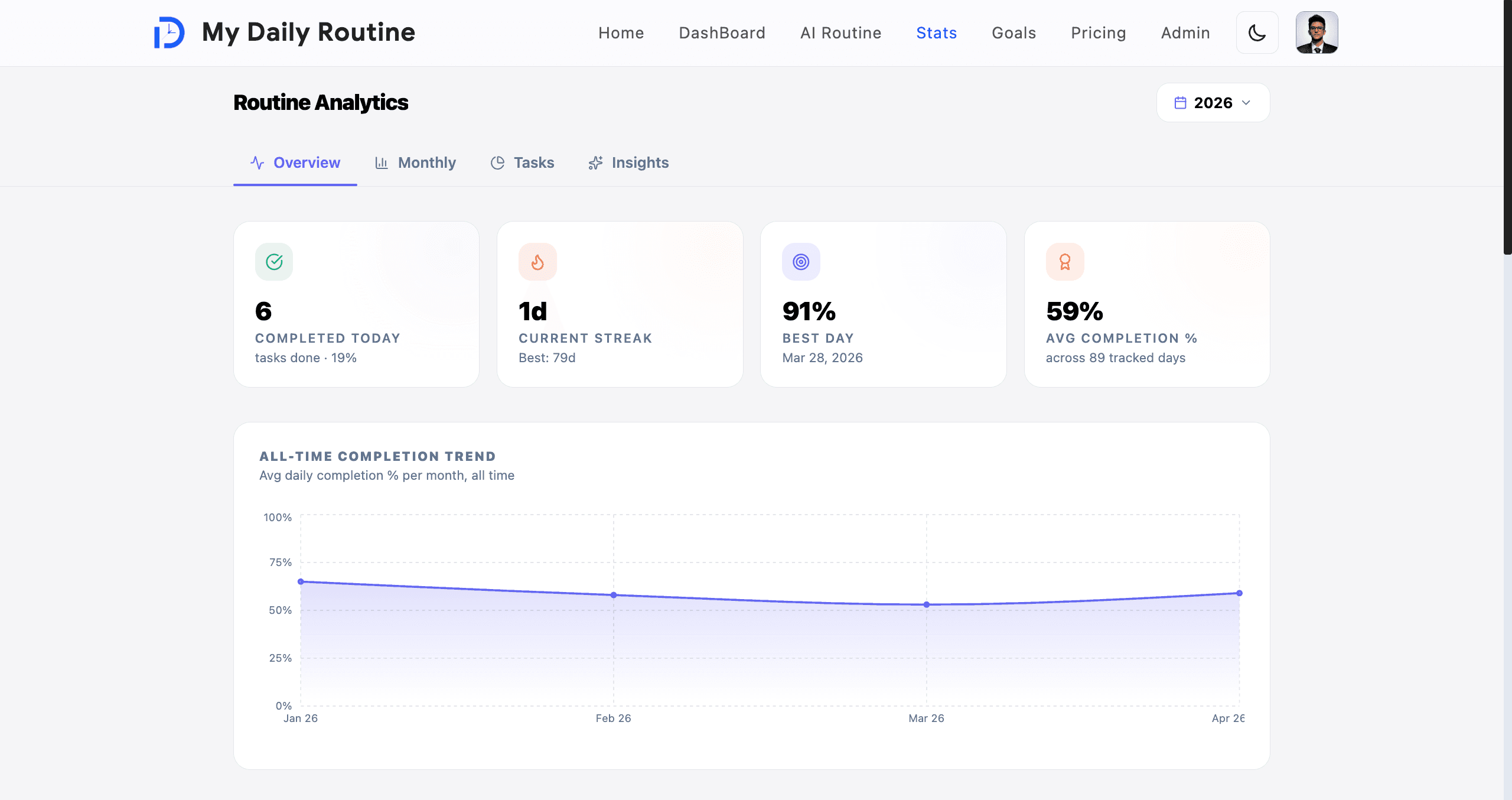
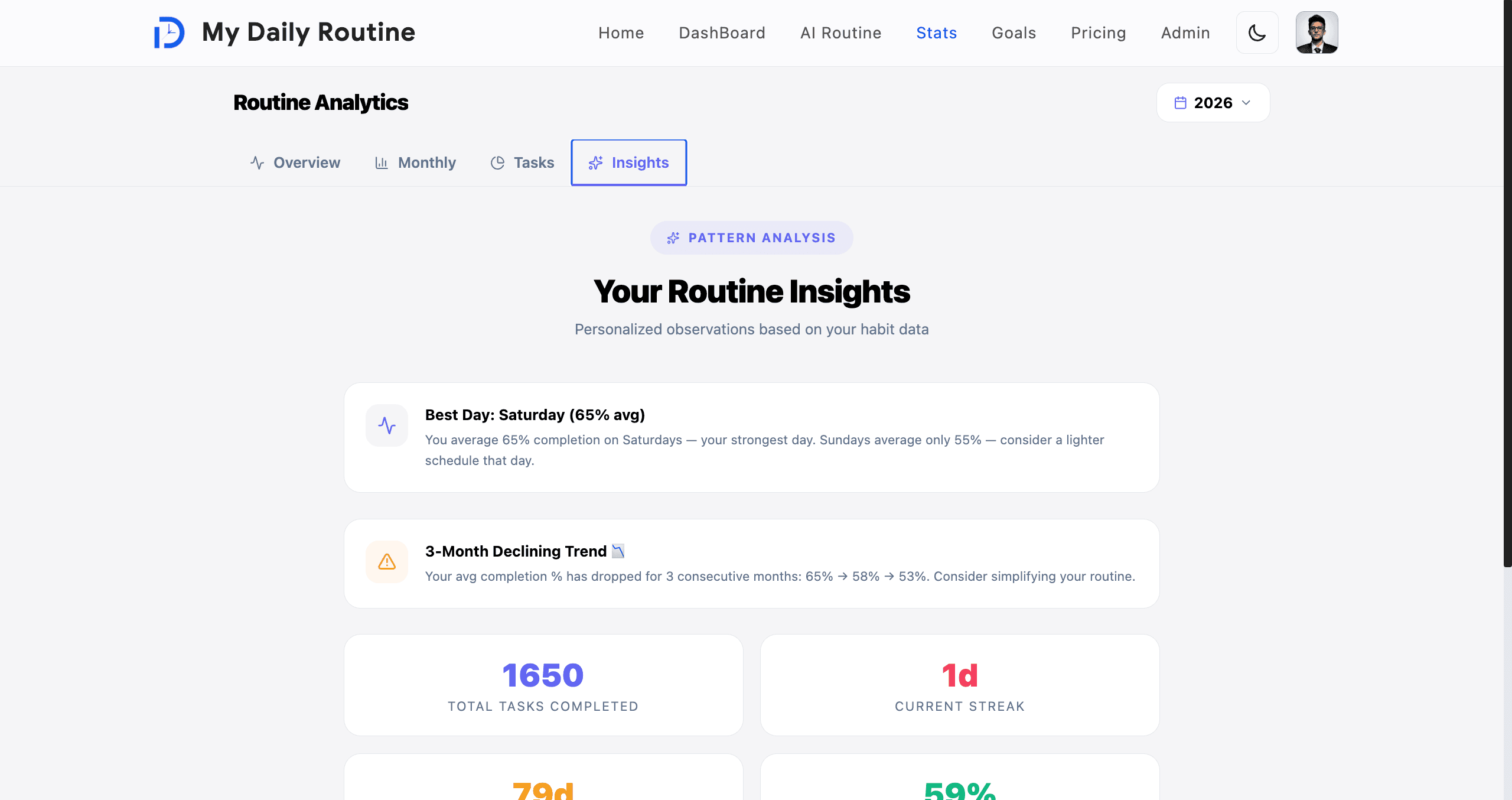
Every completion the user logs (manual check, notification action, or automatic completion) feeds a per-day stats record on the User document. The `/stats` page renders four tabs of analytics powered by Recharts 3.

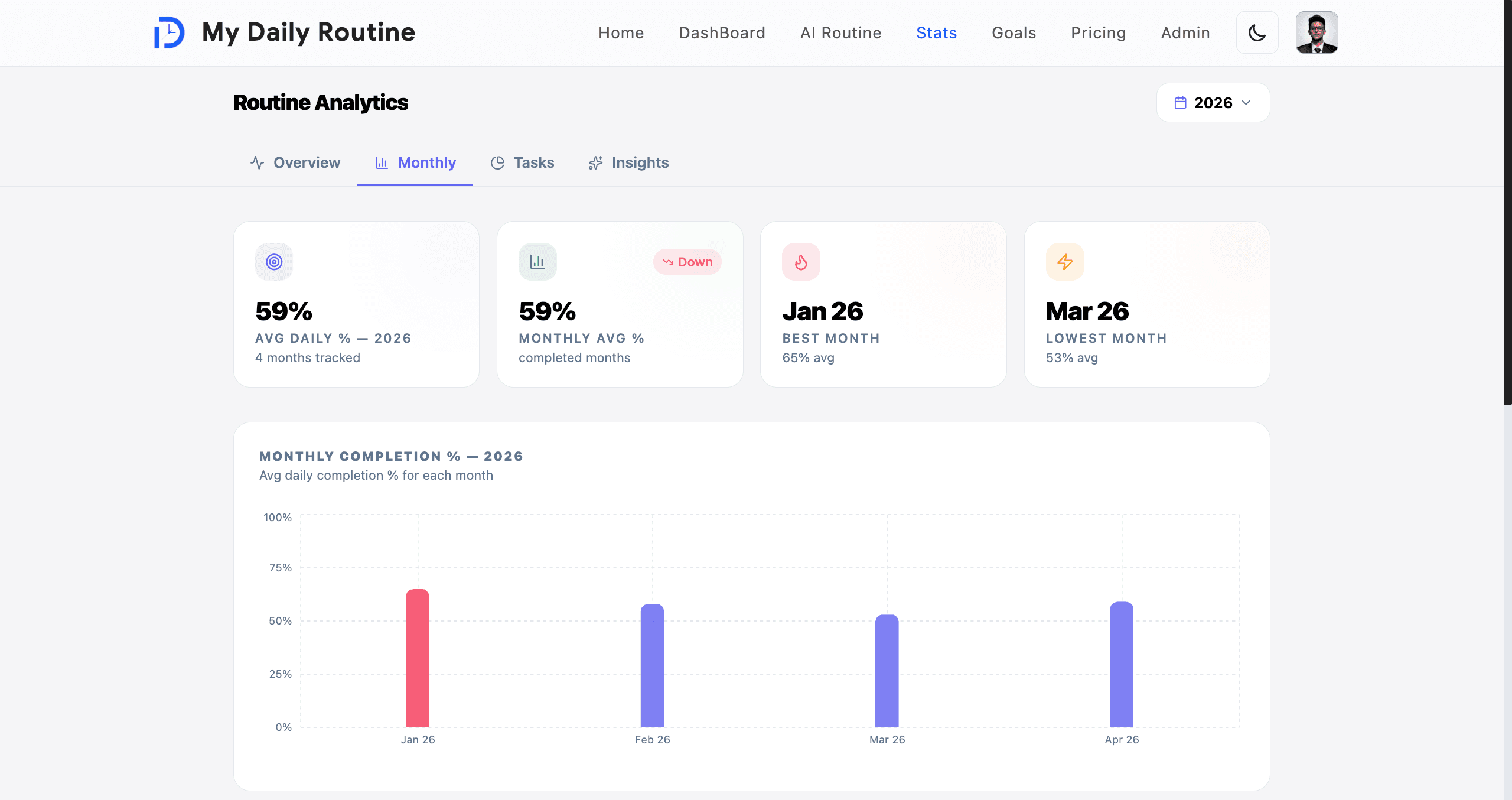
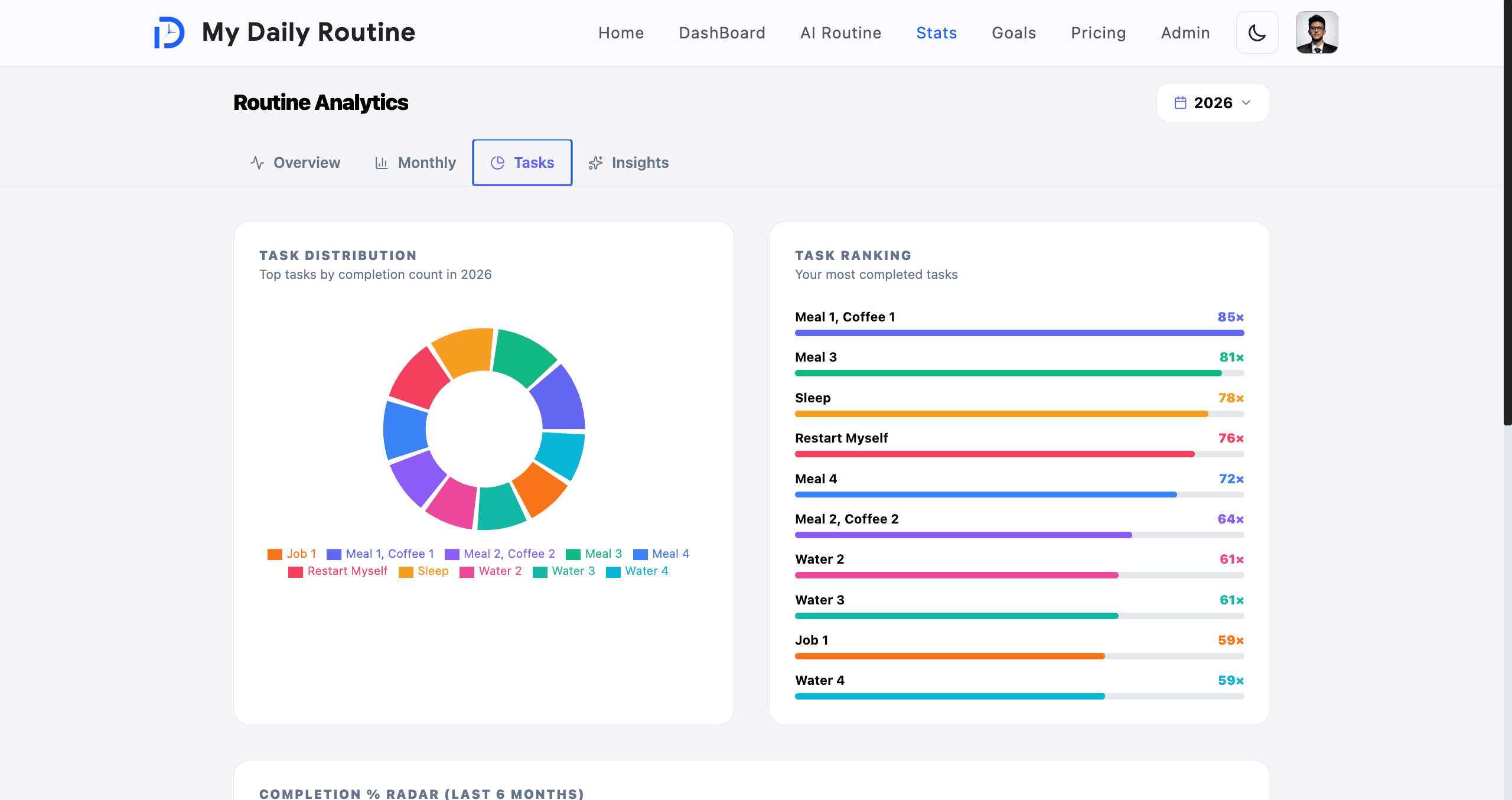
The Overview tab shows daily completion percentage, current streak, best-ever streak, and overall average. The Monthly tab breaks performance down by month with detailed tables. The Tasks tab reveals which tasks the user completes most often. The Insights tab generates personalized analysis — strongest day, three-month trend lines, and habit observations driven by the user's own data.

Charts include all-time trend, daily performance, weekly averages, and a calendar heat map for an at-a-glance feel for any month of the year.

  • Recharts 3 line, bar, and heat-map visualizations
  • Streak tracker (current + best) with rolling daily completion %
  • All-time, daily, and weekly-average trend charts
  • Monthly drilldown with tabular data and per-month aggregates
  • Per-task frequency analysis (what gets done, what slips)
  • Personalized insights: strongest weekday, 3-month trend, habit notes
  • Calendar heat map for the entire year of completion data
Stats & Analytics — Streaks, Trends, Insights image 1
Stats & Analytics — Streaks, Trends, Insights image 2
Stats & Analytics — Streaks, Trends, Insights image 3
Stats & Analytics — Streaks, Trends, Insights image 4

Profile & Photo Pipeline — S3 + sharp Image Processing

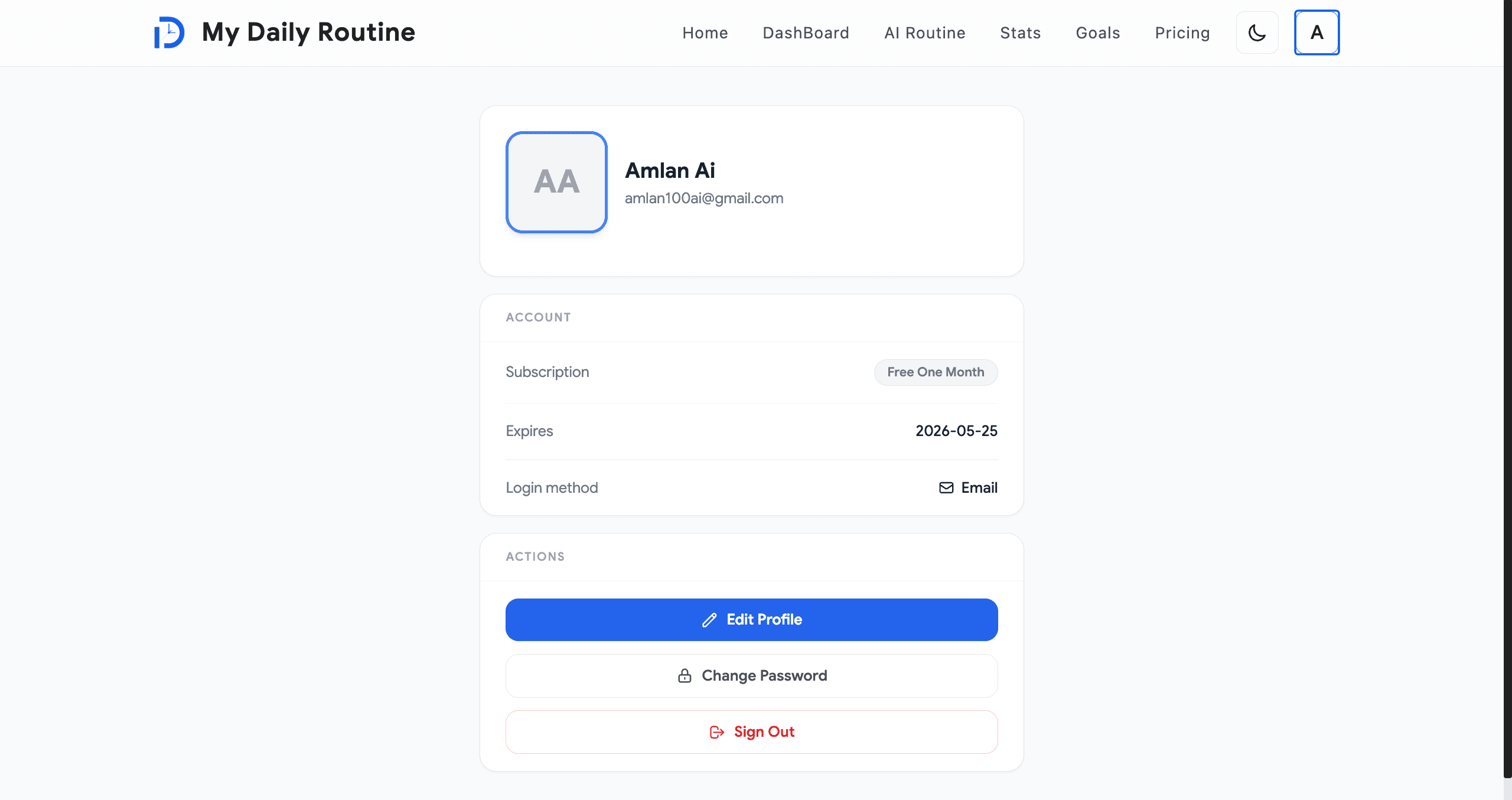
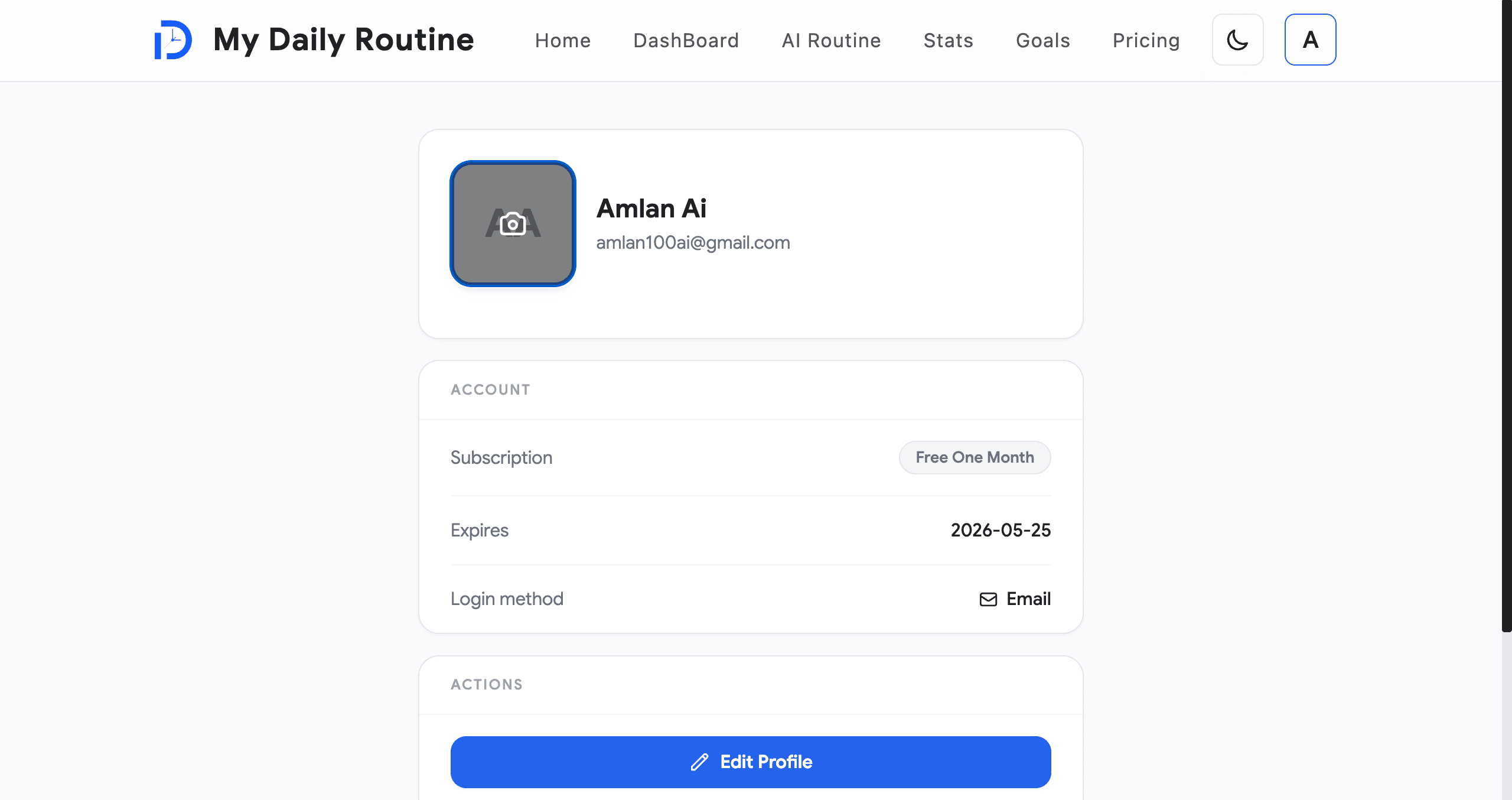
The profile page lets users edit their display name and upload a profile photo. Photos are processed entirely server-side: a `uploadPhoto(email, FormData)` Server Action streams the file through `sharp`, which resizes it to 256×256 WebP, then writes it to S3-compatible storage (MinIO via `@aws-sdk/client-s3`) under `profiles/<userId>/<uuid>.webp` with `ACL: public-read`.

The previous `photoKey` is deleted on replacement so storage stays tidy. The Server Action body limit is intentionally raised to 10 MB in `next.config.ts` to accommodate the upload pipeline without weakening other action paths.

Mongoose documents are always run through `cleanUserForClient` before being serialized to Redux or into a JWT, stripping `_id`, version keys, and Buffer internals — a deliberate guard against leaking ORM internals to the browser.

  • Server Action `uploadPhoto` accepts `FormData`, validates, resizes, and uploads
  • `sharp` resizes to a normalized 256×256 WebP for fast load and small footprint
  • S3-compatible storage (MinIO) via `@aws-sdk/client-s3`, public-read ACL
  • Old `photoKey` deleted on replacement (no orphaned objects)
  • 10 MB Server Action body limit configured explicitly in `next.config.ts`
  • `cleanUserForClient` sanitizes Mongoose docs before reaching the wire
Profile & Photo Pipeline — S3 + sharp Image Processing image 1
Profile & Photo Pipeline — S3 + sharp Image Processing image 2

Paddle Billing — One-Time Checkout & HMAC-Verified Webhooks

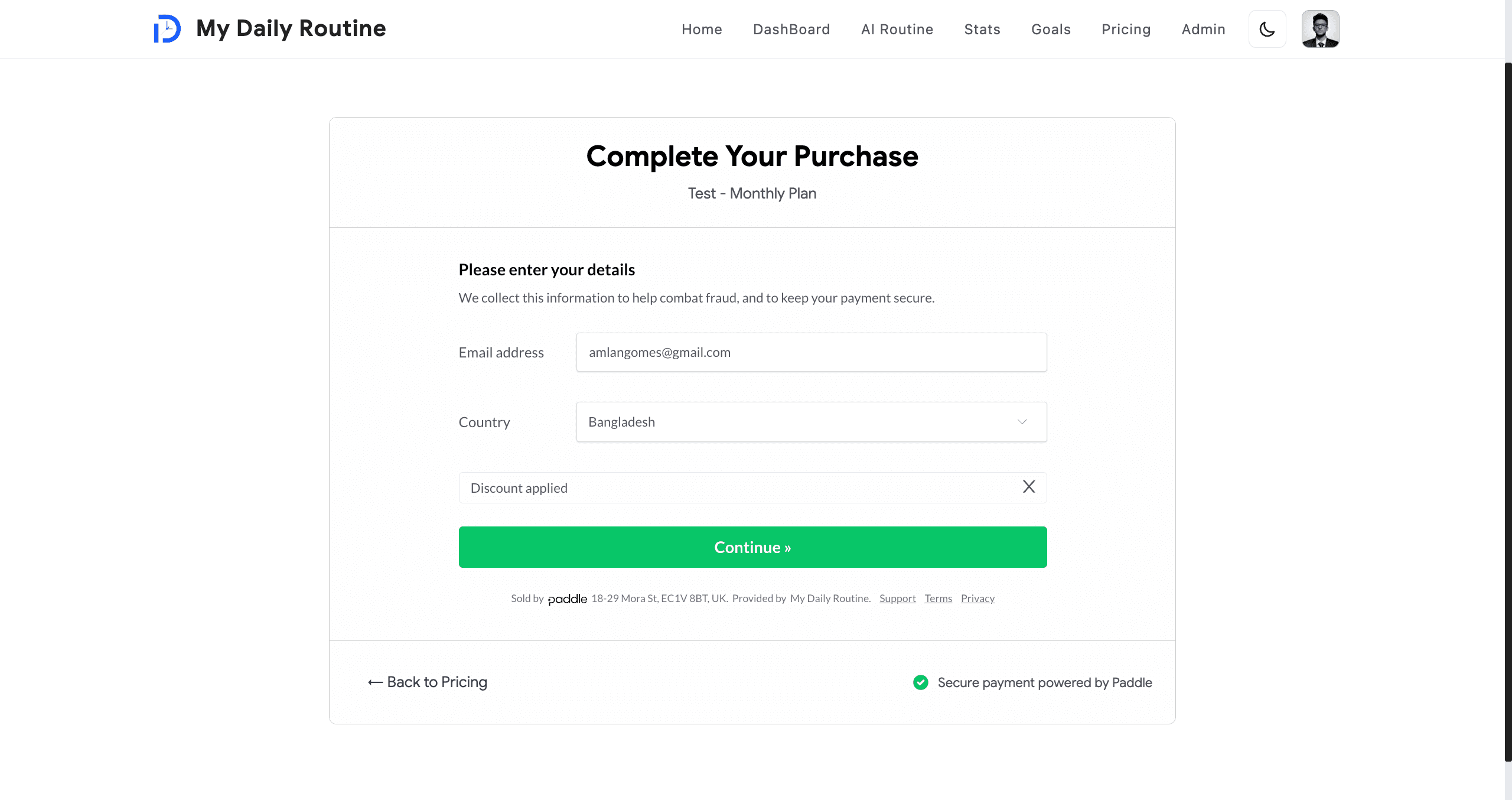
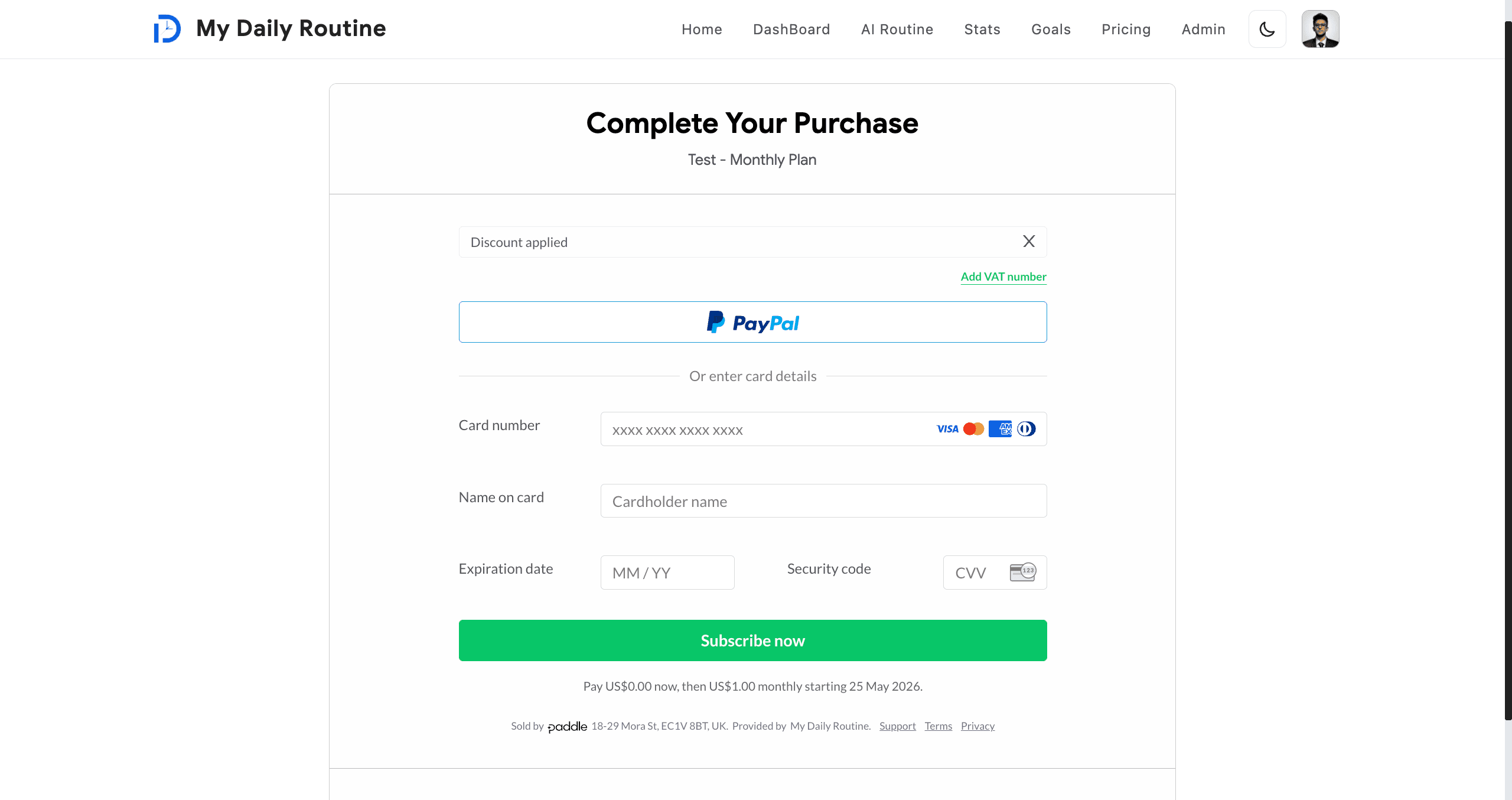
Premium uses a one-time purchase model via Paddle. The frontend opens Paddle Checkout through `@paddle/paddle-js`; a 100% discount path exists for the Test plan to keep QA and demos friction-free.

`POST /api/paddle/webhooks` validates the `Paddle-Signature` header (`ts=...;h1=...`) by computing HMAC-SHA256 over `ts:rawBody` and comparing with `crypto.timingSafeEqual` to defeat timing attacks. Every event is deduplicated through a `PaddleWebhookEvent` collection so retries never double-extend access.

On a verified successful payment the webhook calls the `updatePaymentType` Server Action, which extends the user's `expiredAt` and updates `paymentType`. The `/billing` page surfaces the user's current plan, expiry, and a fresh checkout CTA.

  • Paddle.js client SDK with one-time-purchase checkout overlay
  • 100% discount path for the Test plan (controlled by feature flag)
  • HMAC-SHA256 webhook signature verification with `timingSafeEqual` compare
  • Idempotent event handling via `PaddleWebhookEvent` dedupe collection
  • Strict CSP `frame-src` allowlist for Paddle sandbox + production domains
  • `updatePaymentType` Server Action extends `expiredAt` atomically
  • Billing page surfaces plan, expiry, and renewal CTA
Paddle Billing — One-Time Checkout & HMAC-Verified Webhooks image 1
Paddle Billing — One-Time Checkout & HMAC-Verified Webhooks image 2

Admin Tooling — Users, Feedback, Moderation

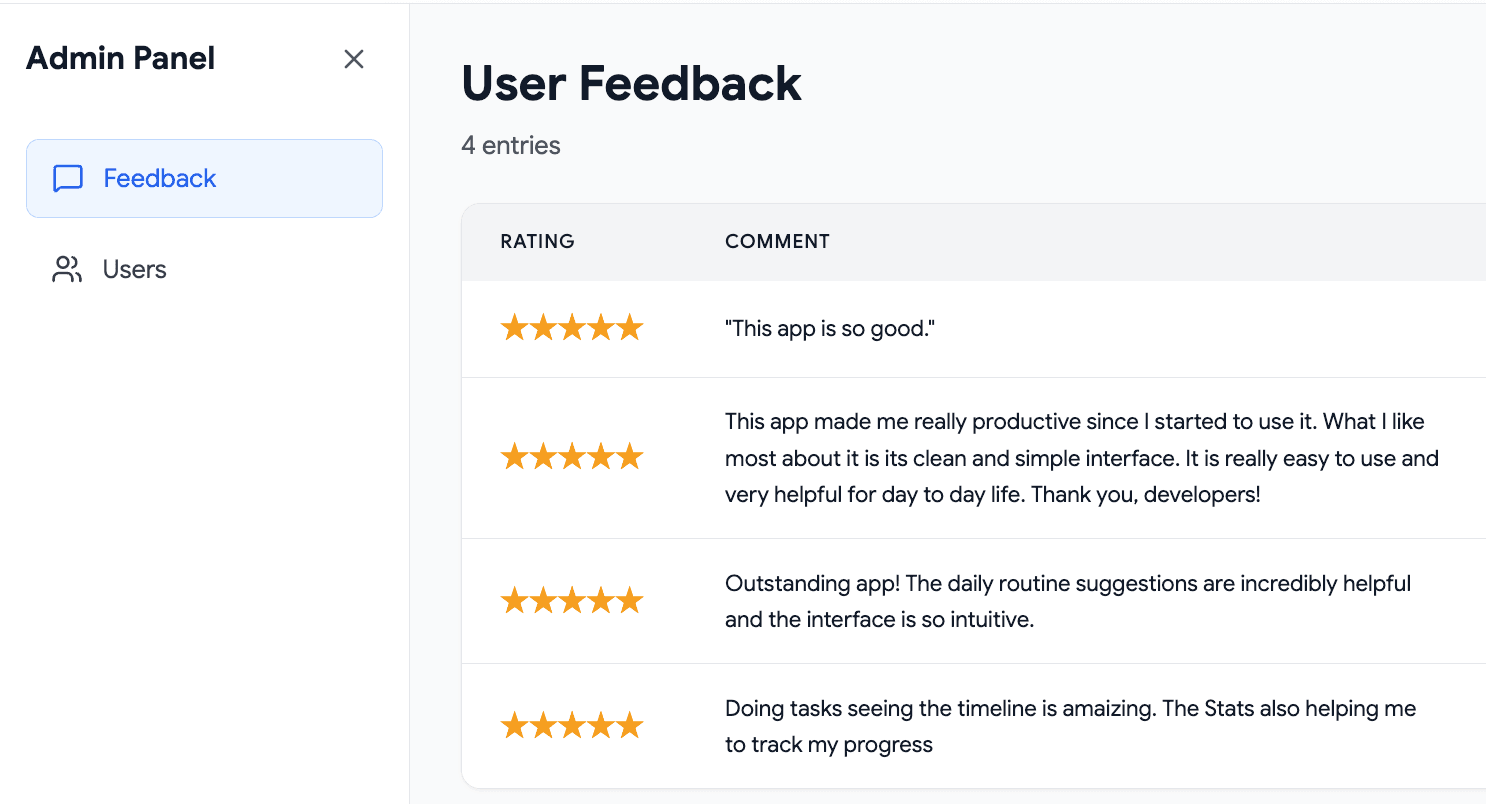
An admin-gated `/admin` route gives privileged users a dashboard for managing the user base and triaging product feedback. Access is enforced both at the middleware layer and inside every Server Action via the `isAdmin` flag on `getActionActor()`.

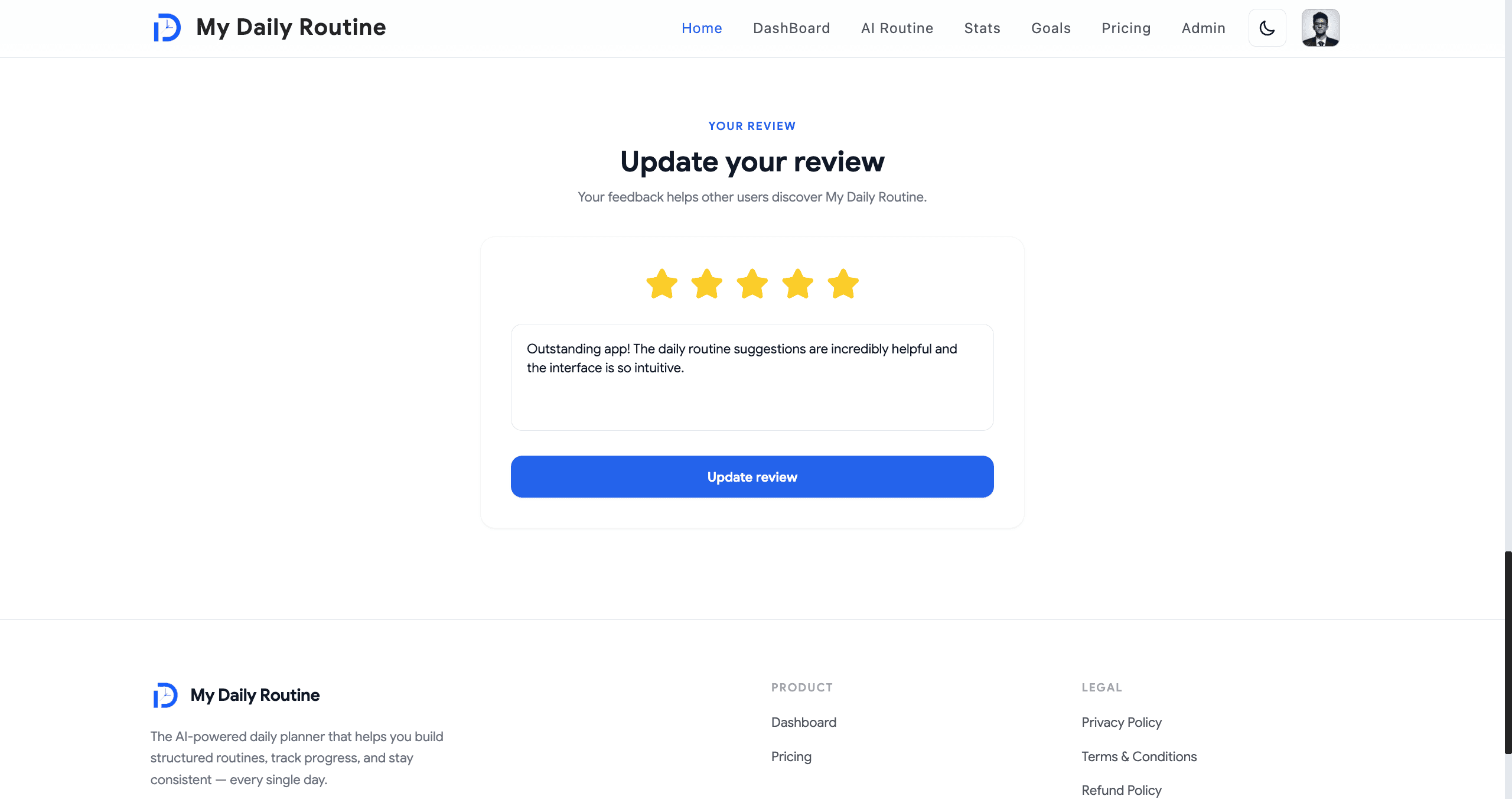
Admins can list users, inspect account state (verified, premium, expiry), and respond to feedback submissions stored in a dedicated `Feedback` collection — closing the loop between user signal and product iteration.

  • Admin-only `/admin` route with double-layered guards (middleware + actions)
  • User list with verification, plan, and expiry visibility
  • Feedback inbox backed by `Feedback` Mongoose collection
  • Same actor-guard pattern (`getActionActor`) — no client-trust escapes
Admin Tooling — Users, Feedback, Moderation image 1
Admin Tooling — Users, Feedback, Moderation image 2

Security, Performance, and Architecture

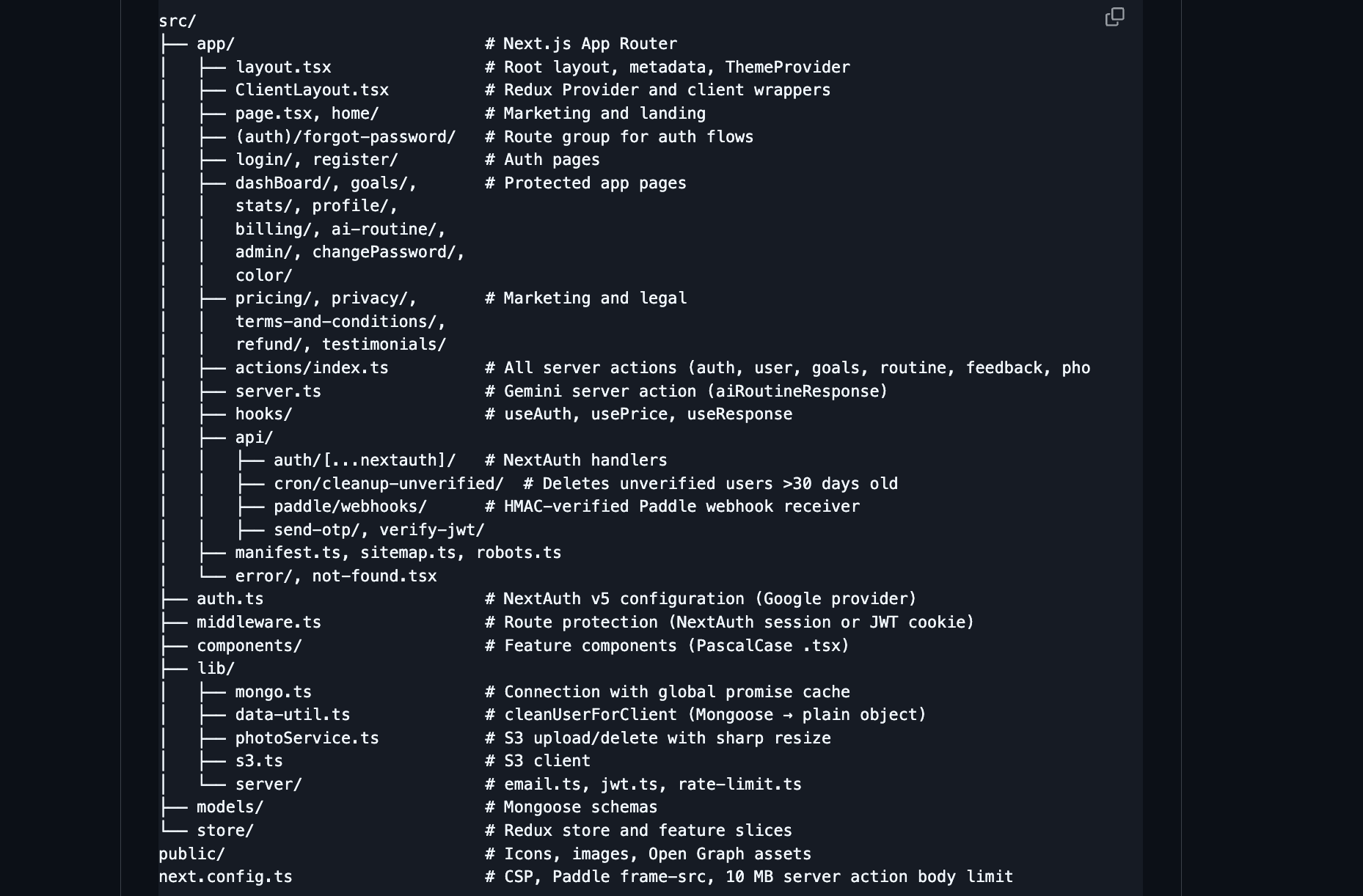
Strict Content Security Policy in `next.config.ts` allowlists Paddle frames only, locks `frame-ancestors` to `'none'`, and sets `X-Frame-Options: DENY`, `X-Content-Type-Options: nosniff`, `Referrer-Policy: strict-origin-when-cross-origin`, and a `Permissions-Policy` that disables camera, microphone, and geolocation by default.

MongoDB-backed fixed-window rate limiting protects sensitive endpoints (`enforceRateLimit(req, { route, max, windowMs, keyParts })`) keyed by IP plus optional context. A TTL index expires counters automatically — no cron required.

The Mongoose connection is cached on `globalThis._mongoosePromise` to survive Next.js HMR and serverless invocation churn. React Compiler is enabled (`reactCompiler: true`) so explicit `useMemo` / `useCallback` is reserved for cases the compiler can't see through.

Redux Toolkit holds three slices — `auth` (user, routine, goals, stats), `price` (Paddle pricing), `response` (AI conversation) — with `cleanUserForClient` enforced on every server-to-client boundary.

App Router Server Actions are colocated in a single `src/app/actions/index.ts` (~970 LOC, banner-organized by domain) so the action surface is auditable and easy to grep.

  • Strict CSP, `X-Frame-Options: DENY`, `nosniff`, locked `Permissions-Policy`
  • MongoDB-backed fixed-window rate limiter with TTL index expiry
  • Global Mongoose promise cache (`globalThis._mongoosePromise`) for HMR + serverless safety
  • React Compiler enabled — automatic memoization, leaner component code
  • Redux Toolkit (auth / price / response) with sanitized payloads only
  • Server Actions consolidated in one banner-organized file for auditability
  • `mongoose.models[name] || mongoose.model(...)` pattern to survive HMR
  • `select: false` on `password` schema field, explicit `+password` opt-in
  • Edge-friendly middleware checks NextAuth session then JWT fallback
  • Bearer-protected cron, HMAC-verified webhooks, idempotent event handling
Security, Performance, and Architecture image 1
Security, Performance, and Architecture image 2

Tech Stack at a Glance

Next.js 16 (App Router, React Compiler) · React 19.2 · TypeScript 5.9 (strict) · Tailwind CSS 3.4 (class-based dark mode) · Framer Motion 12 · Redux Toolkit 2 + react-redux 9.

NextAuth v5 beta (Google) · custom JWT via `jose` + `bcrypt` · MongoDB / Mongoose 8 · `@aws-sdk/client-s3` + `sharp` (MinIO) · Paddle (`@paddle/paddle-js`) · `@google/genai` (Gemini) · `nodemailer` over Brevo SMTP · Recharts 3 · Sonner 2 · ESLint 9 (flat config).

  • Frontend: Next.js 16 App Router, React 19.2, TypeScript strict, Tailwind 3.4, Framer Motion 12
  • State: Redux Toolkit 2 with three feature slices (auth / price / response)
  • Auth: NextAuth v5 beta + jose-signed JWT + bcrypt + httpOnly cookies
  • Data: MongoDB / Mongoose 8 with global connection cache
  • Media: S3-compatible MinIO via `@aws-sdk/client-s3` + sharp 256×256 WebP pipeline
  • Payments: Paddle one-time checkout + HMAC-SHA256 webhook verification
  • AI: `@google/genai` (Gemini) for conversational routine building
  • Email: nodemailer over Brevo SMTP (OTP, welcome, password reset)
  • Analytics: Recharts 3 charts, Sonner 2 toasts, Lucide / React Icons
  • Tooling: ESLint 9 flat config, TypeScript ESLint 8, Next.js implicit `tsc --noEmit`