Tasker

Tasker is a frontend React.js application developed in September 2024 for efficient task management. The home route features a hero section and a task list area where users can add, edit, delete, favorite, and search tasks. Tasks include details like title, description, priority, and tags, with mandatory field validation and color-coded notifications for actions. Styled with Tailwind CSS, the app provides a responsive and user-friendly interface, demonstrating advanced state management, form handling, and UI feedback mechanisms in React.

Tasker

Technology Stack

ReactReact
Tailwind CSSTailwind CSS
JavaScriptJavaScript

Home Route: Hero and Initial Task View

The home route opens with an engaging hero section that introduces the task management functionality.

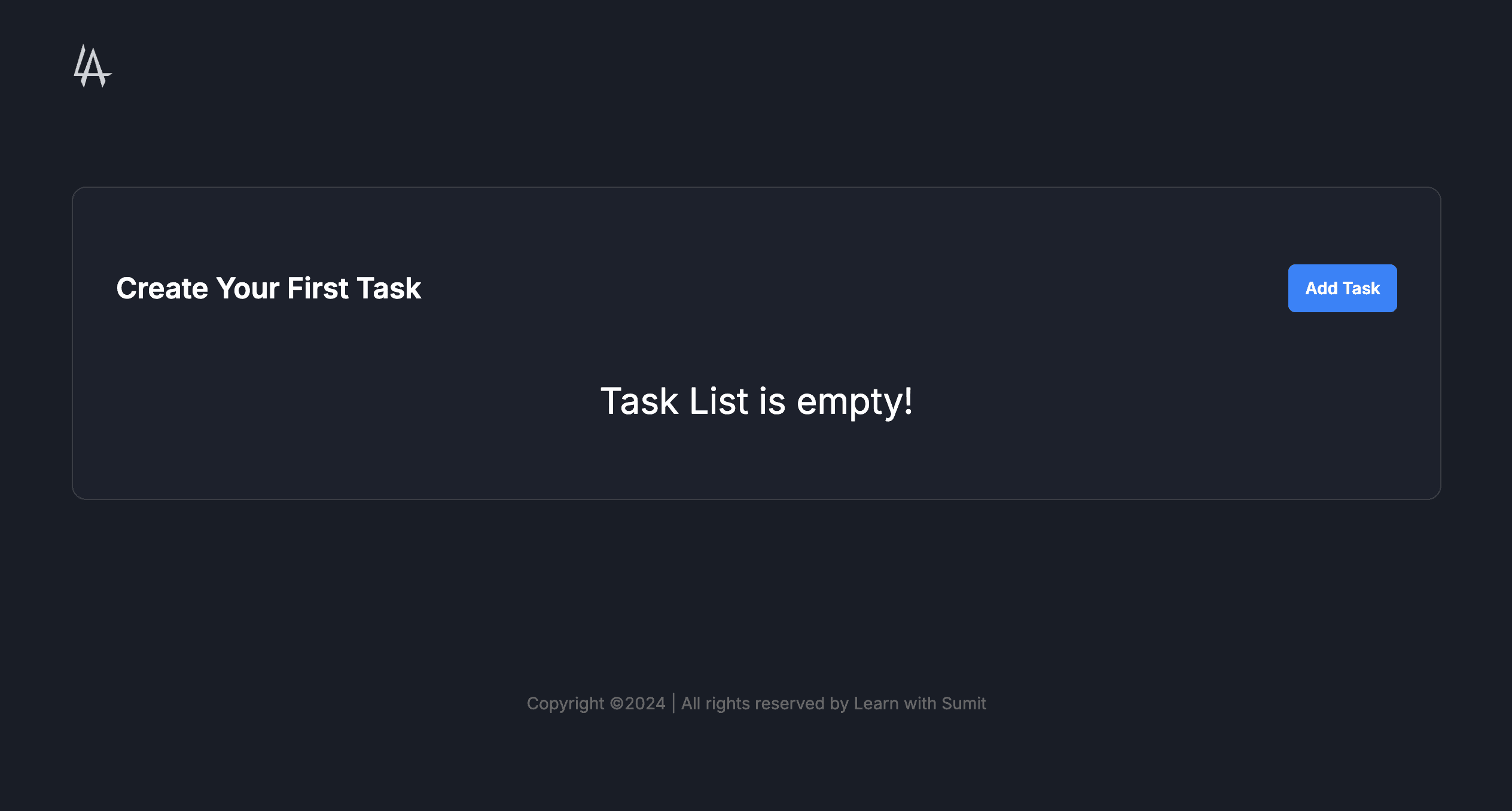
Below the hero, an empty task list displays 'Create Your First Task' title, an 'Add Task' button, and 'Task List is empty!' message in the center.

  • Visually appealing hero section for user onboarding
  • Clear call-to-action with 'Add Task' button
  • Responsive layout adapting to all screen sizes
  • Intuitive empty state design to encourage interaction
Home Route: Hero and Initial Task View image 1
Home Route: Hero and Initial Task View image 2

Adding a New Task

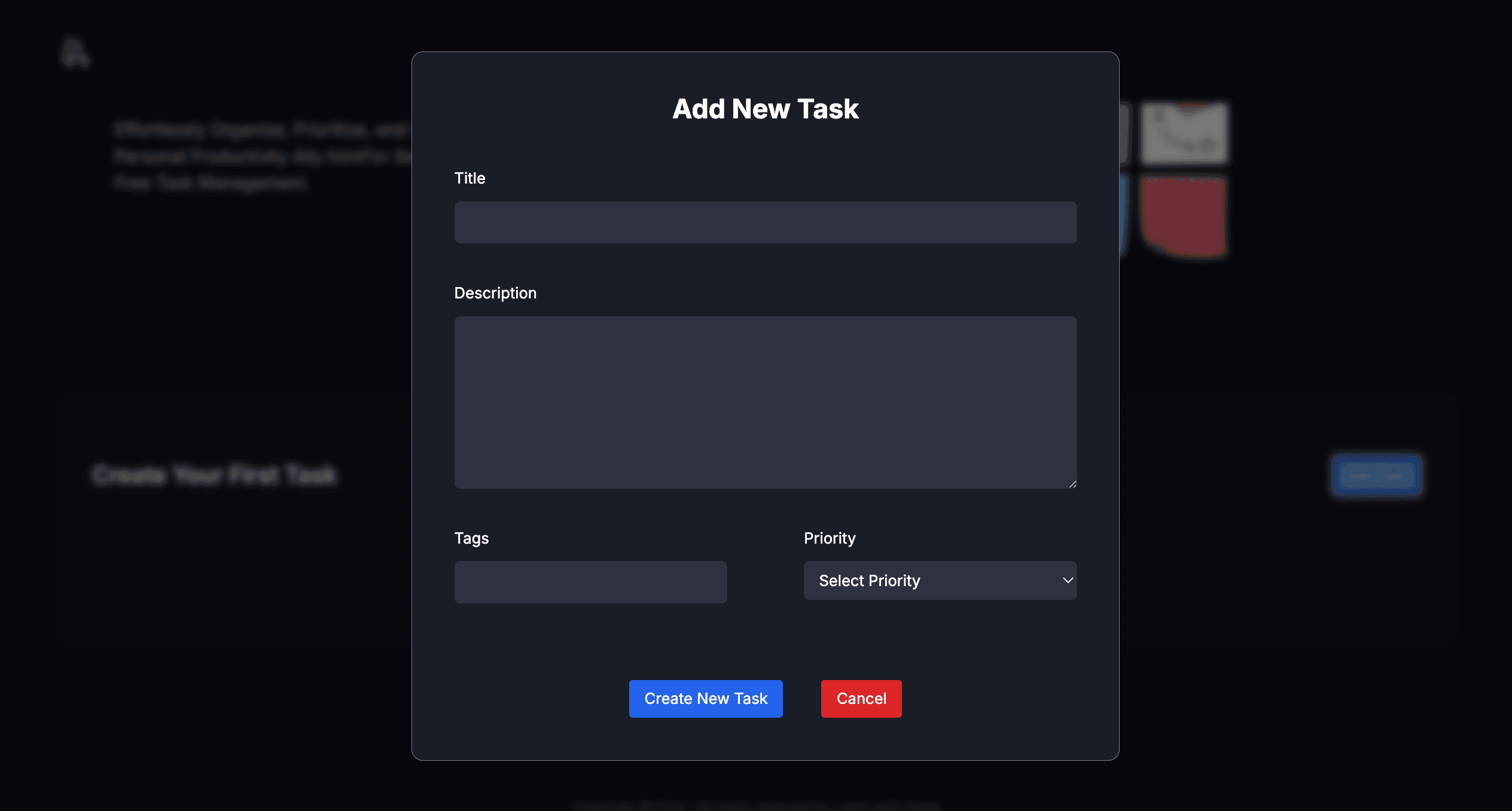
Clicking 'Add Task' opens a large absolute modal titled 'Add New Task' where users input task title, description, priority, and tags—all fields are mandatory.

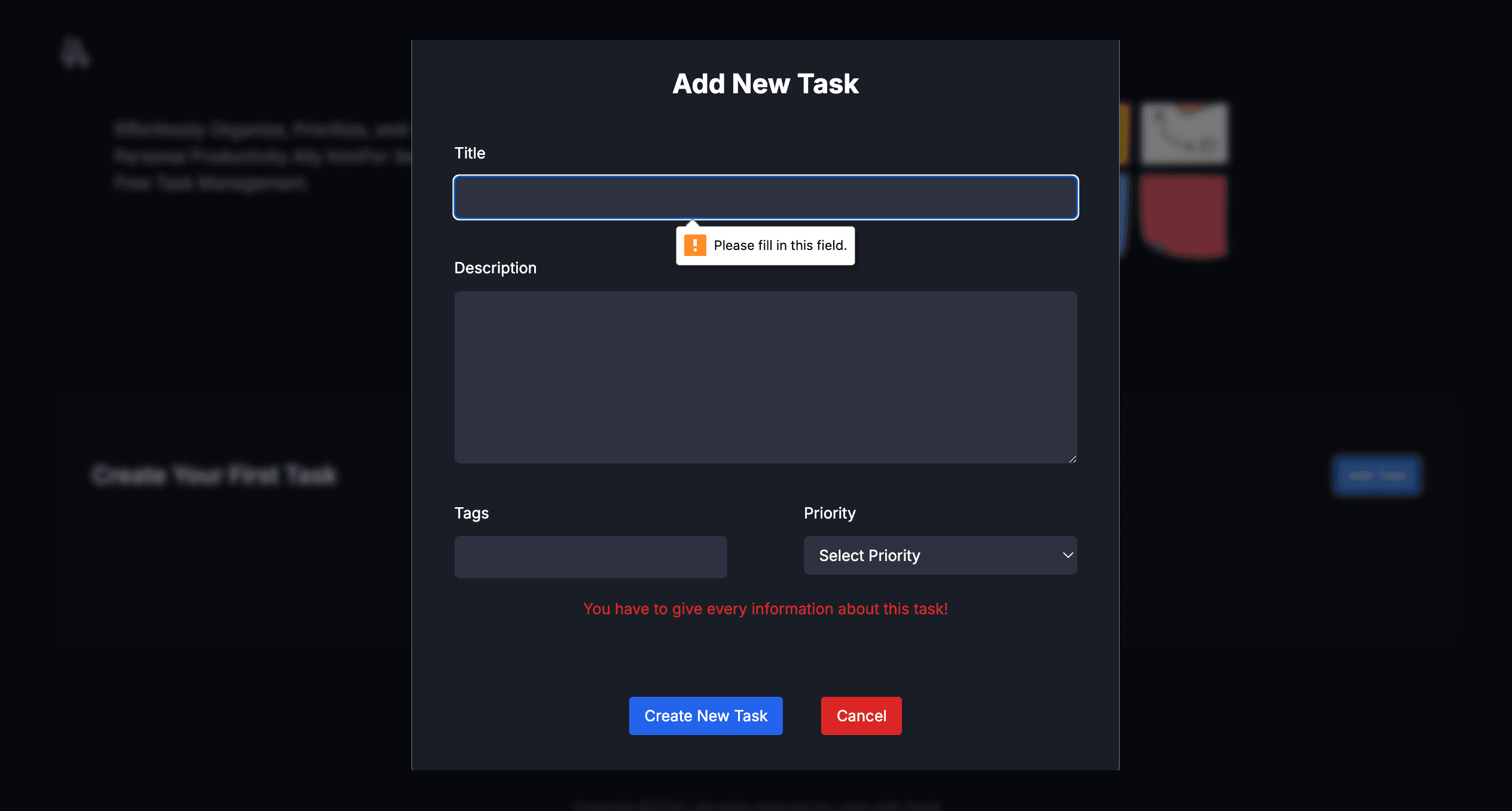
If fields are incomplete, an error message appears: 'You have to give every information about this task!' preventing creation.

  • Modal form with mandatory fields for task details
  • Client-side validation for complete data entry
  • User-friendly input interfaces for priority and tags
  • Seamless modal open/close animations
Adding a New Task image 1
Adding a New Task image 2

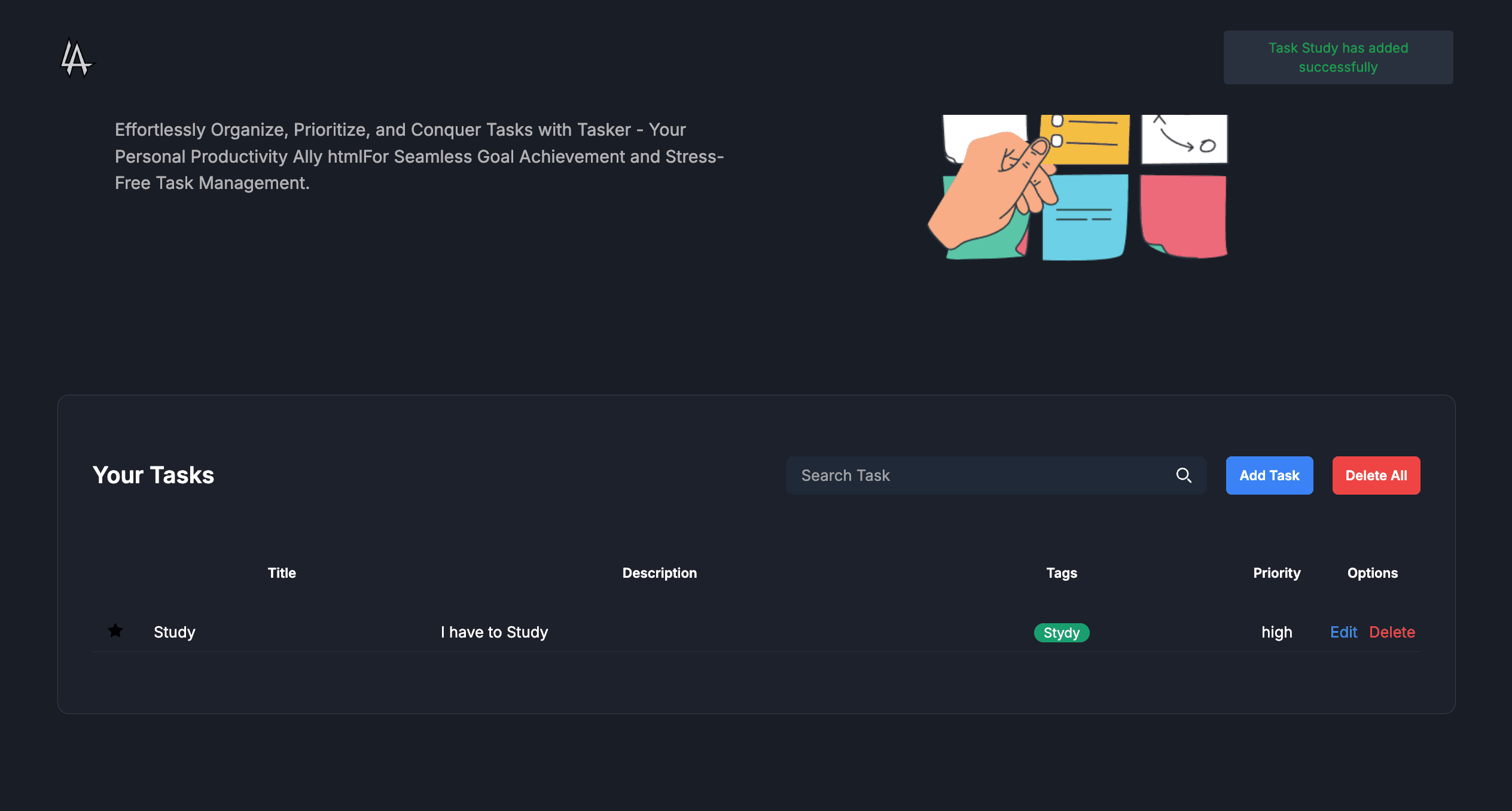
Upon filling all fields and clicking 'Create New Task', the task is added to the list with a green pop-up notification: 'Task {taskName} has been added successfully'.

  • Successful addition with visual confirmation
  • Dynamic task rendering in the main list
  • Color-coded success notification
  • Persistent task storage using local state
Adding a New Task image 1

Editing a Task

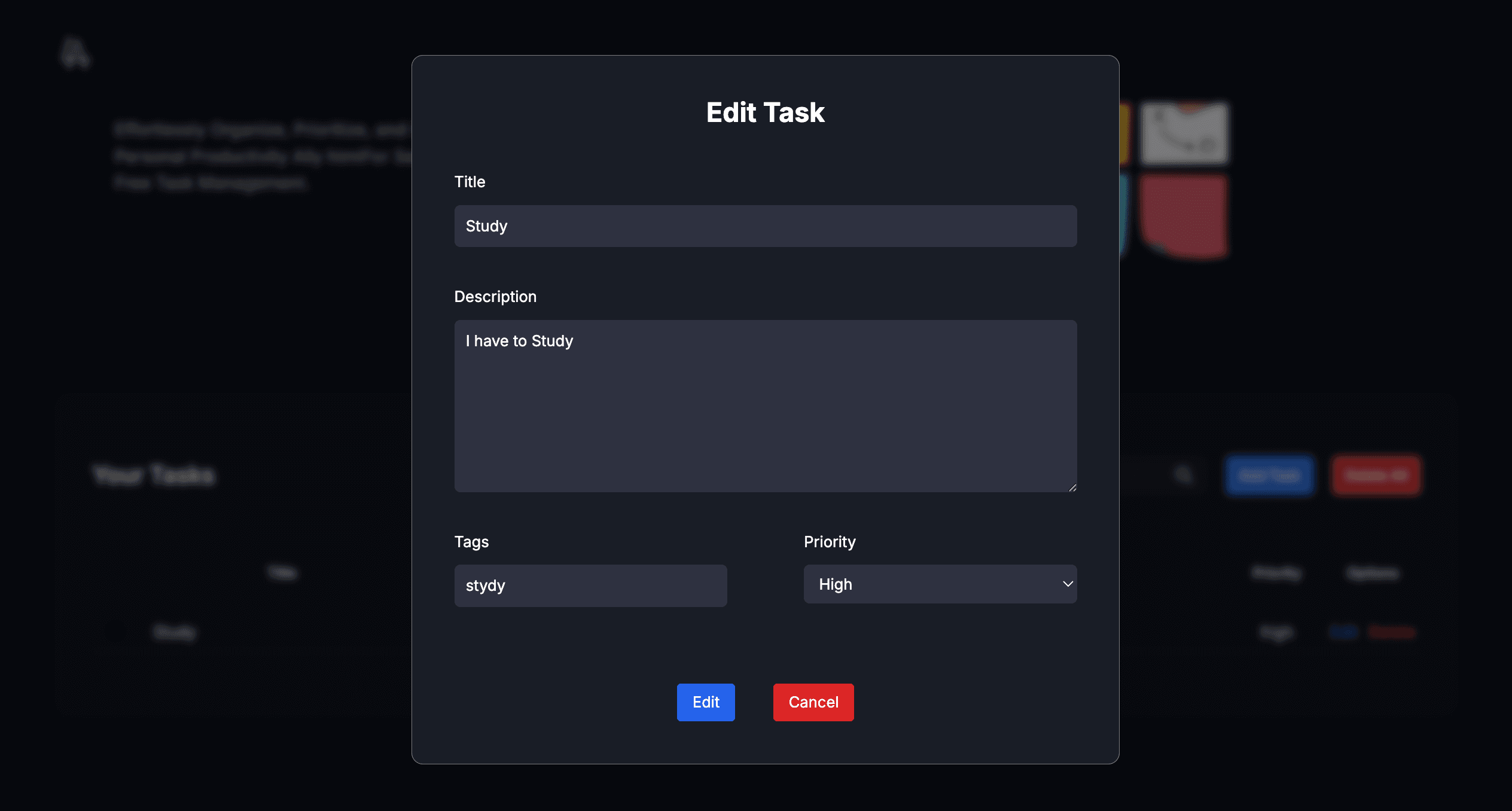
Each task has an edit button; clicking it opens the same modal titled 'Edit Task' pre-filled with existing details for updates.

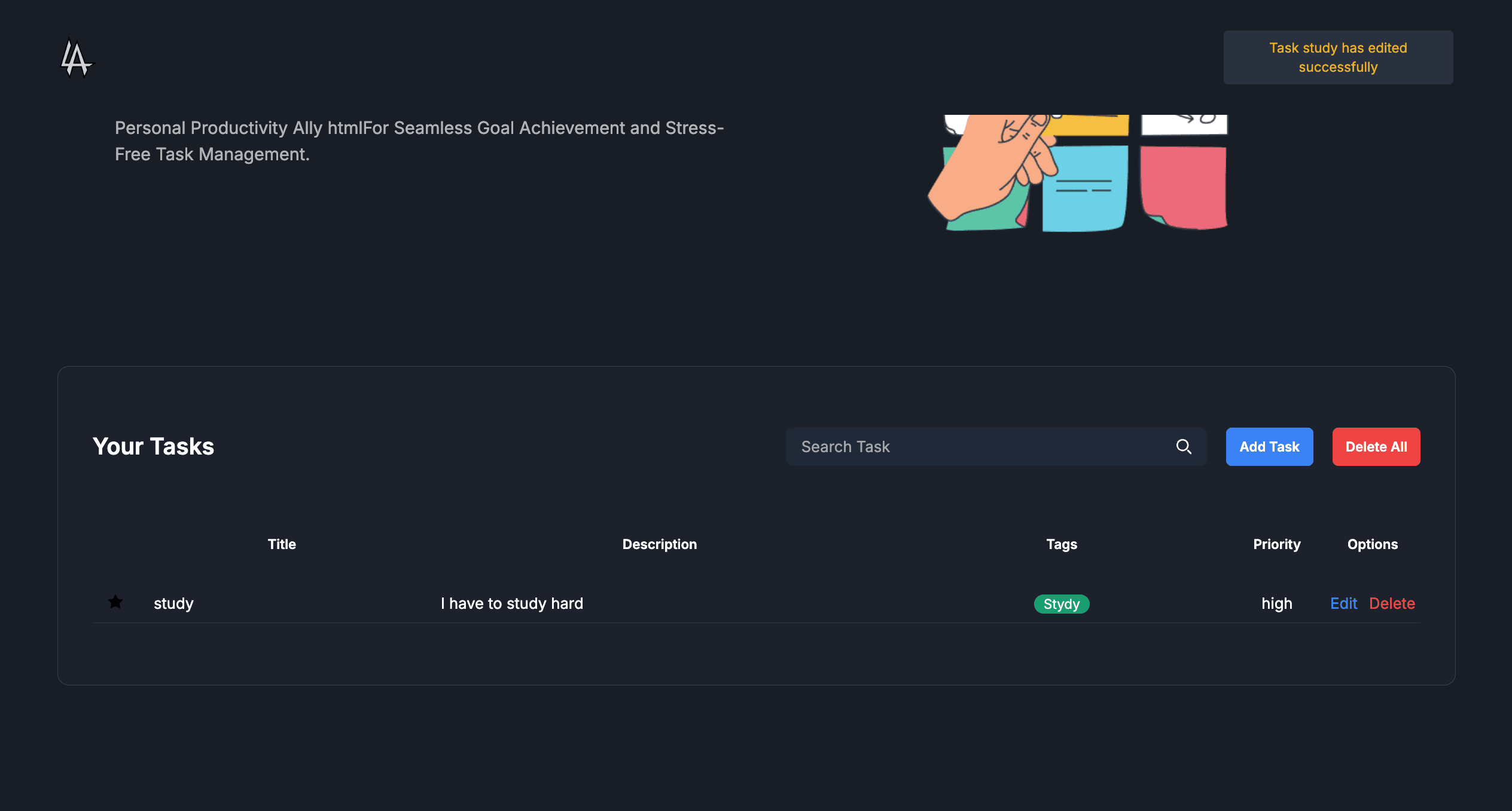
After modifications and confirmation, the task updates in the list with a yellow pop-up: 'Task {taskName} has been edited successfully'.

  • Pre-populated edit modal for seamless updates
  • Validation and error handling during edits
  • Real-time reflection of changes in the UI
  • Yellow notification for edit confirmation
Editing a Task image 1
Editing a Task image 2

Deleting Tasks

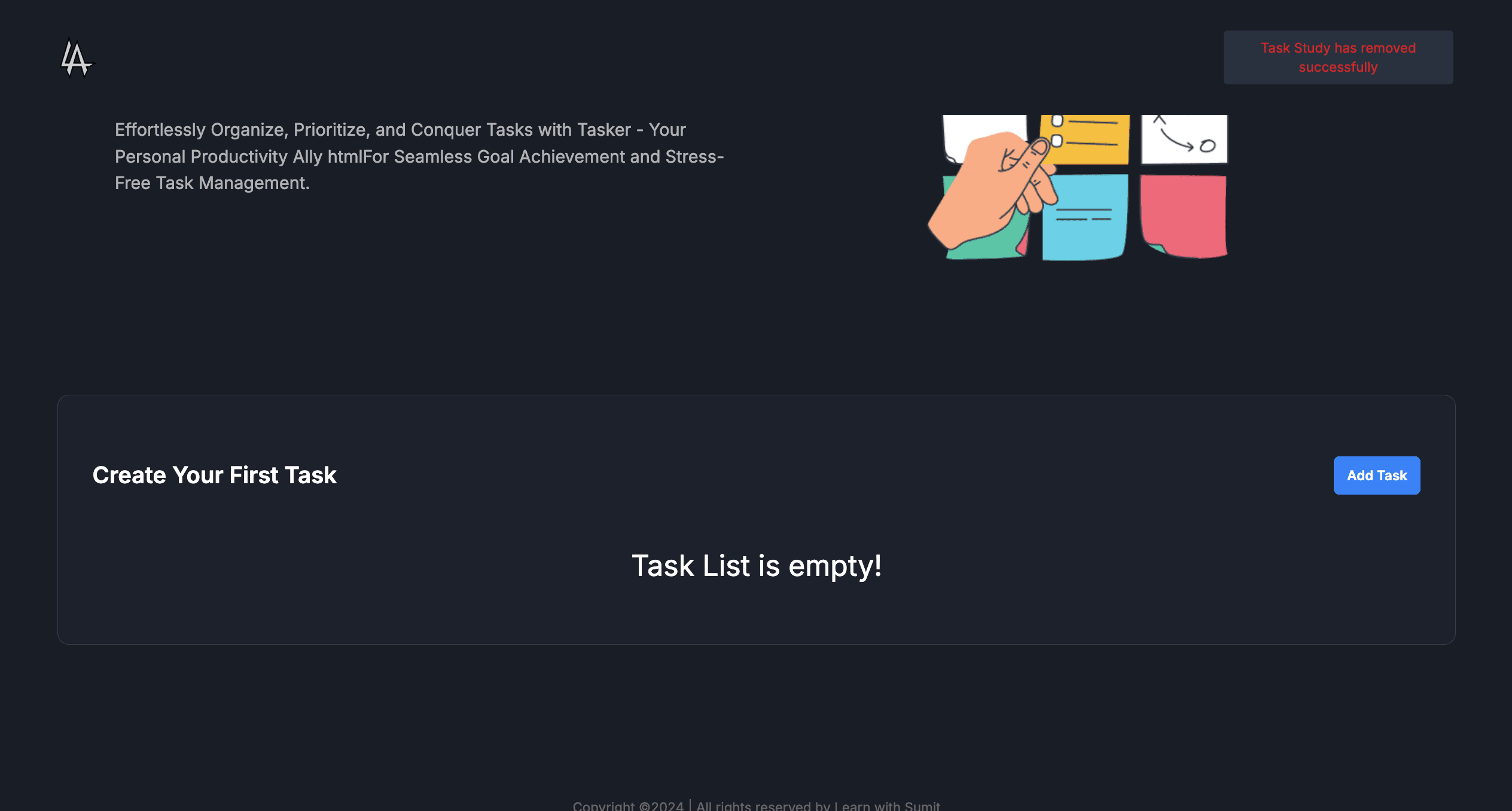
Individual tasks can be deleted via a delete button, triggering a red pop-up: 'Task {taskName} has been deleted successfully'.

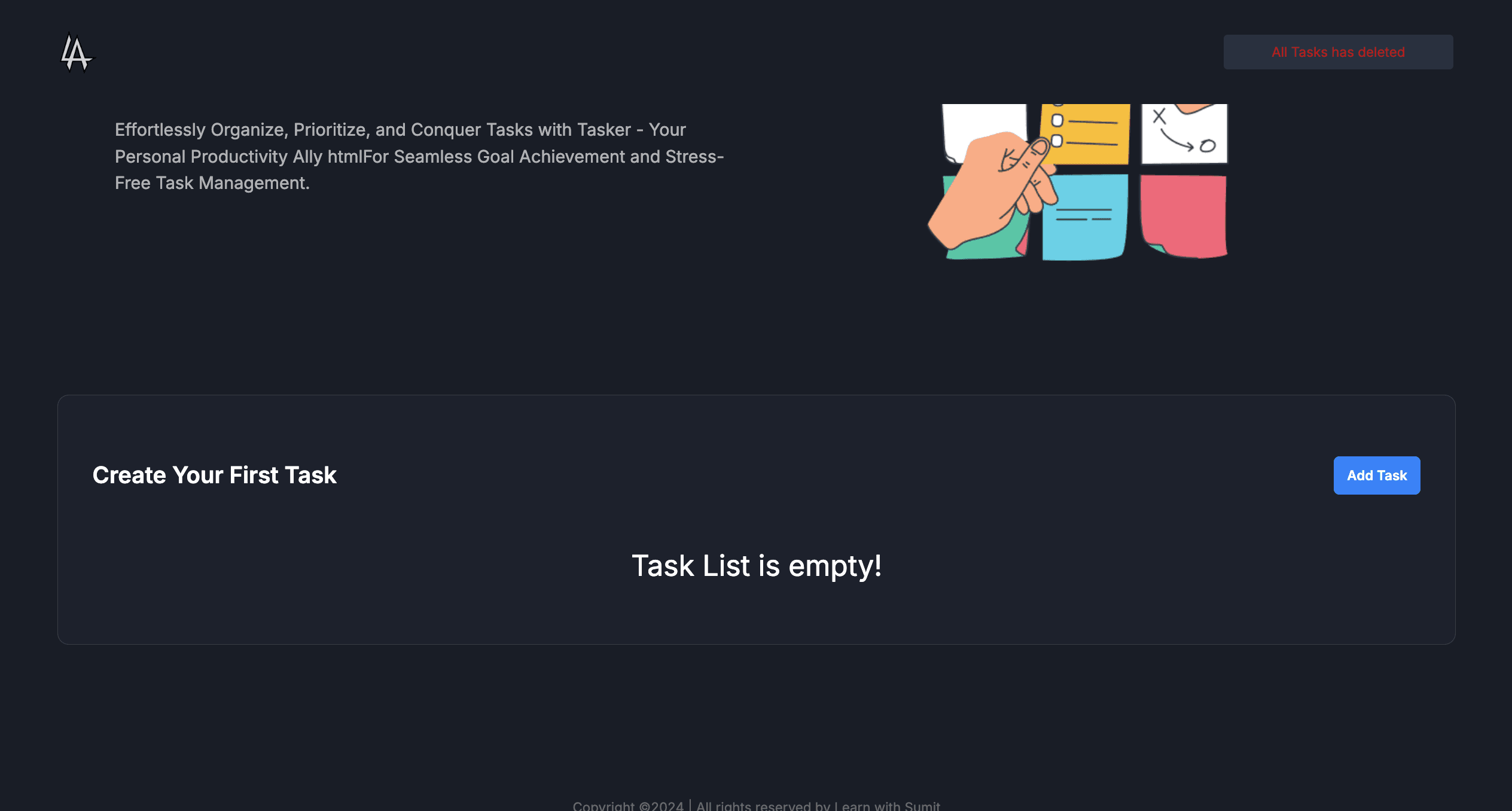
A 'Delete All' button clears the entire list, showing 'All tasks has been deleted successfully' and resetting to the initial empty state.

  • Instant removal with confirmation notification
  • Bulk delete functionality for all tasks
  • Red color-coded alerts for destructive actions
  • State reset to empty view after full deletion
Deleting Tasks image 1
Deleting Tasks image 2

Additional Task Management Features

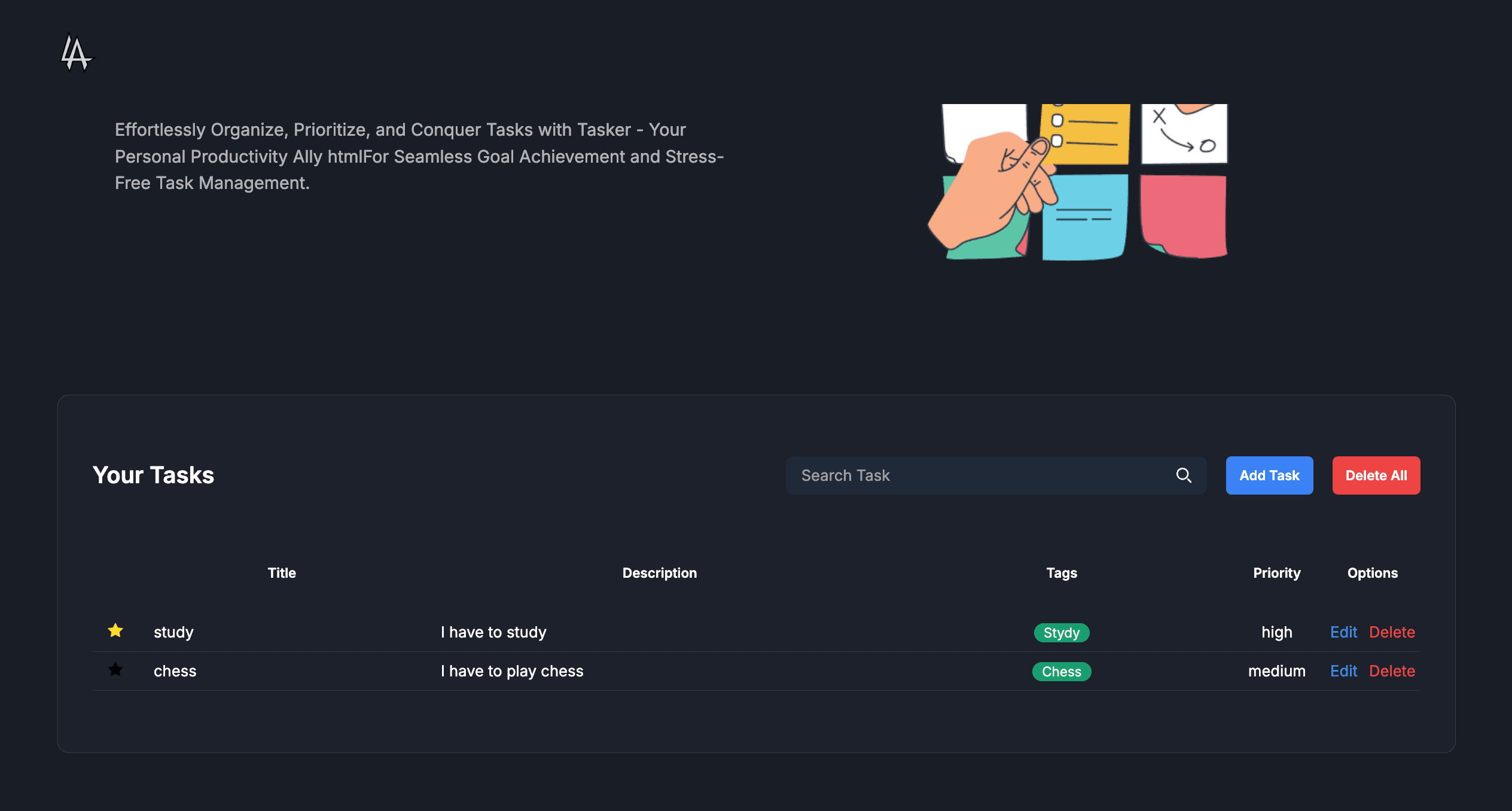
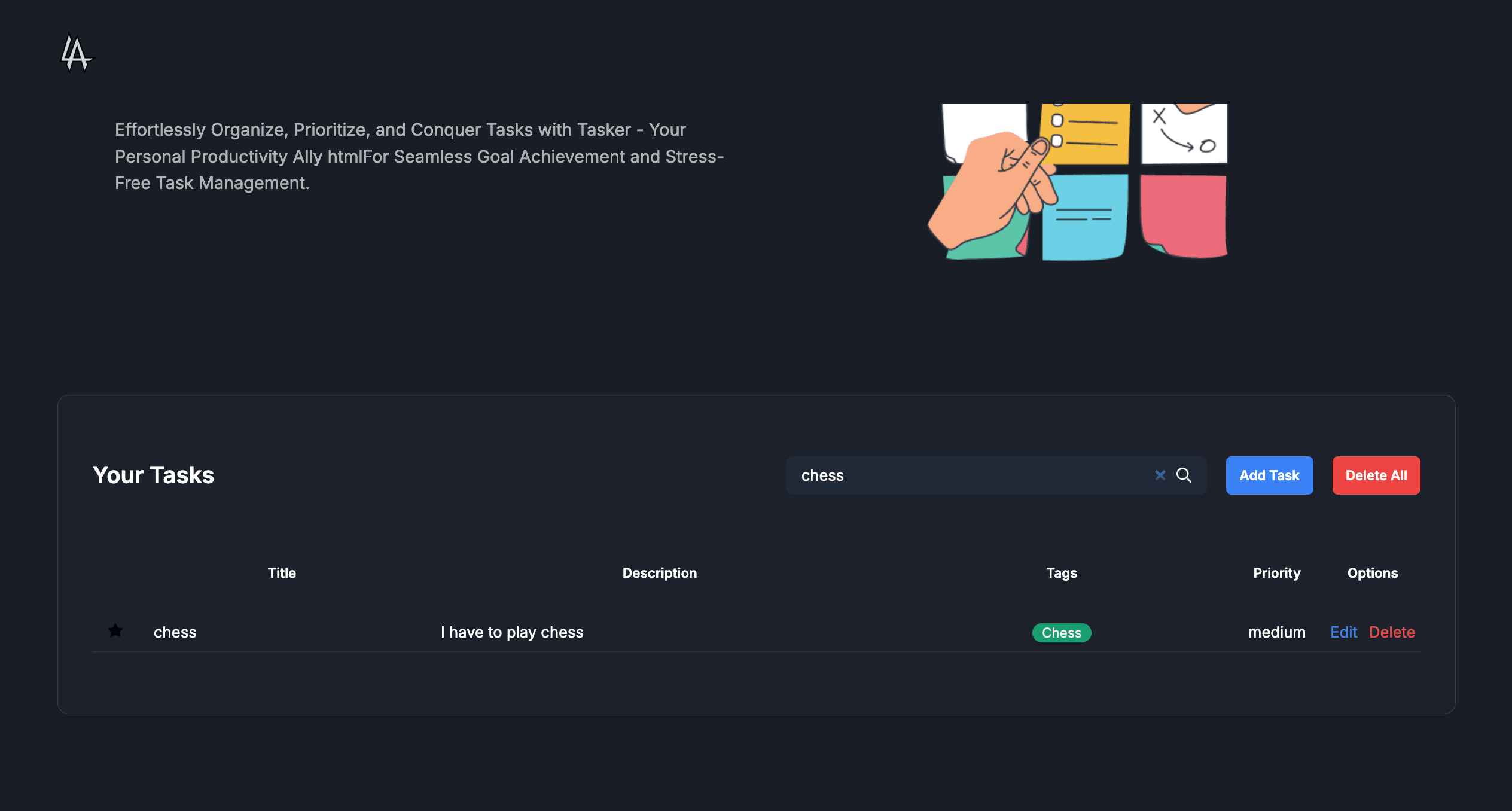
Tasks can be marked as favorite or unfavorite for quick access, and a search input field filters tasks dynamically by name or tags.

These features enhance organization and retrieval, making task management more efficient.

  • Toggle favorite status with visual indicators
  • Real-time search filtering across tasks
  • Combined priority and tag-based organization
  • Responsive updates without page reloads
Additional Task Management Features image 1
Additional Task Management Features image 2

Technical Implementation

Built with React.js for component-based architecture, enabling modular task components and modal dialogs.

Utilizes Tailwind CSS for responsive styling and quick development of modals, notifications, and layouts.

  • React hooks for state management and side effects
  • Local state persistence for tasks (useState/useEffect)
  • Tailwind CSS for consistent and utility-first styling
  • Event-driven notifications with timed dismissals